> ## Documentation Index
> Fetch the complete documentation index at: https://docs.sequencehq.com/llms.txt
> Use this file to discover all available pages before exploring further.
# Phases
> Use phases in billing schedules to represent pre-agreed price changes, trial periods or pricing ramps
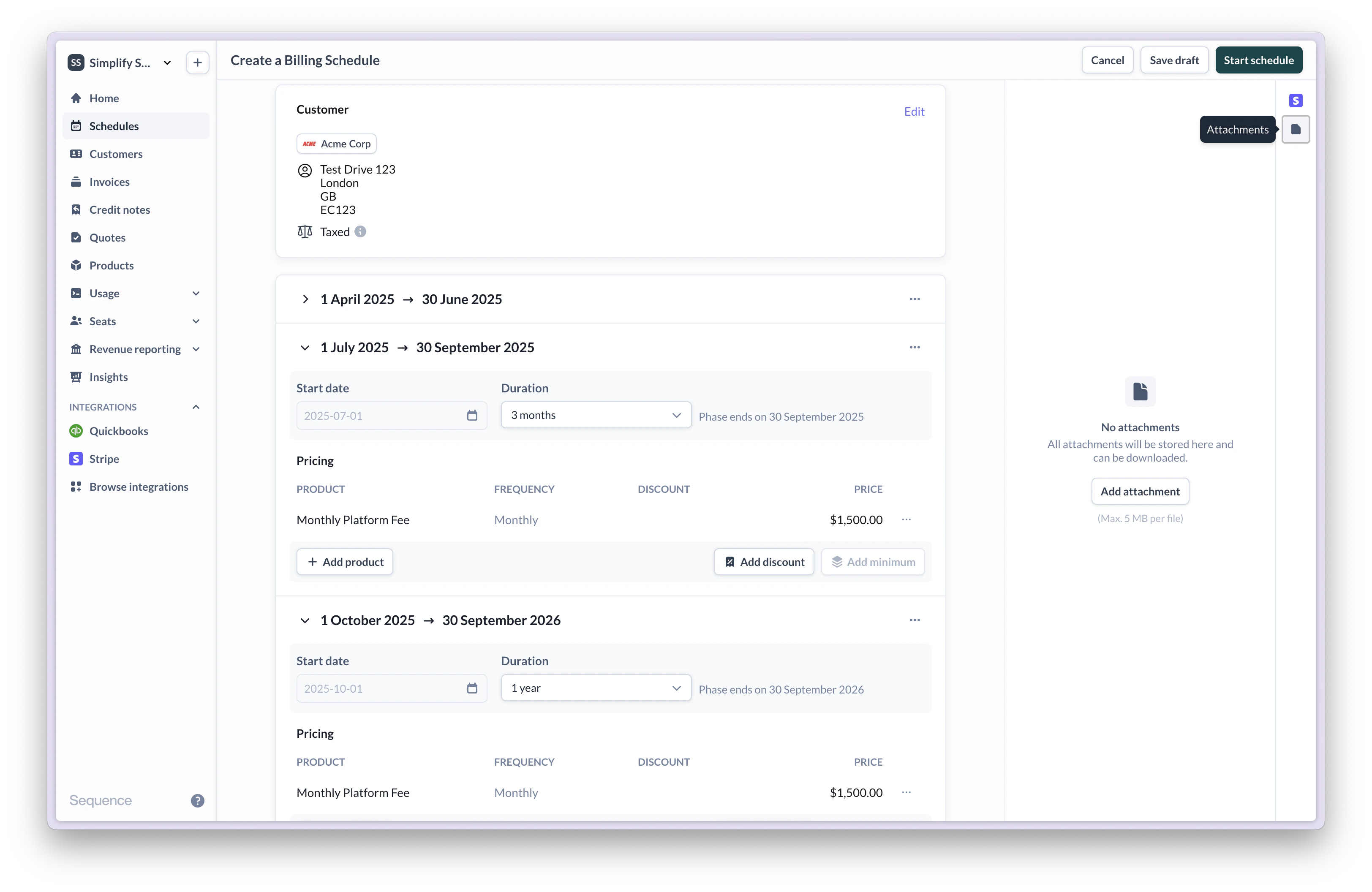
Create phases in billing schedules to setup a scheduled price change for a customer contract, such as ramped pricing. Phases are always sequential and cannot overlap, meaning that the end date of a phase is followed by the start date of a new phase.
Phases are a flexible tool to accomplish advanced billing scenarios, such as:
* **Introductory pricing**: Create a three month phase to set up introductory pricing that only applies in the first three months of a one year contract.
* **Pricing ramps**: For a three year contract, set up three distinct one year phases where pricing gradually increases by 25% each year.
* **Renewals**: Set up a new phase for a contract renewal instead of managing separate billing schedules or subscriptions.
 Phases are different from billing periods and do not affect when invoices are generated. Phases determine when a pricing change should take place as part of a billing schedule or when a discount should be applied.
To avoid unexpected behaviour, we recommend aligning phase start and end dates with billing periods.
While it is possible to set custom start and end dates for phases to exactly match your contract, Sequence will provide you with an option to align the configured phase dates with your schedule's billing periods.
Phases are different from billing periods and do not affect when invoices are generated. Phases determine when a pricing change should take place as part of a billing schedule or when a discount should be applied.
To avoid unexpected behaviour, we recommend aligning phase start and end dates with billing periods.
While it is possible to set custom start and end dates for phases to exactly match your contract, Sequence will provide you with an option to align the configured phase dates with your schedule's billing periods.
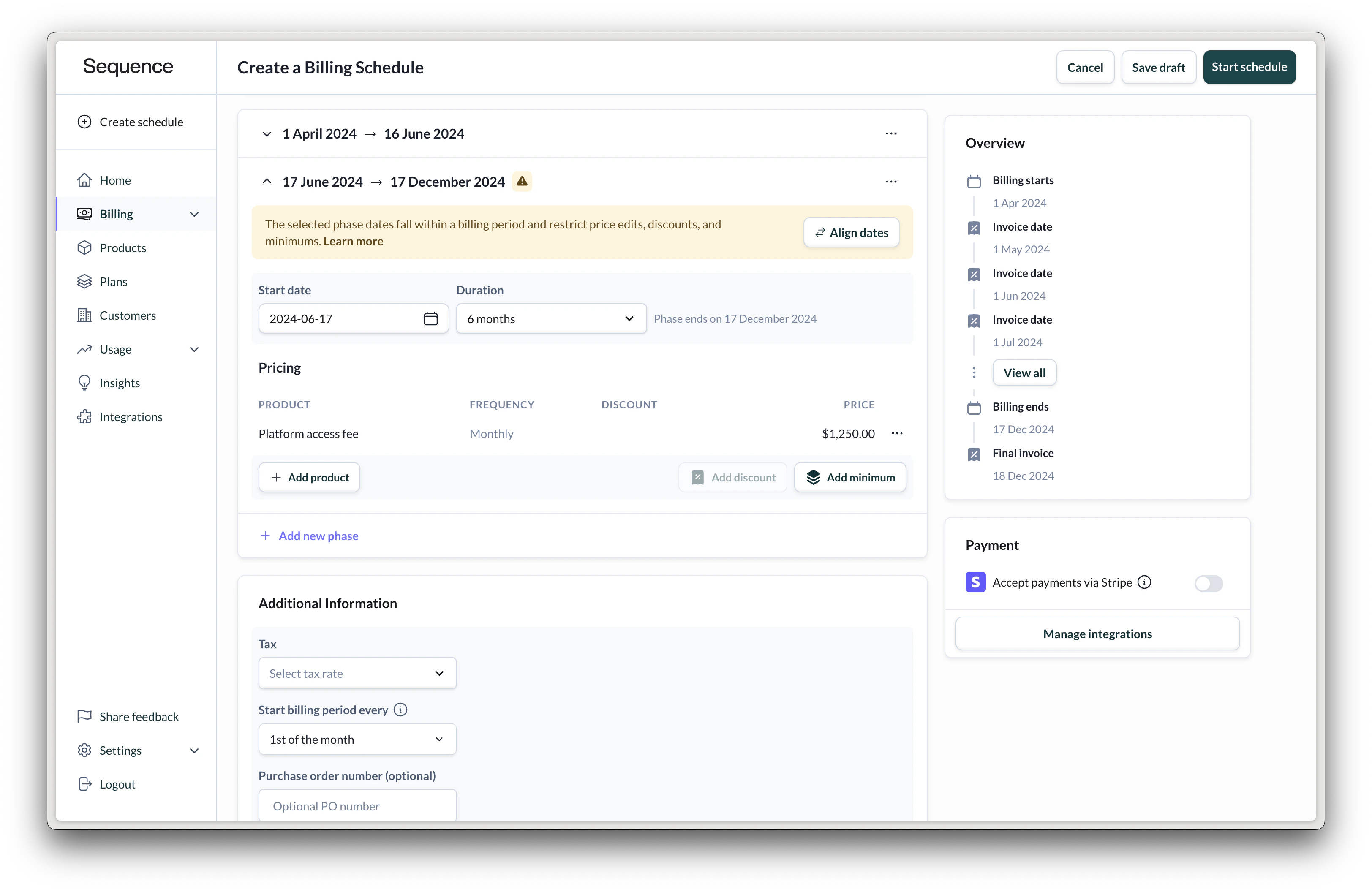 When the start date of a phase does not coincide with a billing period, you cannot add discounts, minimums or edit prices.
### Reset billing periods
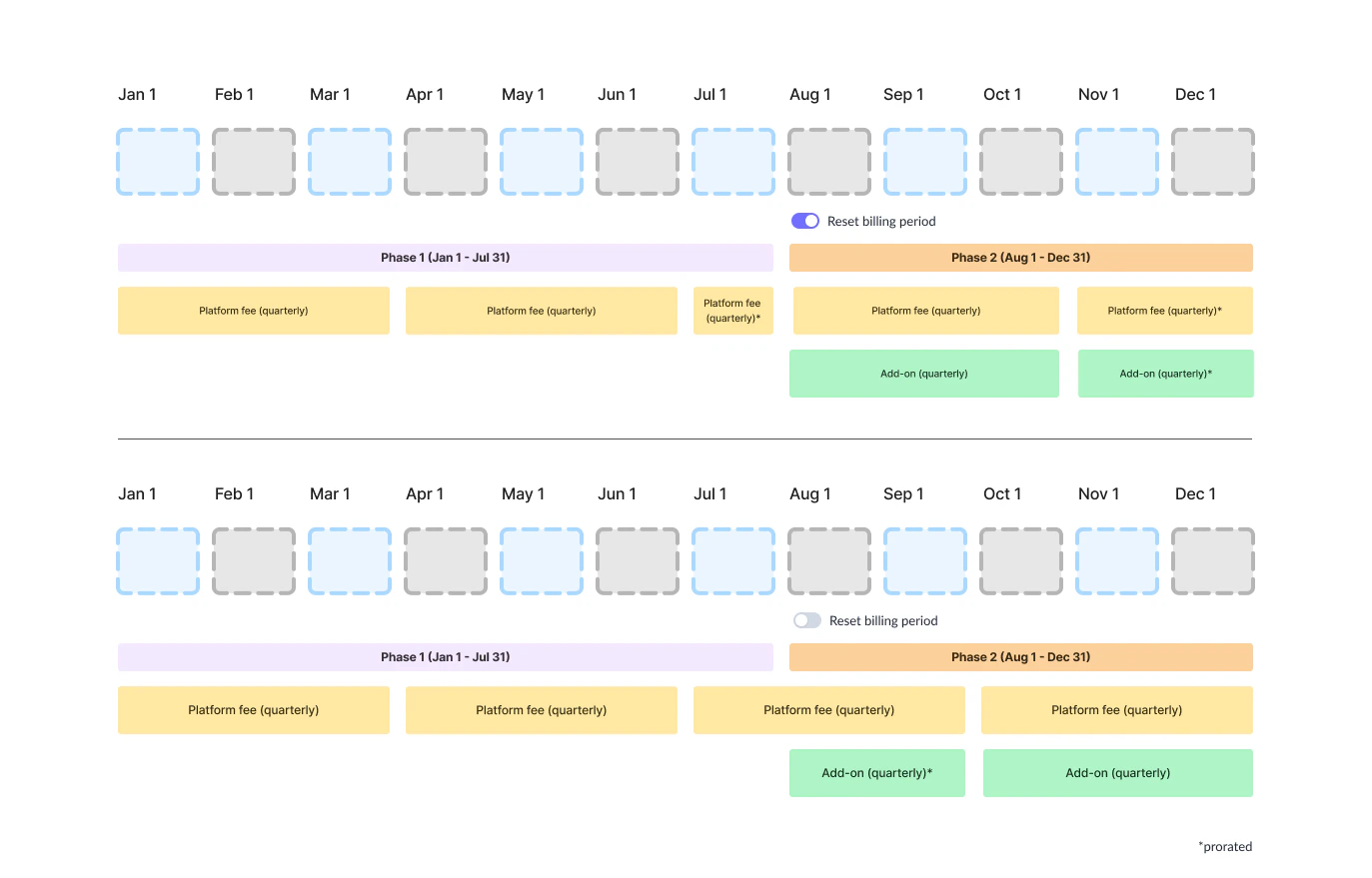
Use this setting to flexibly configure how to prorate fees for prices across multiple phases.
This feature is in beta.
Enable this setting to start new billing periods for all prices from the start of the new phase. If disabled (default), existing billing periods will continue as before.
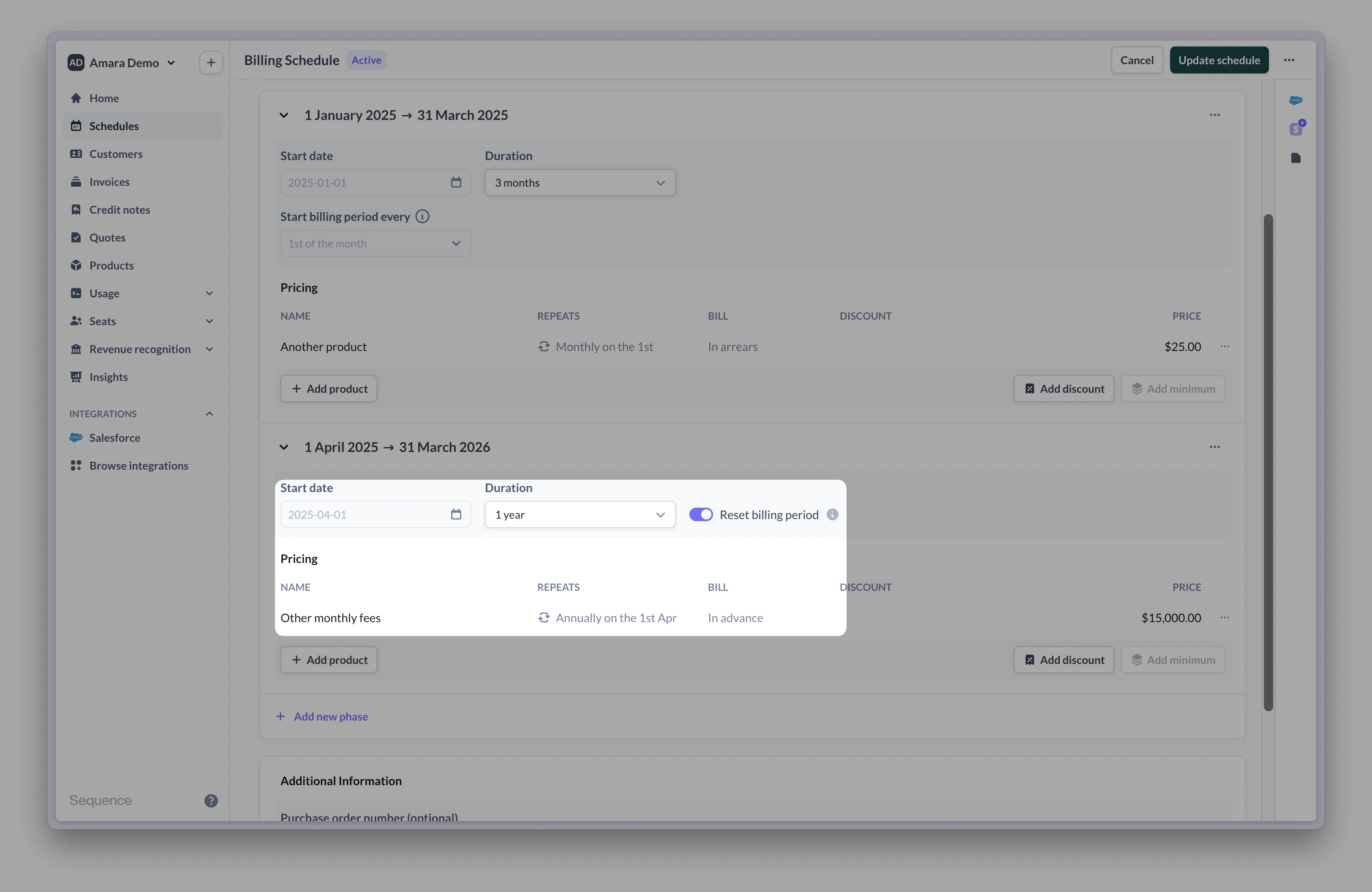
By default, prices added as part of subsequent phases are co-termed into the billing schedule's previous billing periods and may be pro-rated (depending on the price's billing frequency). For some contracts, you might want to reset and start new billing periods from a subsequent phase to prevent proration. For example, if your contract includes a 3 month trial phase, followed by a year long phase including an annual advance fee. In this case, it is preferable to reset billing rather than co-term the annual fee into the existing billing period.
**Example**:
* Phase 1: 3 months (1st January to 31 March)
* Phase 2: 12 months (1 April to 31 March 2026)
By default, the second phase will continue using the existing billing periods. The annual fee starting in the second phase will be prorated to 9 months. At the end, the remaining 3 months of the annual fee are charged.
When the start date of a phase does not coincide with a billing period, you cannot add discounts, minimums or edit prices.
### Reset billing periods
Use this setting to flexibly configure how to prorate fees for prices across multiple phases.
This feature is in beta.
Enable this setting to start new billing periods for all prices from the start of the new phase. If disabled (default), existing billing periods will continue as before.
By default, prices added as part of subsequent phases are co-termed into the billing schedule's previous billing periods and may be pro-rated (depending on the price's billing frequency). For some contracts, you might want to reset and start new billing periods from a subsequent phase to prevent proration. For example, if your contract includes a 3 month trial phase, followed by a year long phase including an annual advance fee. In this case, it is preferable to reset billing rather than co-term the annual fee into the existing billing period.
**Example**:
* Phase 1: 3 months (1st January to 31 March)
* Phase 2: 12 months (1 April to 31 March 2026)
By default, the second phase will continue using the existing billing periods. The annual fee starting in the second phase will be prorated to 9 months. At the end, the remaining 3 months of the annual fee are charged.
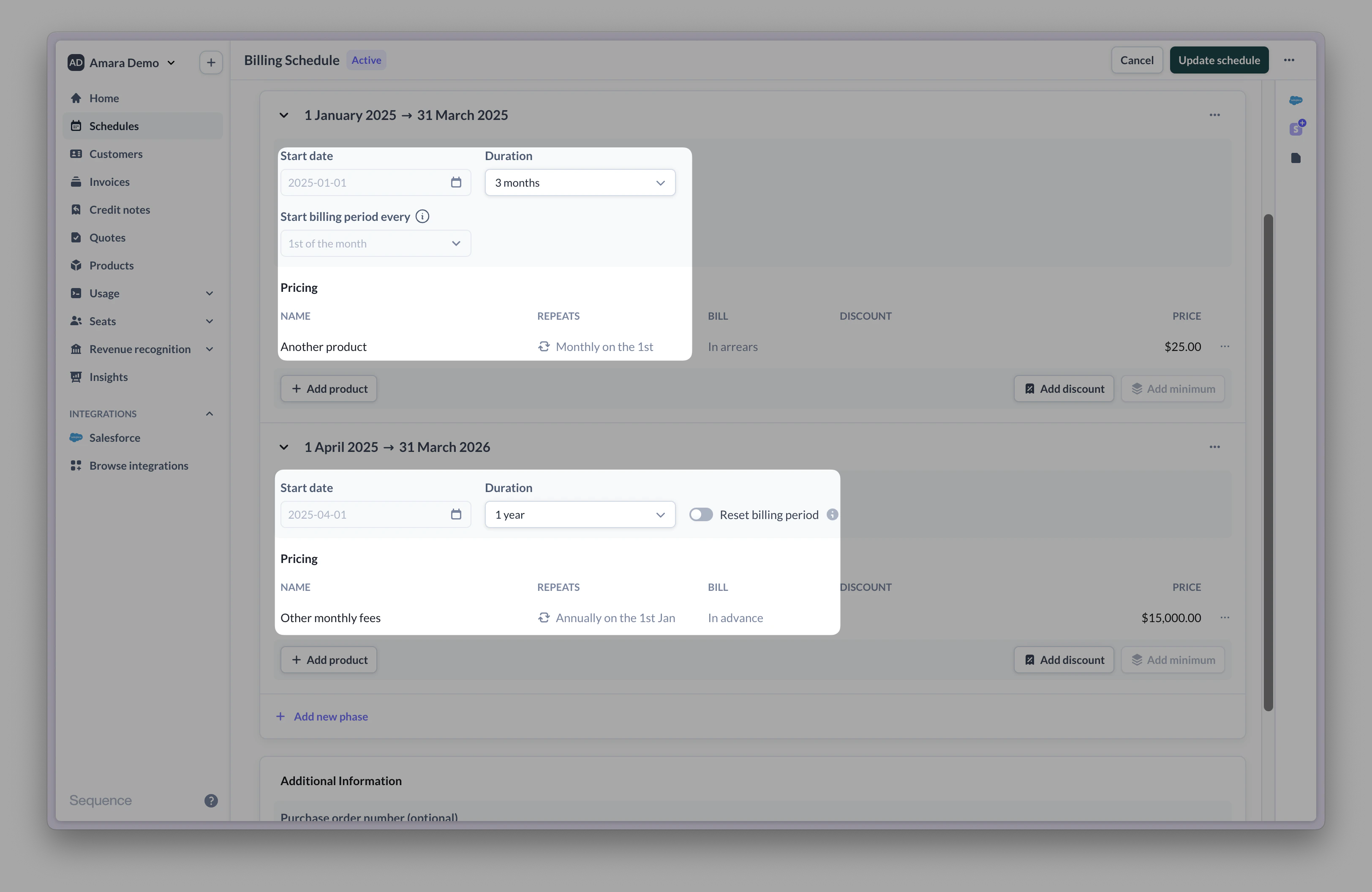 Reset billing periods to prevent the annual fee from getting pro-rated. Instead, the full annual fee is charged from the start of the second phase. Billing periods for existing prices also reset from here.