> ## Documentation Index
> Fetch the complete documentation index at: https://docs.sequencehq.com/llms.txt
> Use this file to discover all available pages before exploring further.
# Roll-up billing
> Aggregate usage charges from multiple child customers into a single invoice
Roll-Up billing allows you to aggregate usage charges from multiple customers into a single invoice, provided they are in a parent-child [relationship](/customers/create-customer-relationships). This feature can be enabled for billing schedules where the customer is the parent.
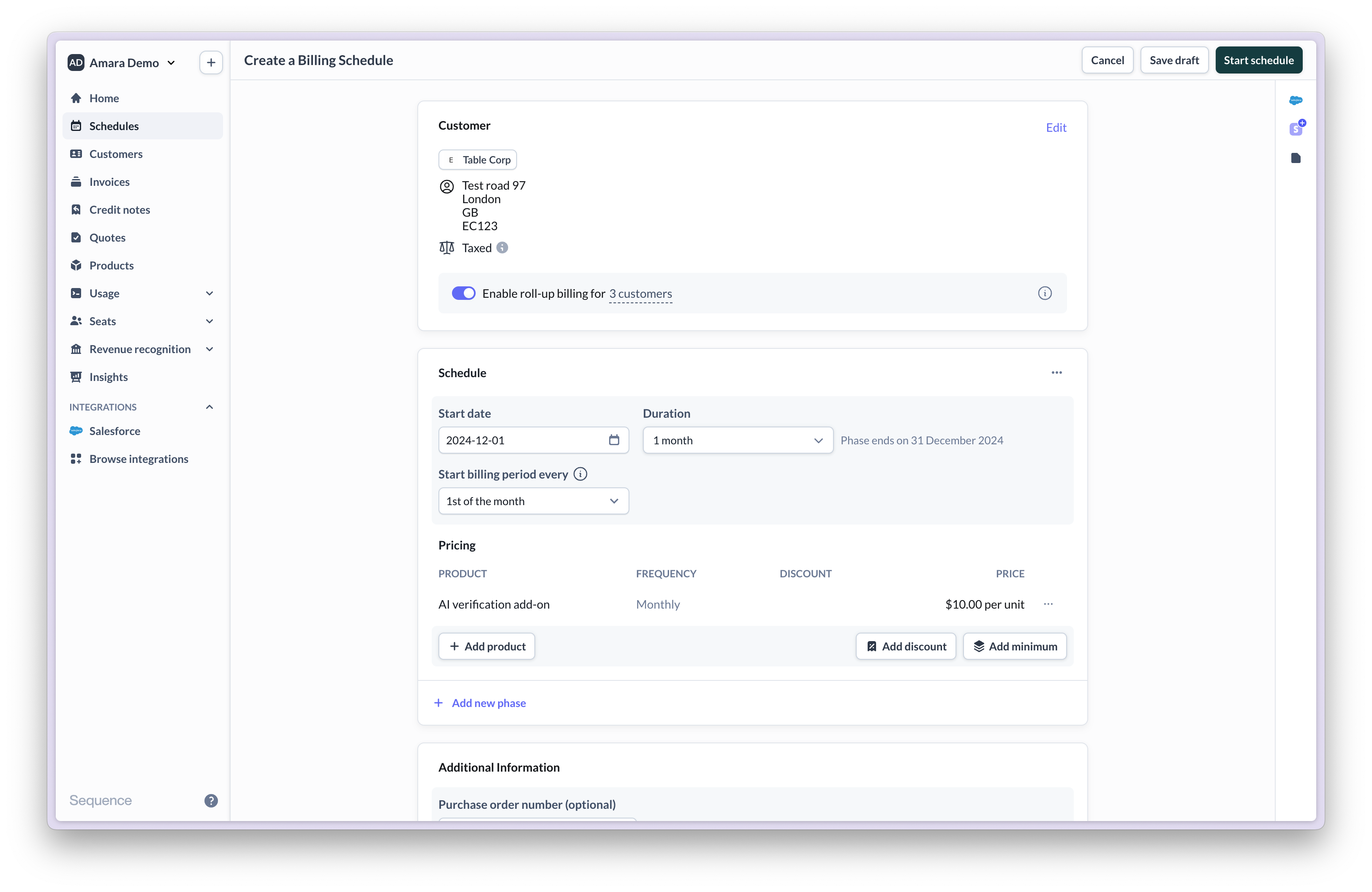 Once enabled, Sequence will automatically combine the usage of all child customers and provide a detailed breakdown of each one’s usage in the consolidated invoice.
Usage-based pricing is only applied after all usage has been rolled up to the parent. Usage tiers **do not** separately apply to each child account's usage.
## Example use-classes
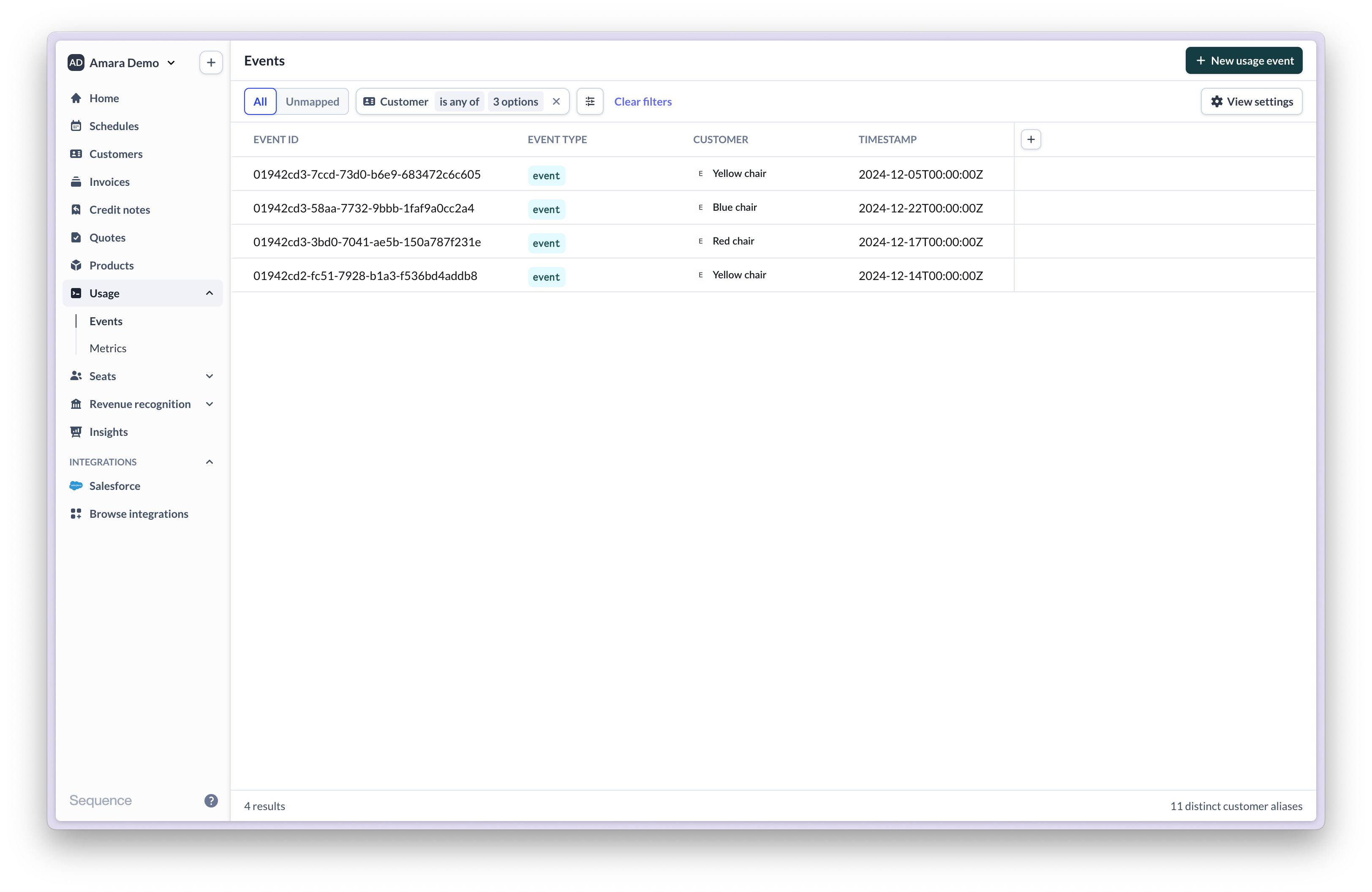
A parent account has three child accounts. Each child account has incurred some usage.
Once enabled, Sequence will automatically combine the usage of all child customers and provide a detailed breakdown of each one’s usage in the consolidated invoice.
Usage-based pricing is only applied after all usage has been rolled up to the parent. Usage tiers **do not** separately apply to each child account's usage.
## Example use-classes
A parent account has three child accounts. Each child account has incurred some usage.
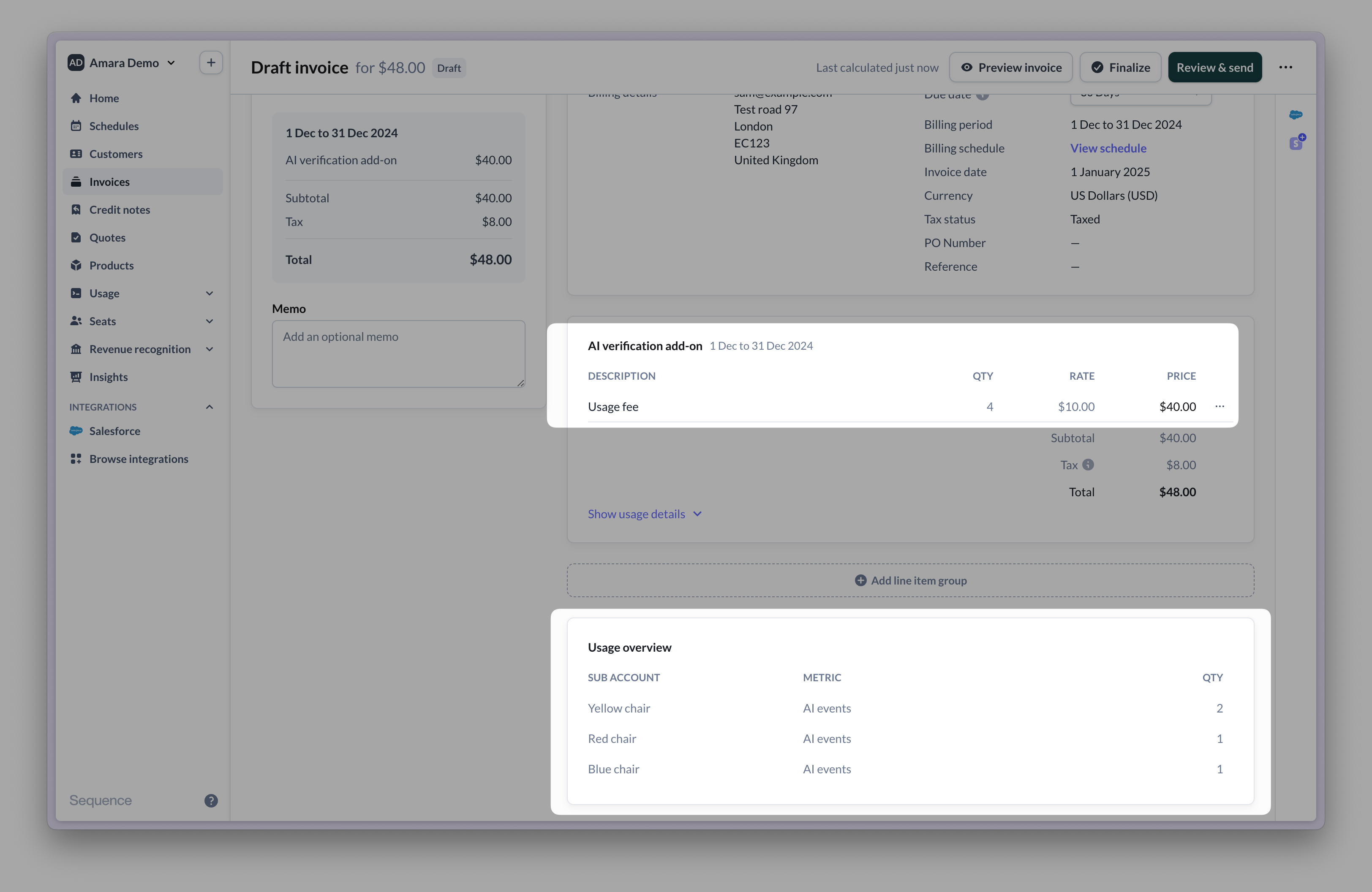
 The invoice is billed to the parent account and includes a breakdown of each child account's usage.
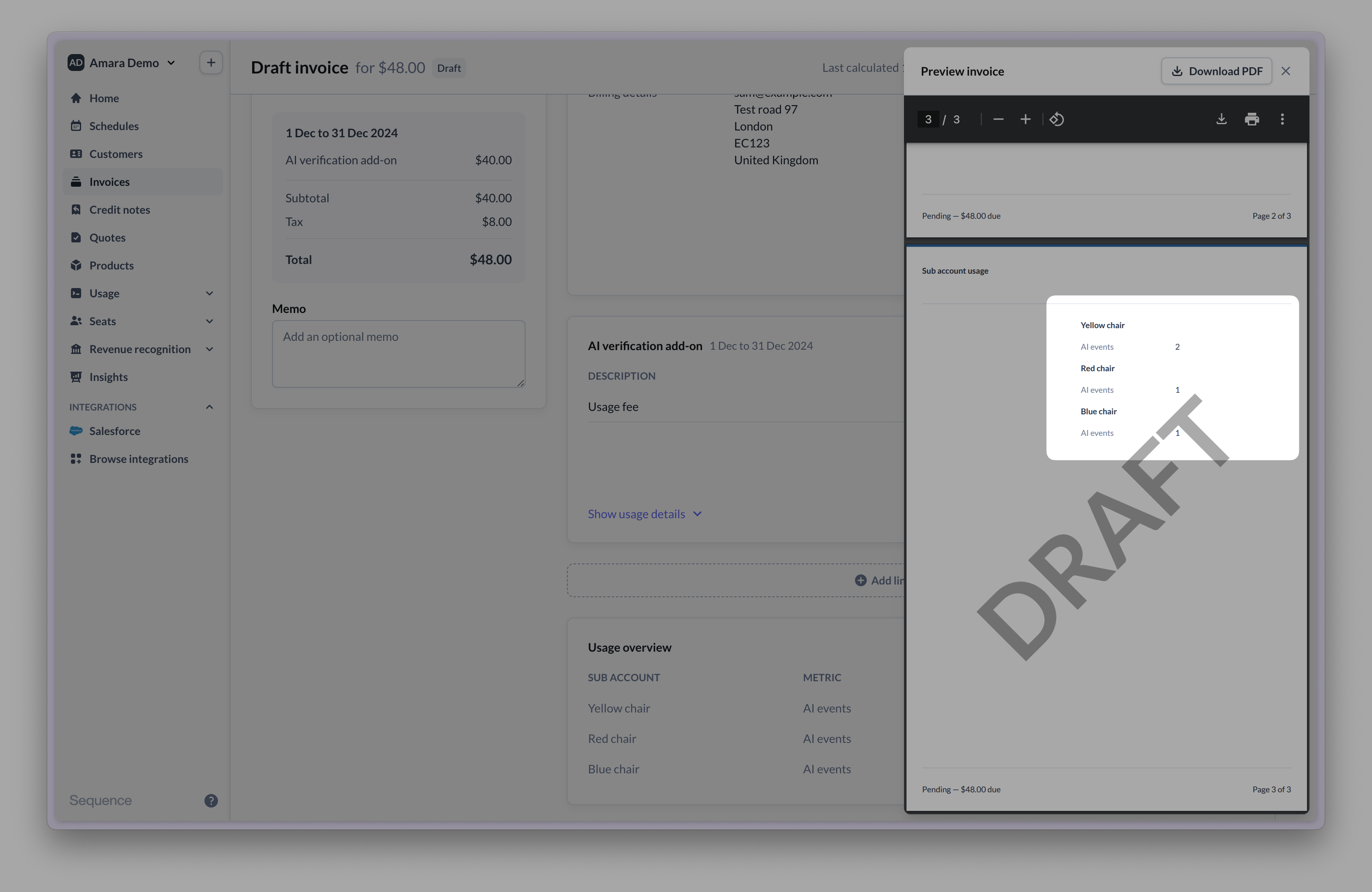
 On the invoice PDF, the breakdown is displayed on separate invoice page. Usage is broken down per customer and metric (in this order).