> ## Documentation Index
> Fetch the complete documentation index at: https://docs.sequencehq.com/llms.txt
> Use this file to discover all available pages before exploring further.
# Approving a quote
> Review, approve or reject a quote that's been submitted for sign-off before it reaches a customer
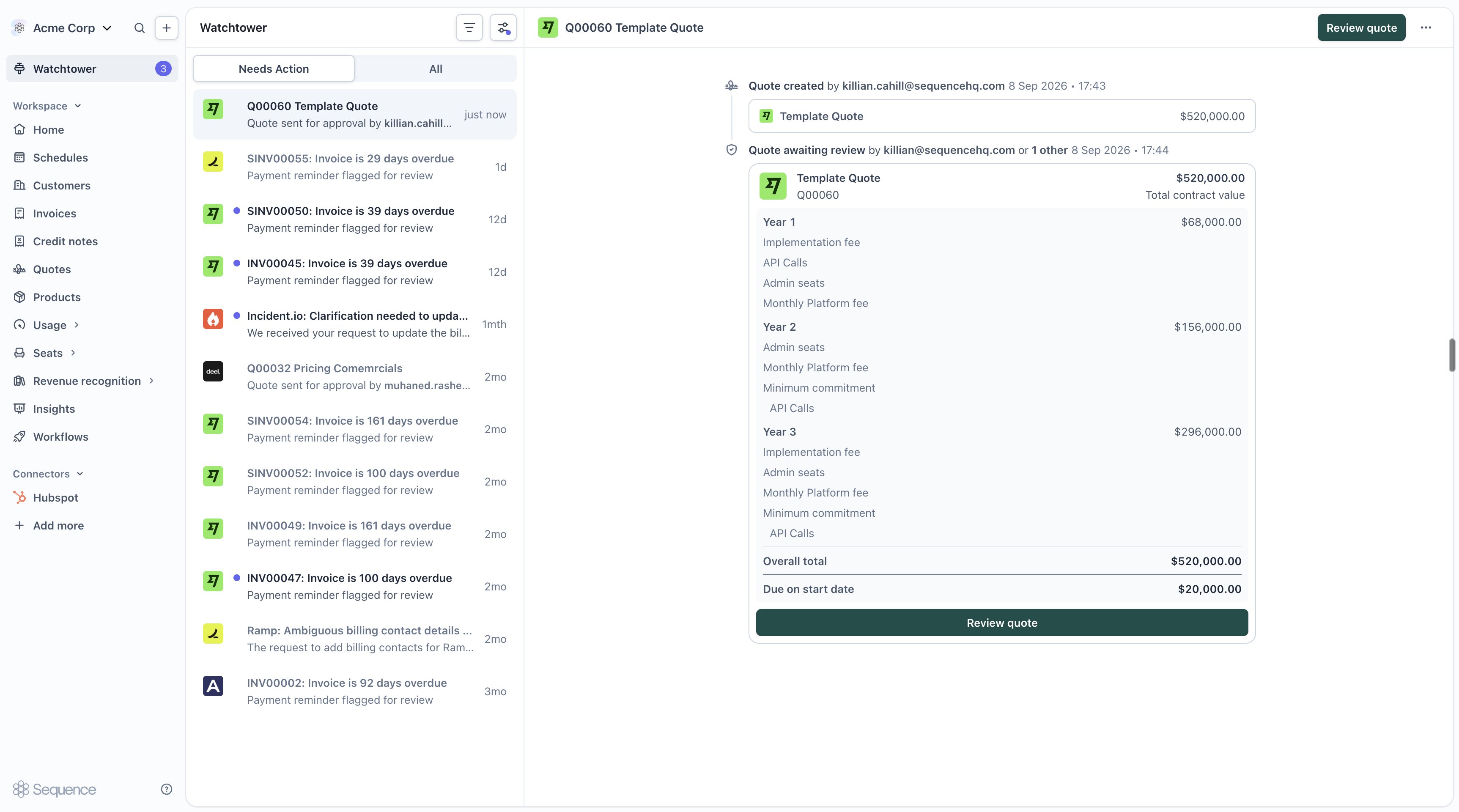
If your workspace has a quote-approval workflow configured, quotes that meet its conditions are held for review before they can be published to a customer. This page covers actioning a request as an approver. To configure who approves what and under which conditions, see [Workflows](/agents/workflows#quote-approval-flow).
 ## Overview
Instead of manually chasing a colleague to sign off on a discount before it goes to a customer, let a [workflow](/agents/workflows) route it to the right approver for you. When a quote-approval workflow is active for your workspace, publishing a quote sends it for review instead of straight to the customer.
## Submitting a quote for approval
Create or edit your quote in the [quote editor](/cpq/create-quotes). There's no separate "submit" step, approval is triggered from the same place you'd normally publish.
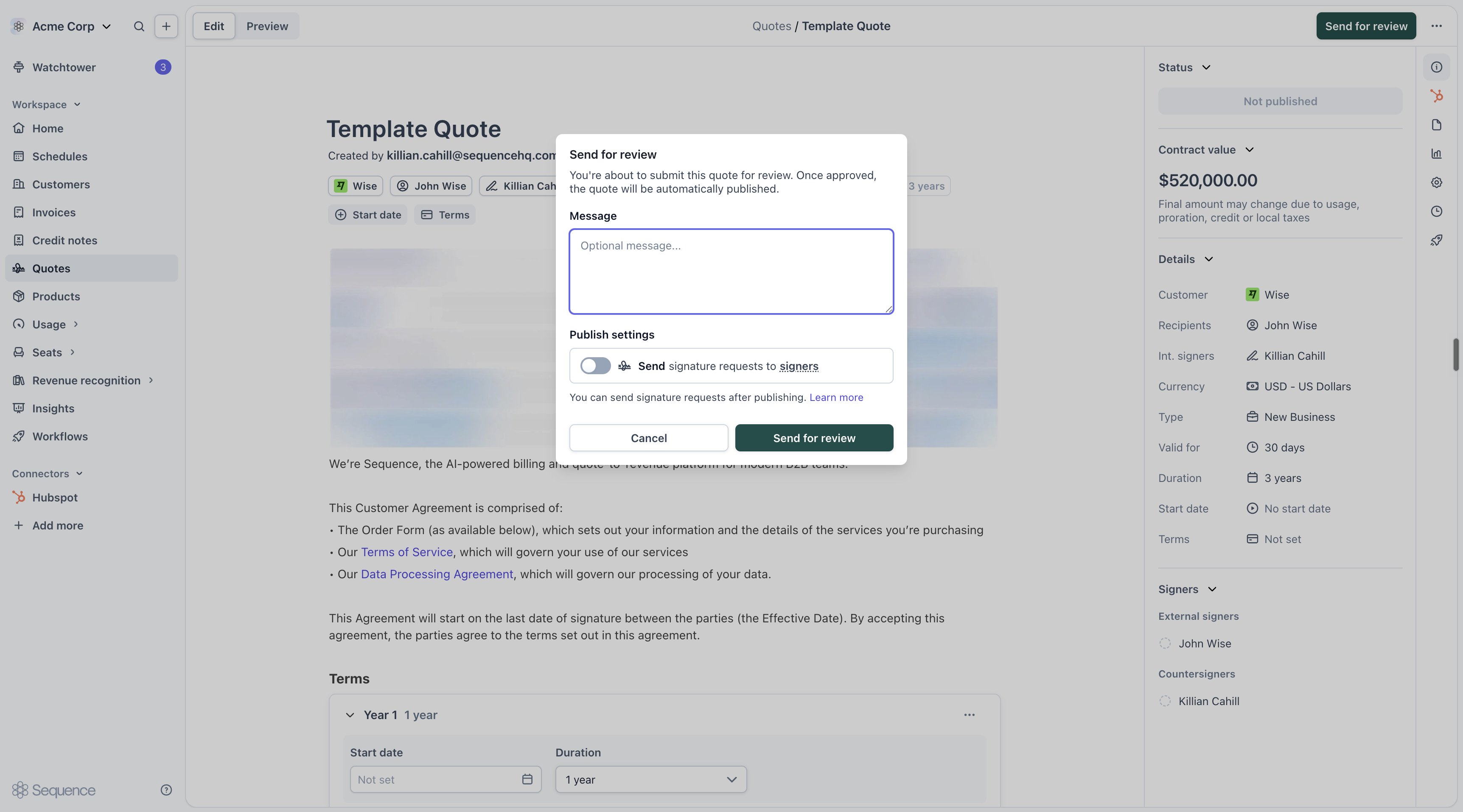
When a quote-approval workflow is active, the publish button reads **Send for review** instead of **Publish**. Add an optional message for your approver if you want to give them context, then confirm.
## Overview
Instead of manually chasing a colleague to sign off on a discount before it goes to a customer, let a [workflow](/agents/workflows) route it to the right approver for you. When a quote-approval workflow is active for your workspace, publishing a quote sends it for review instead of straight to the customer.
## Submitting a quote for approval
Create or edit your quote in the [quote editor](/cpq/create-quotes). There's no separate "submit" step, approval is triggered from the same place you'd normally publish.
When a quote-approval workflow is active, the publish button reads **Send for review** instead of **Publish**. Add an optional message for your approver if you want to give them context, then confirm.
 While a review is pending, the quote is locked for editing. It unlocks again as soon as the review resolves, whether approved or rejected.
By default, every **Publish**, **Publish changes**, and **Republish** action goes through the same check, even on a quote that's already been approved once. Your workspace's workflow can be configured to skip review when nothing material has changed since the last approval. See [Re-approvals](/agents/workflows#re-approvals) for how that's set up.
## Reviewing a submitted quote
Approvers see pending requests in [Watchtower](/agents/watchtower), under **Needs review**. Each task shows the quote, who requested it, and their comment.
While a review is pending, the quote is locked for editing. It unlocks again as soon as the review resolves, whether approved or rejected.
By default, every **Publish**, **Publish changes**, and **Republish** action goes through the same check, even on a quote that's already been approved once. Your workspace's workflow can be configured to skip review when nothing material has changed since the last approval. See [Re-approvals](/agents/workflows#re-approvals) for how that's set up.
## Reviewing a submitted quote
Approvers see pending requests in [Watchtower](/agents/watchtower), under **Needs review**. Each task shows the quote, who requested it, and their comment.
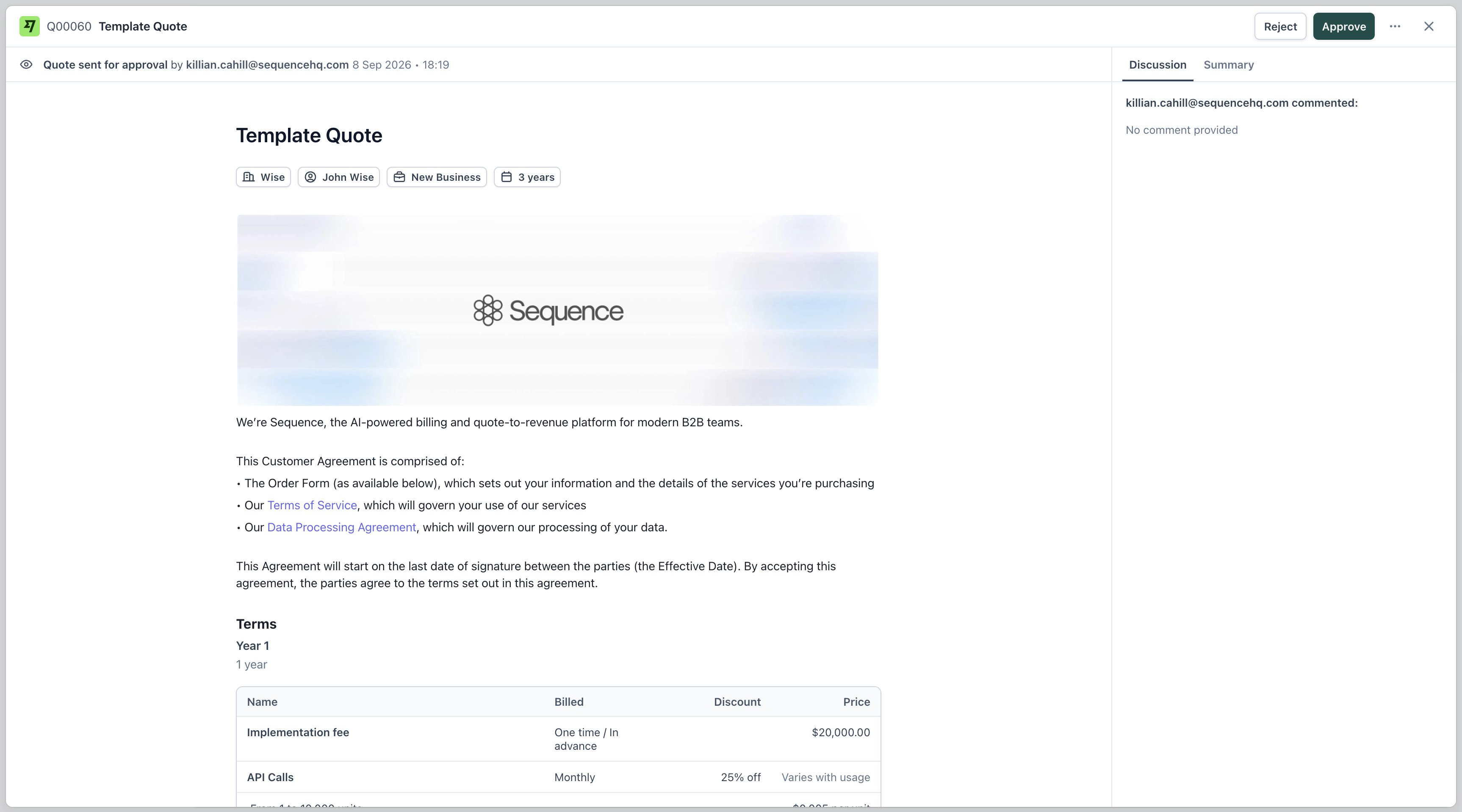 From here you can:
1. **Approve**: publish the quote to the customer
2. **Reject**: leave the quote unpublished; the requestor is notified and can edit it before resubmitting
## After a decision
* **Approved**: the quote is published and reaches the customer through the usual [sharing flow](/cpq/create-quotes#sharing-a-quote-with-your-customer).
* **Rejected**: the quote stays unpublished. Edit it and send it for review again.
Either way, the decision is recorded in Watchtower's audit trail.
## Next steps
* Configure who approves what and under which conditions in [Workflows](/agents/workflows#quote-approval-flow)
* Review past decisions and monitor in-progress requests in [Watchtower](/agents/watchtower)
* See [Re-approvals](/agents/workflows#re-approvals) for how edits to an already-approved quote are handled
From here you can:
1. **Approve**: publish the quote to the customer
2. **Reject**: leave the quote unpublished; the requestor is notified and can edit it before resubmitting
## After a decision
* **Approved**: the quote is published and reaches the customer through the usual [sharing flow](/cpq/create-quotes#sharing-a-quote-with-your-customer).
* **Rejected**: the quote stays unpublished. Edit it and send it for review again.
Either way, the decision is recorded in Watchtower's audit trail.
## Next steps
* Configure who approves what and under which conditions in [Workflows](/agents/workflows#quote-approval-flow)
* Review past decisions and monitor in-progress requests in [Watchtower](/agents/watchtower)
* See [Re-approvals](/agents/workflows#re-approvals) for how edits to an already-approved quote are handled