> ## Documentation Index
> Fetch the complete documentation index at: https://docs.sequencehq.com/llms.txt
> Use this file to discover all available pages before exploring further.
# Grant customers credits
In the customer tab, click on “Add Credit Grant” to open the credit grant sidebar. You will need the following information:
* Name: A friendly name for your credit grant. This will appear on the invoice as a line item description.
* Select whether this is a cash or unit credit.
* If Cash was selected, you’ll be prompted to fill “Amount of credit grant” with the amount of cash you are granting.
* If Unit was selected, you need to select the metric this grant is associated with, as well as a monetary value for the entire grant in “Total Price” or for each unit in “Price per unit”. Filling one updates the other automatically.
* Select a tax rate from the drop-down menu. This will be used for any credit line Items or Invoices associated with this grant.
* Optionally, select an expiry date, after which any remaining balance on the grant will cease to be usable.
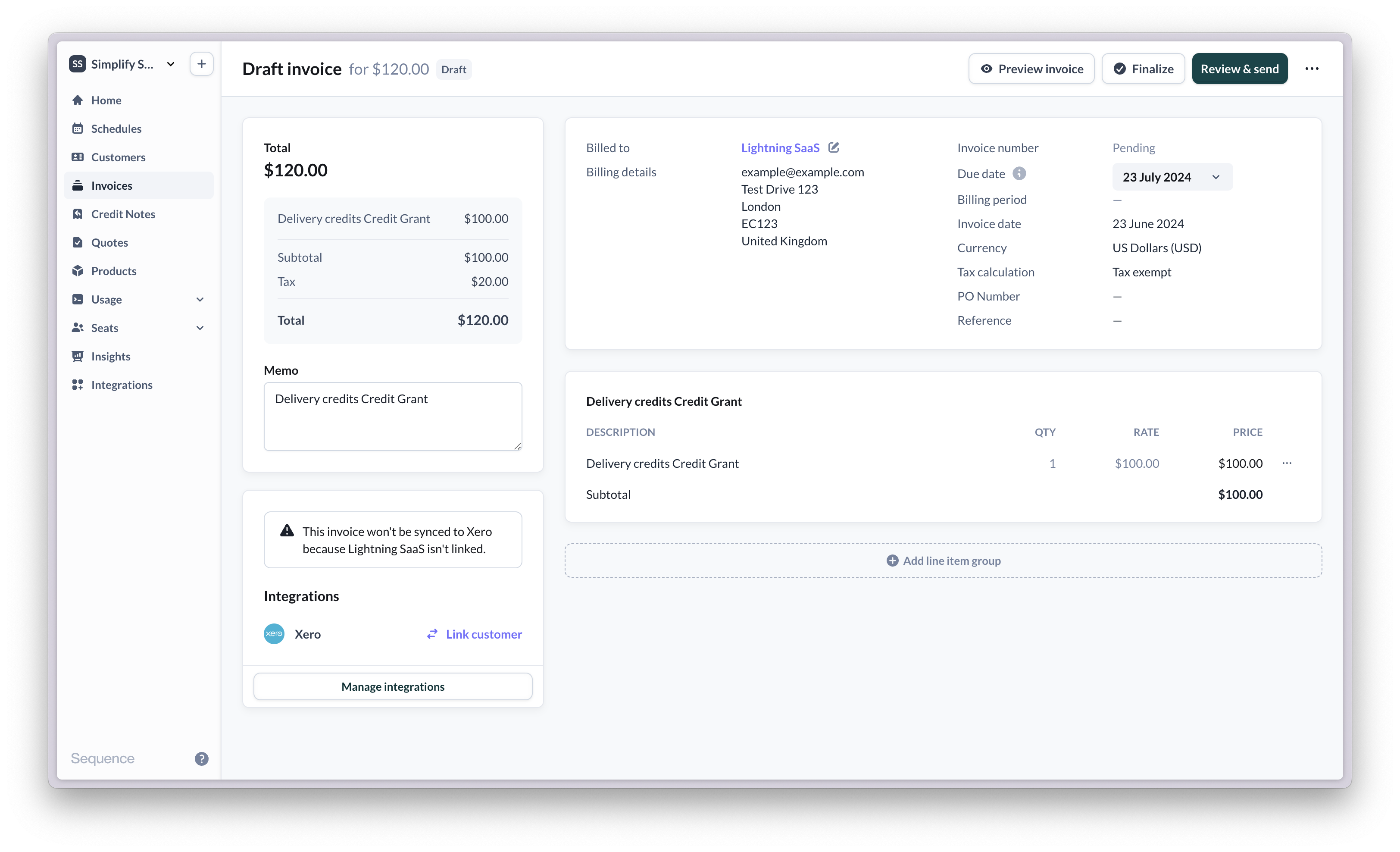
* Choose whether to generate an invoice for this grant. If this is required, a draft invoice will be generated charging the customer for the credit.
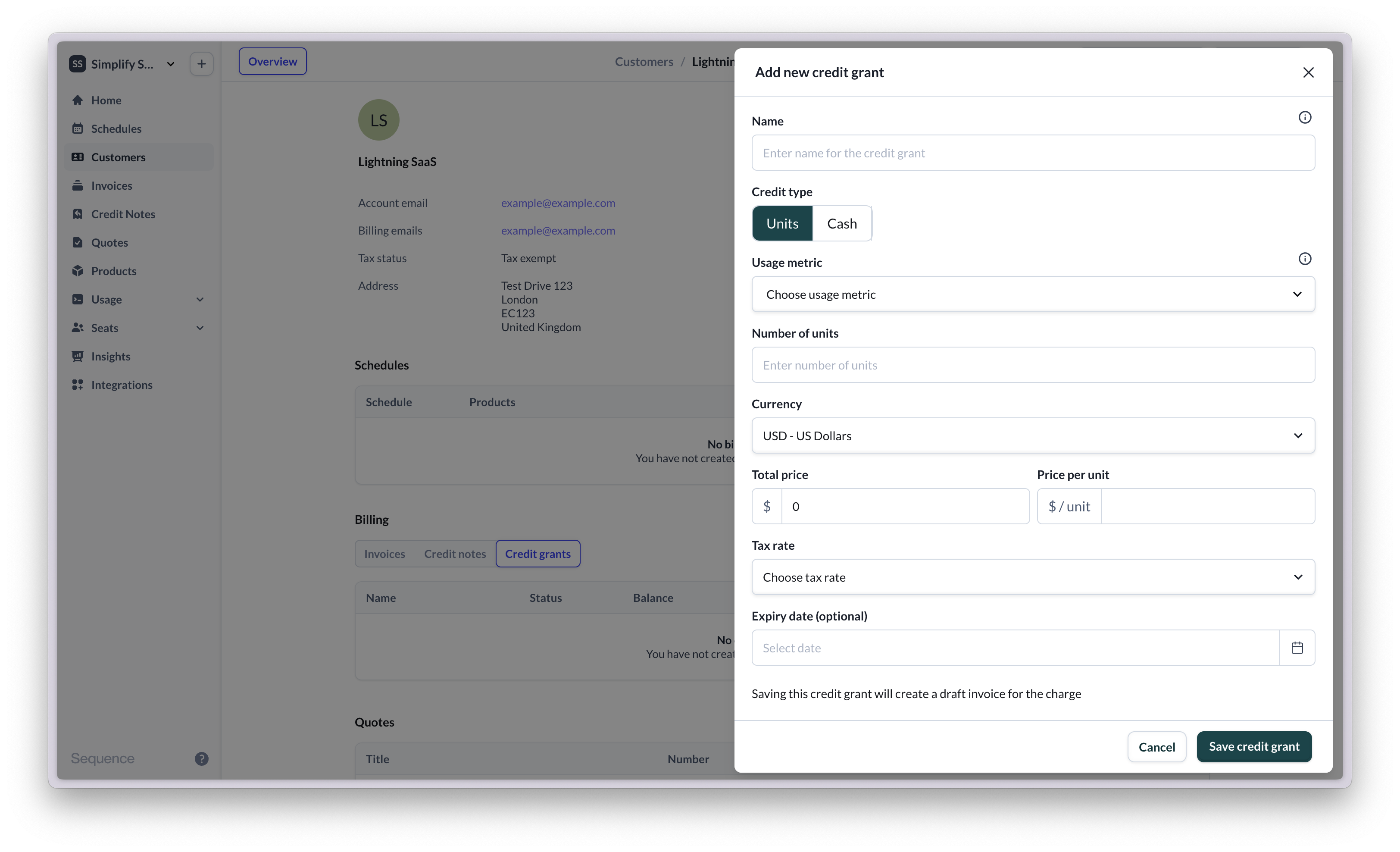 Saving the credit grant will create a new entry in the credit ledger for this specific customer, and will optionally create a draft invoice to the customer for the credit grant.
 ## Frequently asked questions
Yes, you can delete credit grants.
## Frequently asked questions
Yes, you can delete credit grants.