> ## Documentation Index
> Fetch the complete documentation index at: https://docs.sequencehq.com/llms.txt
> Use this file to discover all available pages before exploring further.
# Parent child hierarchy
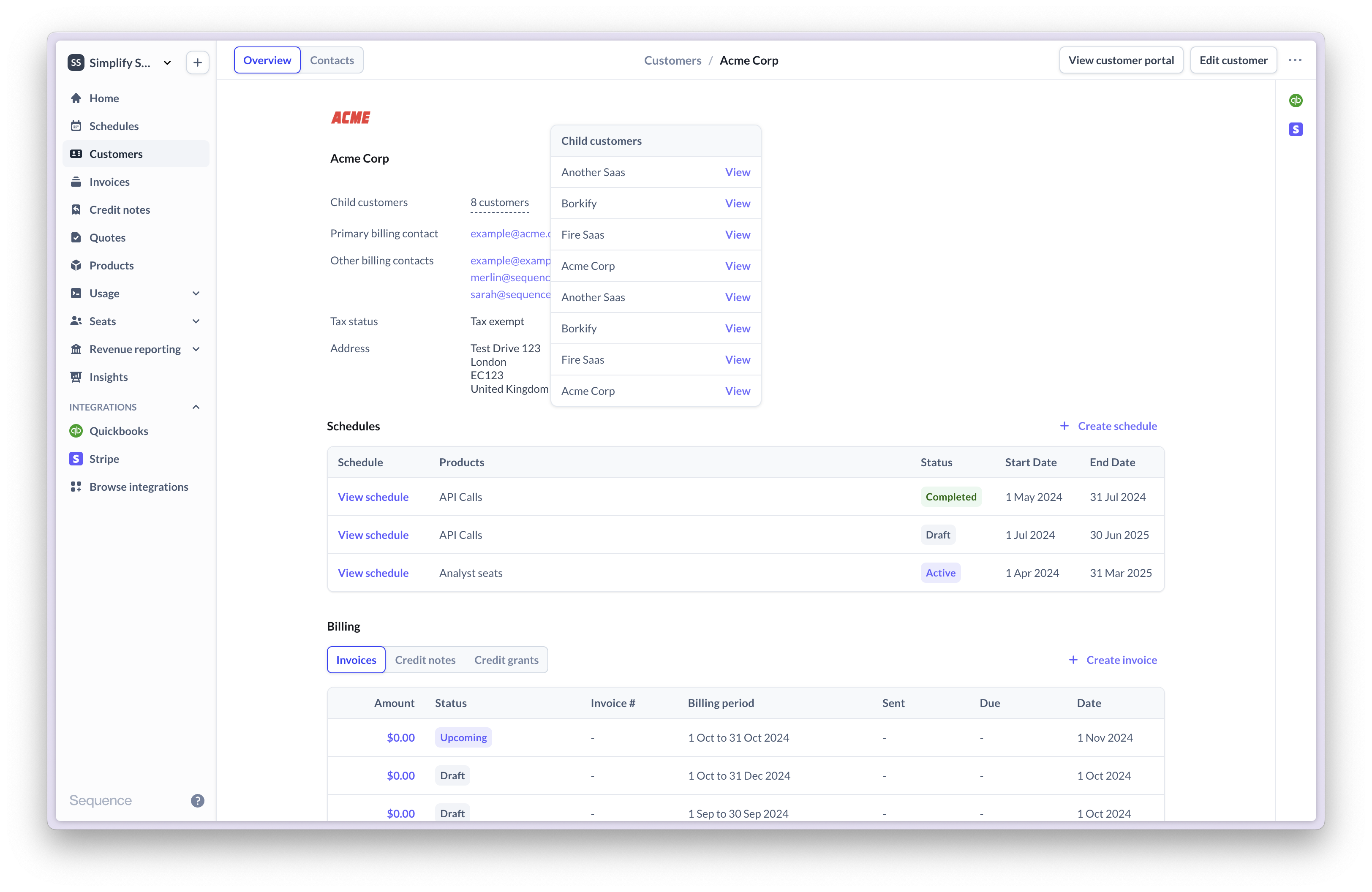
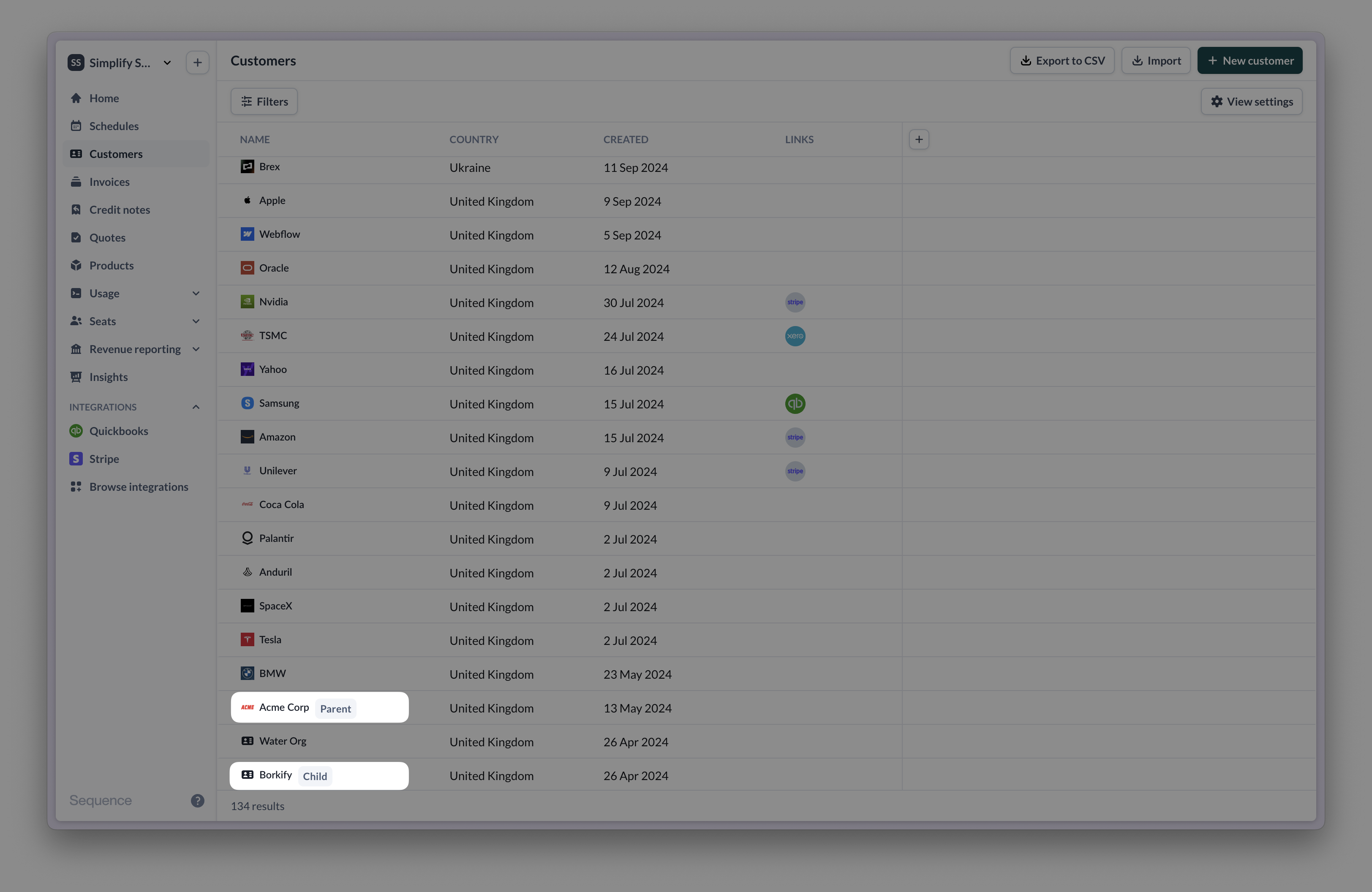
You can create parent-child relationships between your customers in Sequence using the Dashboard or the Customers API. This allows for consolidated billing across a hierarchy of customers. Use parent-child relationships to bill a parent customer for their child customer's usage (see [roll-up billing](/billing/roll-up-billing))
 1. Add a New Customer:
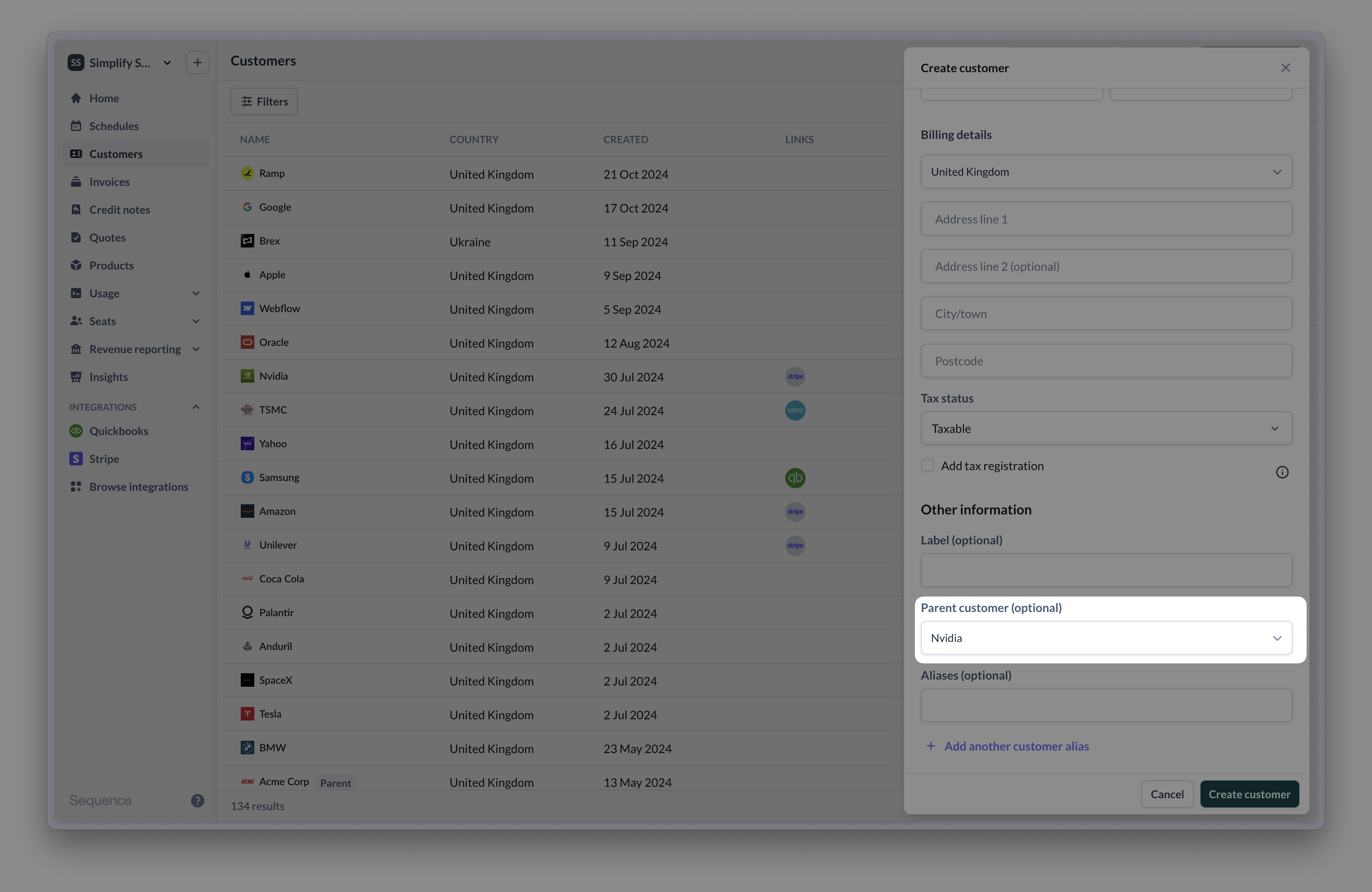
* Click the [Add new](https://dashboard.sandbox.sequencehq.com/customers) button and select Customer.
* In the customer details drawer, select the parent customer from the Parent dropdown.
* Click Add New to save.
2. Edit an Existing Customer:
* Find the customer you want to edit and click Edit Customer.
* In the customer details drawer, select the parent customer from the Parent dropdown.
* Click Update to save changes.
1. Add a New Customer:
* Click the [Add new](https://dashboard.sandbox.sequencehq.com/customers) button and select Customer.
* In the customer details drawer, select the parent customer from the Parent dropdown.
* Click Add New to save.
2. Edit an Existing Customer:
* Find the customer you want to edit and click Edit Customer.
* In the customer details drawer, select the parent customer from the Parent dropdown.
* Click Update to save changes.
 ### Use the create or update customer endpoint:
You can [Create Customer](/reference/latest/customer/create-customer) with a specified `parentId`
```bash cURL theme={null}
curl --request POST \
--url https://sandbox.sequencehq.com/api/customers \
--header 'Authorization: Basic ' \
--header 'Accept: application/json' \
--header 'Content-Type: application/json' \
--data '
{
"parentId": "0347cfb1-d6c3-4c1e-a5b6-f2a83553e70d",
"address": {
"line1": "Credit Now",
"line2": "3180 18th St",
"town": "San Francisco",
"postCode": "94110",
"country": "US"
},
"legalName": "Sam Lawford",
"contactName": "Sam Lawford",
"email": "billing@creditnow.com",
"telephone": "02010001000",
"paymentReference": "John halls",
"label": "First US customer"
}
```
Or [Update an existing customer](/reference/latest/customer/update-customer) to specify a `parentId`
```bash cURL theme={null}
curl --request PUT \
--url https://sandbox.sequencehq.com/api/customers/74e28294-7636-4eb1-949c-0f7f8f31e2d5 \
--header 'Authorization: Basic ' \
--header 'Accept: application/json' \
--header 'Content-Type: application/json' \
--data '
{
"parentId": "0347cfb1-d6c3-4c1e-a5b6-f2a83553e70d",
"address": {
"line1": "Credit Now",
"line2": "3180 18th St",
"town": "San Francisco",
"postCode": "94110",
"country": "US"
},
"legalName": "Sam Lawford",
"contactName": "Sam Lawford",
"email": "billing@creditnow.com",
"telephone": "02010001000",
"paymentReference": "John halls",
"label": "First US customer"
}
```
To see what child accounts are associated with a parent, view the customer detail page.
### Use the create or update customer endpoint:
You can [Create Customer](/reference/latest/customer/create-customer) with a specified `parentId`
```bash cURL theme={null}
curl --request POST \
--url https://sandbox.sequencehq.com/api/customers \
--header 'Authorization: Basic ' \
--header 'Accept: application/json' \
--header 'Content-Type: application/json' \
--data '
{
"parentId": "0347cfb1-d6c3-4c1e-a5b6-f2a83553e70d",
"address": {
"line1": "Credit Now",
"line2": "3180 18th St",
"town": "San Francisco",
"postCode": "94110",
"country": "US"
},
"legalName": "Sam Lawford",
"contactName": "Sam Lawford",
"email": "billing@creditnow.com",
"telephone": "02010001000",
"paymentReference": "John halls",
"label": "First US customer"
}
```
Or [Update an existing customer](/reference/latest/customer/update-customer) to specify a `parentId`
```bash cURL theme={null}
curl --request PUT \
--url https://sandbox.sequencehq.com/api/customers/74e28294-7636-4eb1-949c-0f7f8f31e2d5 \
--header 'Authorization: Basic ' \
--header 'Accept: application/json' \
--header 'Content-Type: application/json' \
--data '
{
"parentId": "0347cfb1-d6c3-4c1e-a5b6-f2a83553e70d",
"address": {
"line1": "Credit Now",
"line2": "3180 18th St",
"town": "San Francisco",
"postCode": "94110",
"country": "US"
},
"legalName": "Sam Lawford",
"contactName": "Sam Lawford",
"email": "billing@creditnow.com",
"telephone": "02010001000",
"paymentReference": "John halls",
"label": "First US customer"
}
```
To see what child accounts are associated with a parent, view the customer detail page.