> ## Documentation Index
> Fetch the complete documentation index at: https://docs.sequencehq.com/llms.txt
> Use this file to discover all available pages before exploring further.
# Attio
> Sync deal and customer records from Attio.
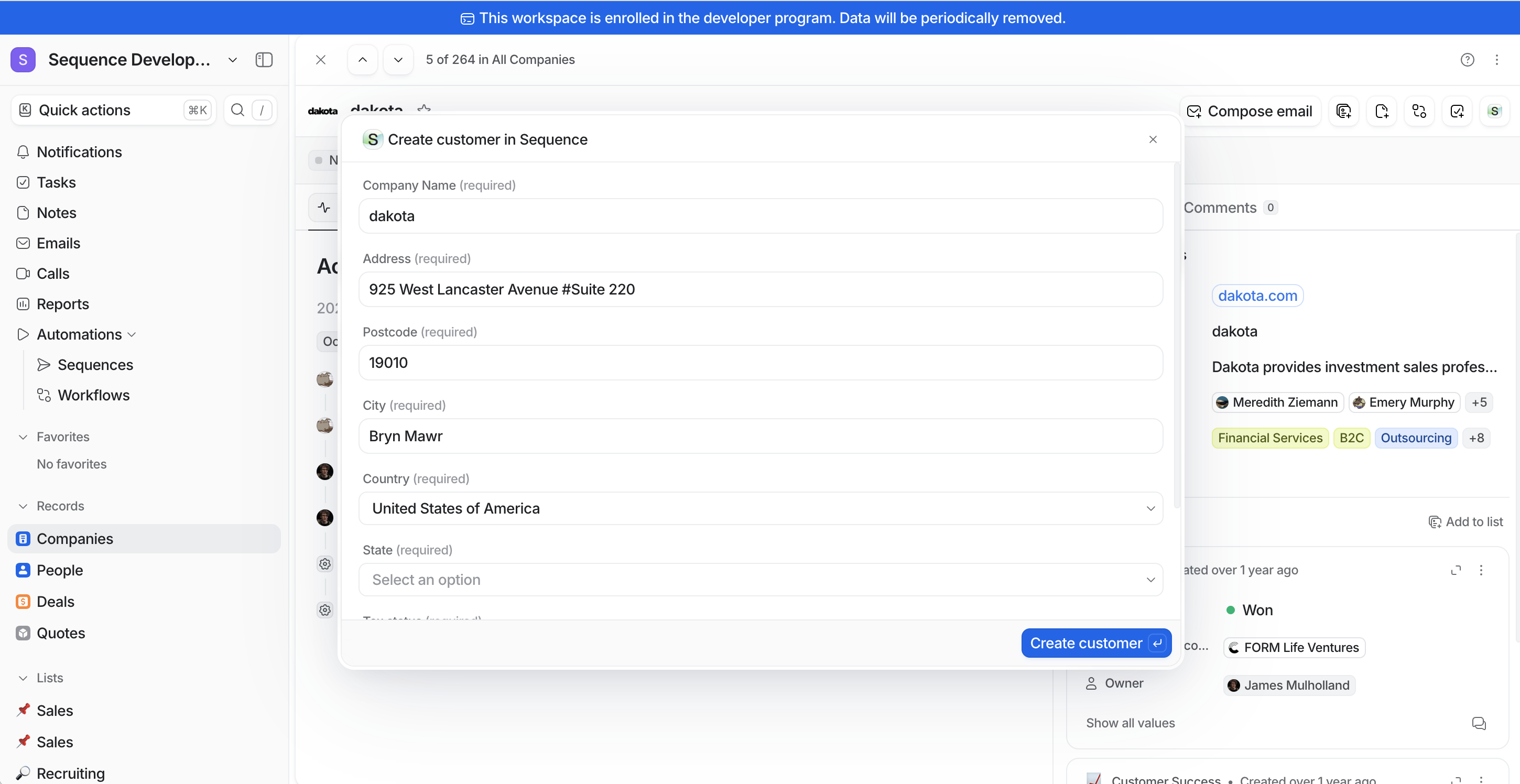
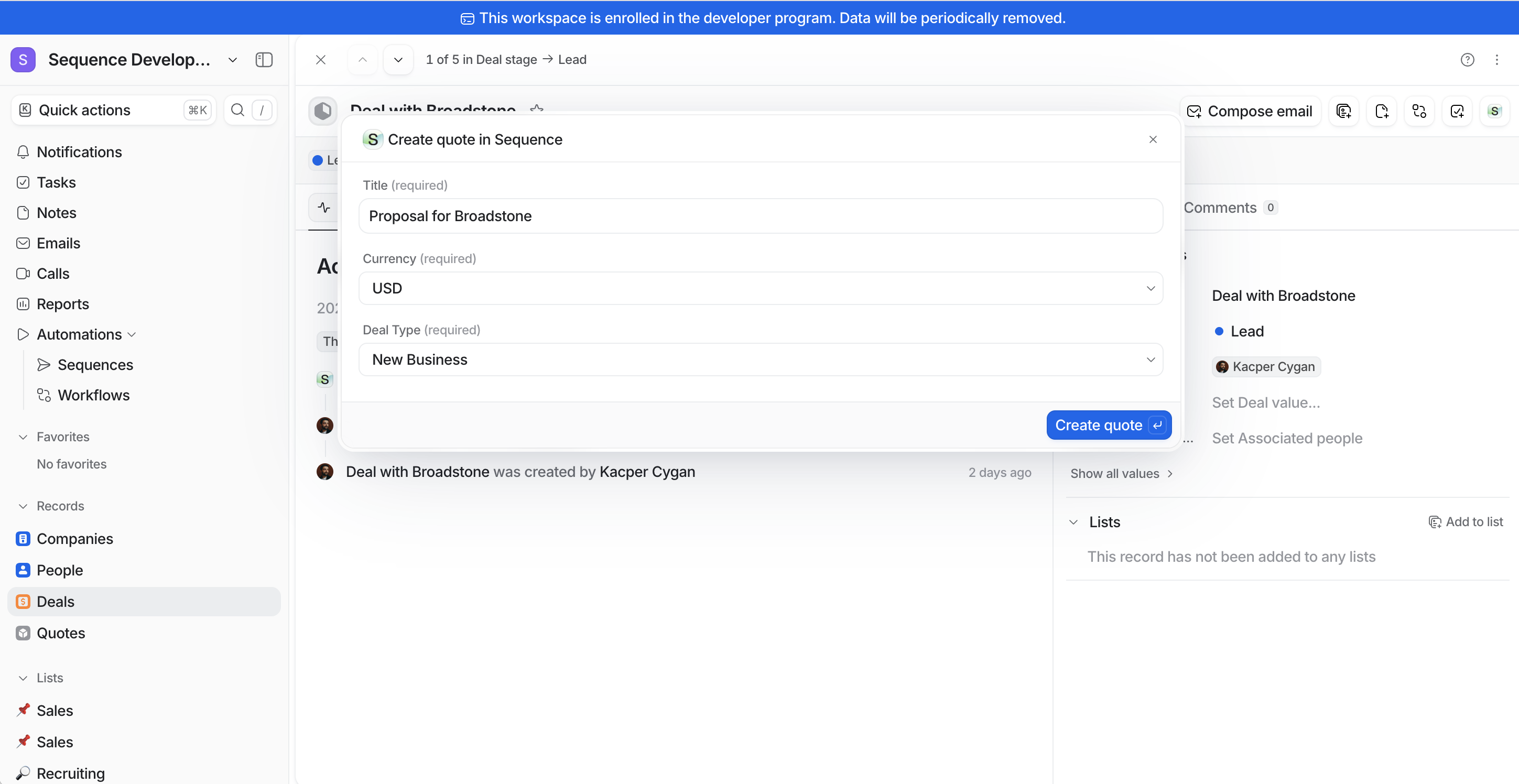
 When a deal progresses in Attio, sales teams can instantly create customers in Sequence using accurate company data. With a single click, teams can launch Sequence's quote builder directly from the Attio deal, maintaining context throughout the process.
## Use the Attio integration to
* Create Sequence customers instantly from Attio companies
* Launch professional quotes directly from Attio deals
* Navigate seamlessly between systems with contextual backlinks
### Push a customer into Sequence
When a deal progresses in Attio, sales teams can instantly create customers in Sequence using accurate company data. With a single click, teams can launch Sequence's quote builder directly from the Attio deal, maintaining context throughout the process.
## Use the Attio integration to
* Create Sequence customers instantly from Attio companies
* Launch professional quotes directly from Attio deals
* Navigate seamlessly between systems with contextual backlinks
### Push a customer into Sequence
 ### Create a new quote
 ## Configuration
1. In Attio, go to to Workspace settings > Apps and install Sequence
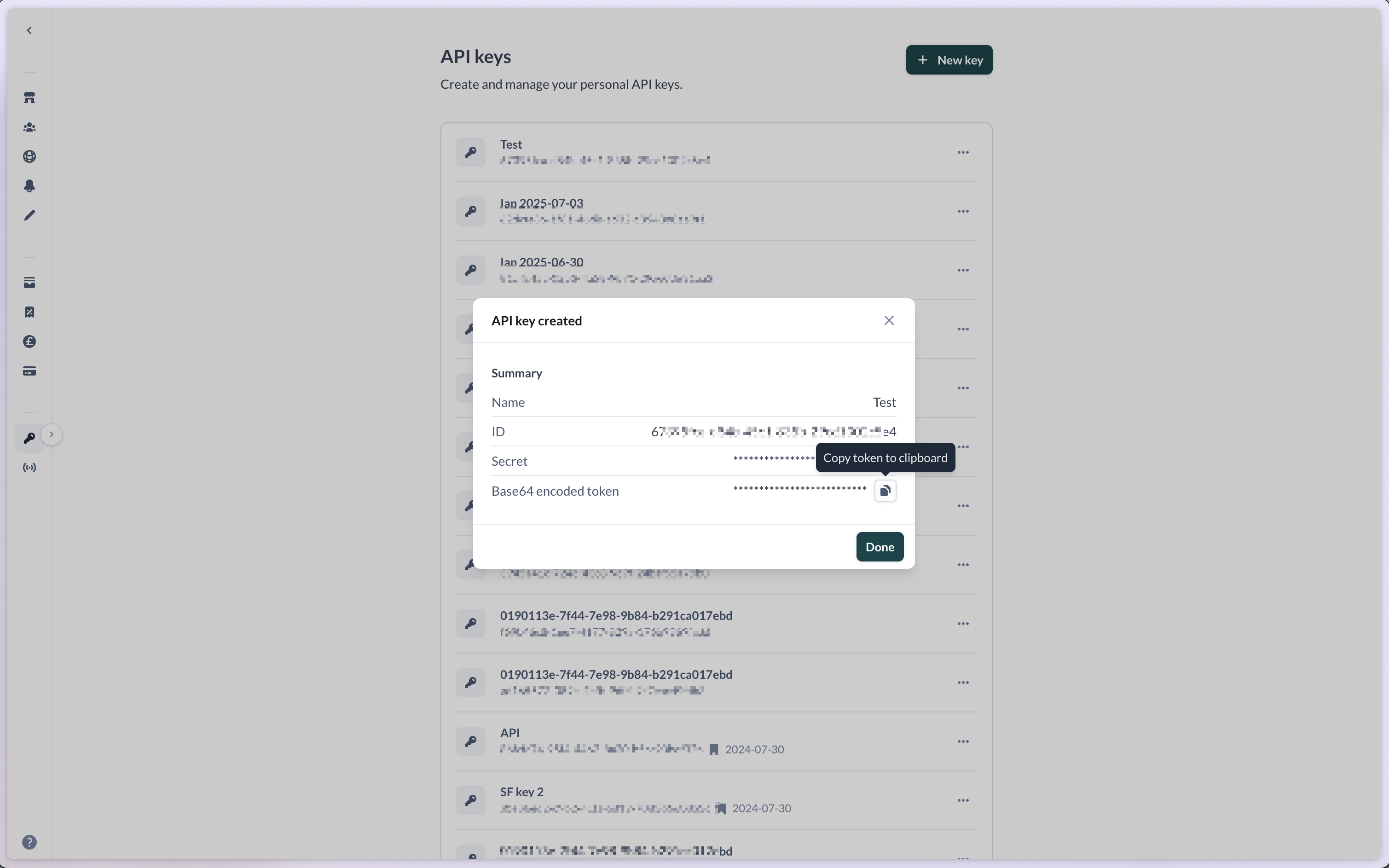
2. Generate a new API key in Sequence (Settings > API keys)
3. Copy the base64 encoded token to your clipboard
## Configuration
1. In Attio, go to to Workspace settings > Apps and install Sequence
2. Generate a new API key in Sequence (Settings > API keys)
3. Copy the base64 encoded token to your clipboard
 4. Paste the token into the connection field in Attio
## Walkthrough
Watch this 2 min walkthrough to set up your Attio integration.
4. Paste the token into the connection field in Attio
## Walkthrough
Watch this 2 min walkthrough to set up your Attio integration.