> ## Documentation Index
> Fetch the complete documentation index at: https://docs.sequencehq.com/llms.txt
> Use this file to discover all available pages before exploring further.
# Avalara
> Integrate with Avalara to automatically calculate sales tax for invoices.
 Integrate with Avalara to ensure your invoices are accurate and compliant with all state and local sales tax regulations.
### Capabilities
**Automated tax calculations**: Calculate accurate sales tax for every invoice
Integrate with Avalara to ensure your invoices are accurate and compliant with all state and local sales tax regulations.
### Capabilities
**Automated tax calculations**: Calculate accurate sales tax for every invoice
**Up-to-date tax rates**: Automatically account for the latest tax rates and changes
**Prevent tax errors**: Avoid manual tax calculation errors and ensure compliance
**Avalara address validation**: Leverage Avalara's built-in customer address validation
To use this integration, you need to have an Avalara account. If you don't have an Avalara account yet, reach out to our team to make use of our **Sequence & Avalara discount**.
### Integration setup
Before integrating with Avalara you must ensure that your customers in Sequence have unique email addresses.
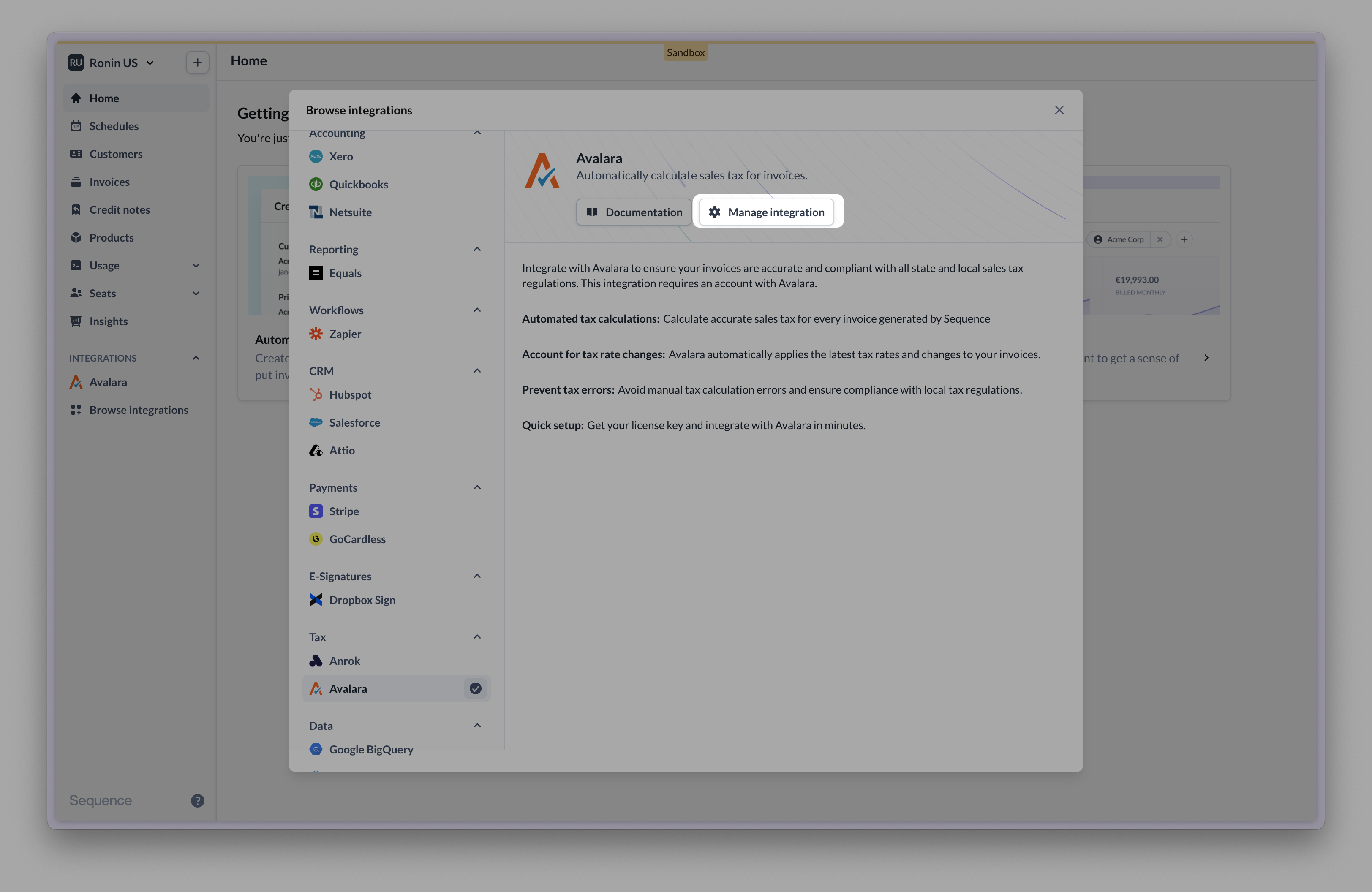
Go to Integrations, find Avalara and select "Manage integration".
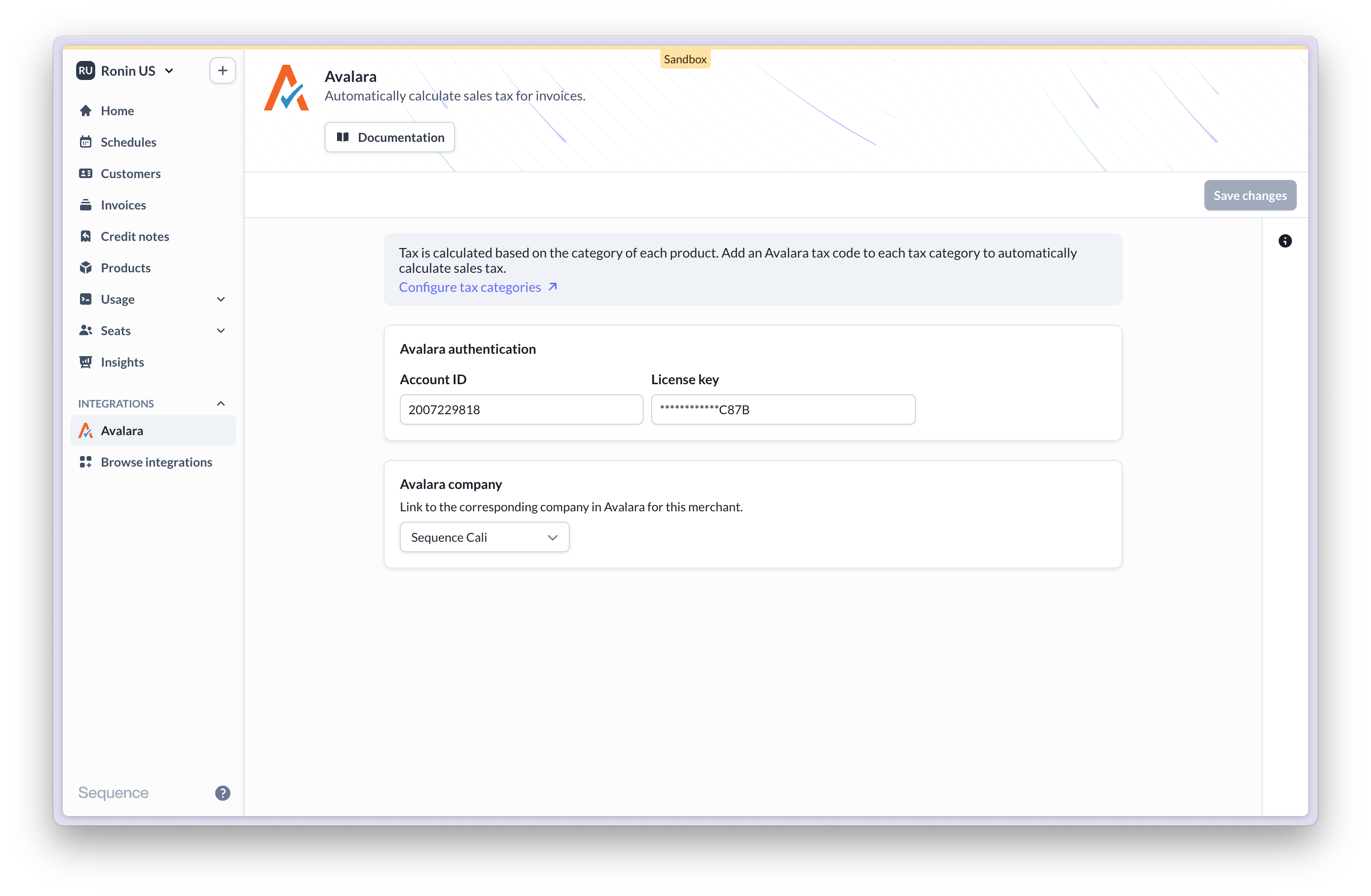
 Enter your Avalara Account ID and License key and connect (you can locate these under Settings > License and API keys in your Avalara account).
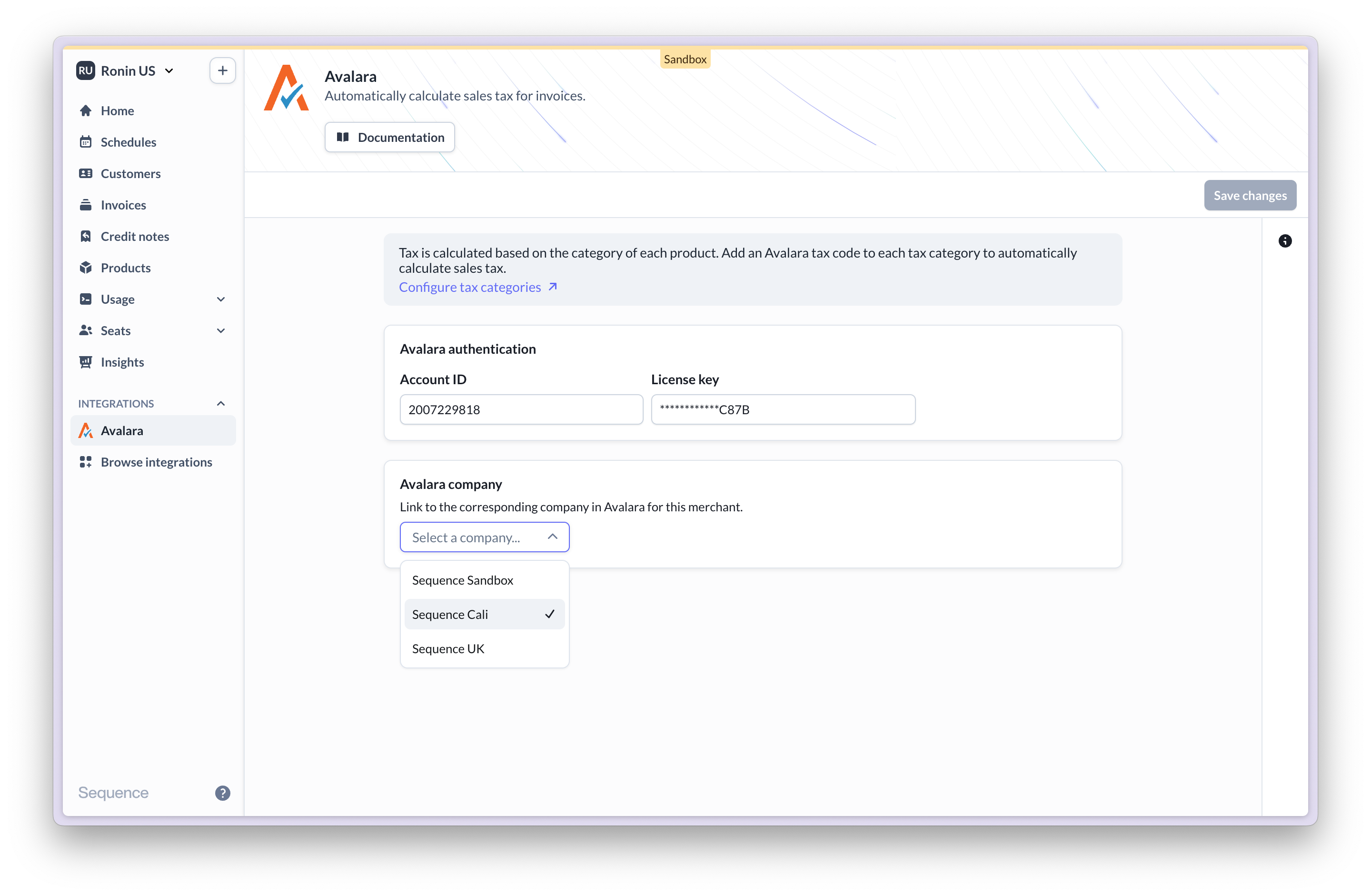
 Once connected, select the company to use from your Avalara account.
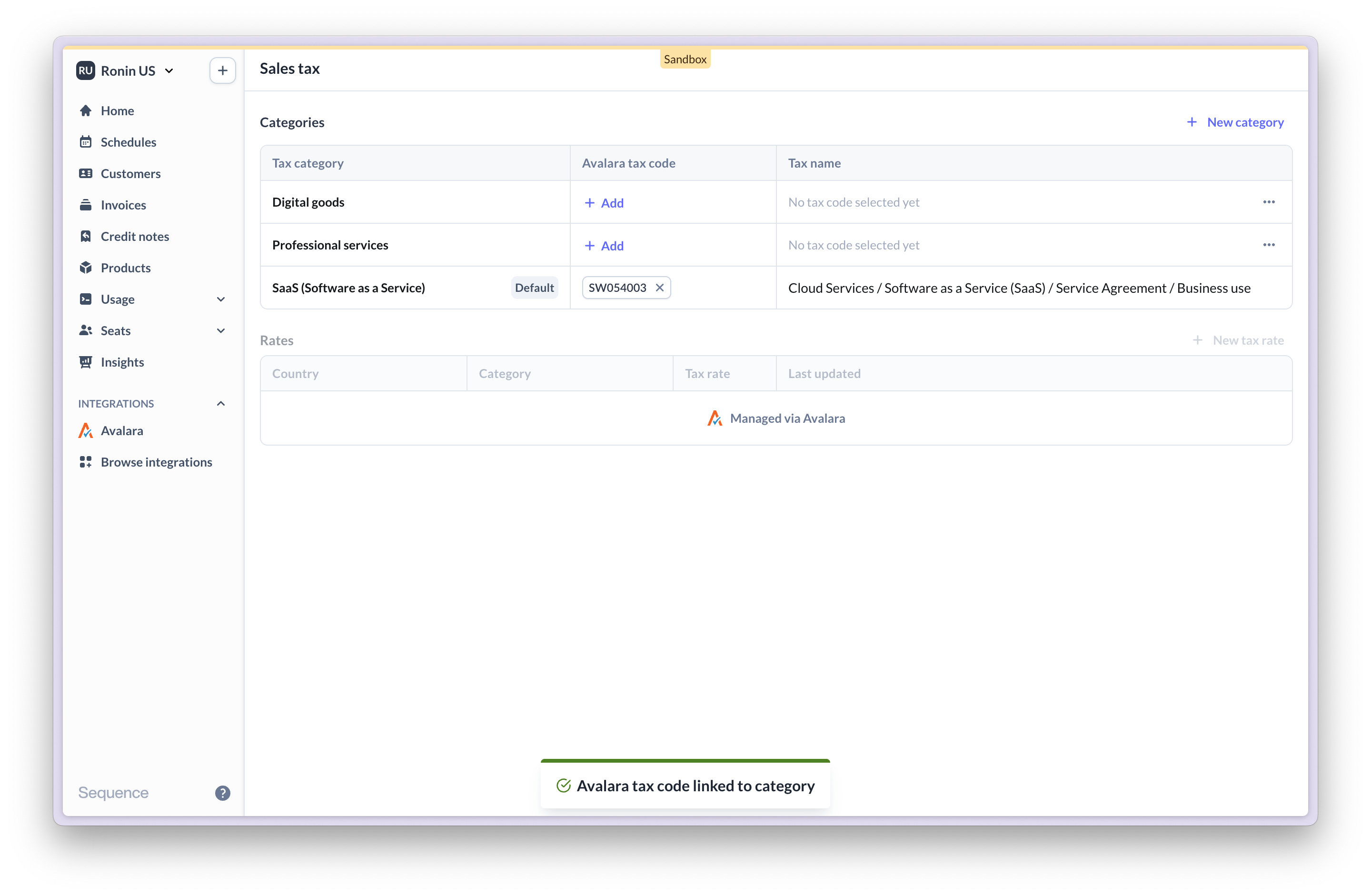
 Start by assigning Avalara tax codes to product tax categories in Sequence (go to Settings > Sales Tax). Once Avalara is connected, tax categories are managed via Avalara tax codes. You can no longer manage tax categories with custom rates.
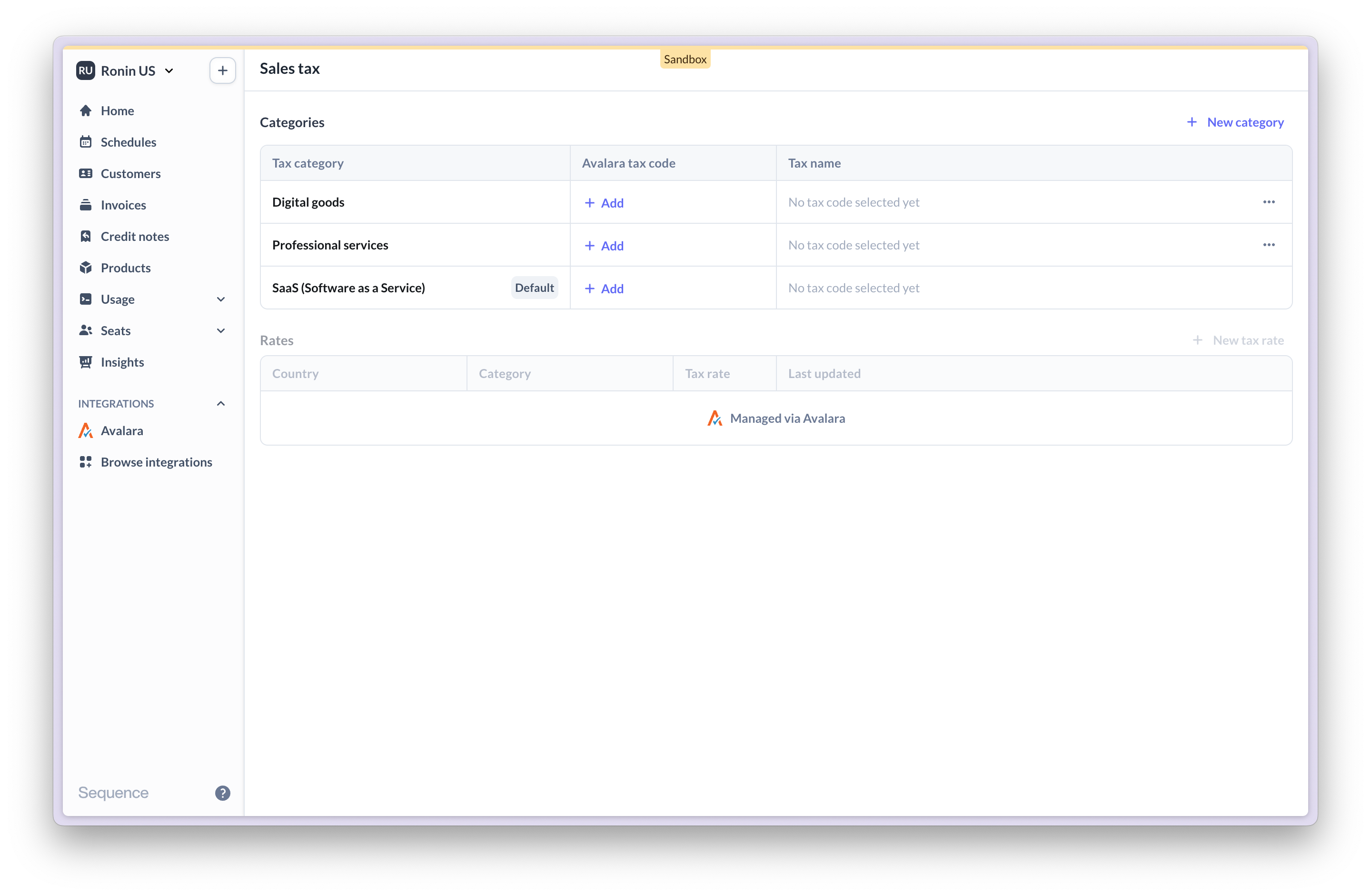 For each tax category in use, assign a corresponding Avalara tax code.
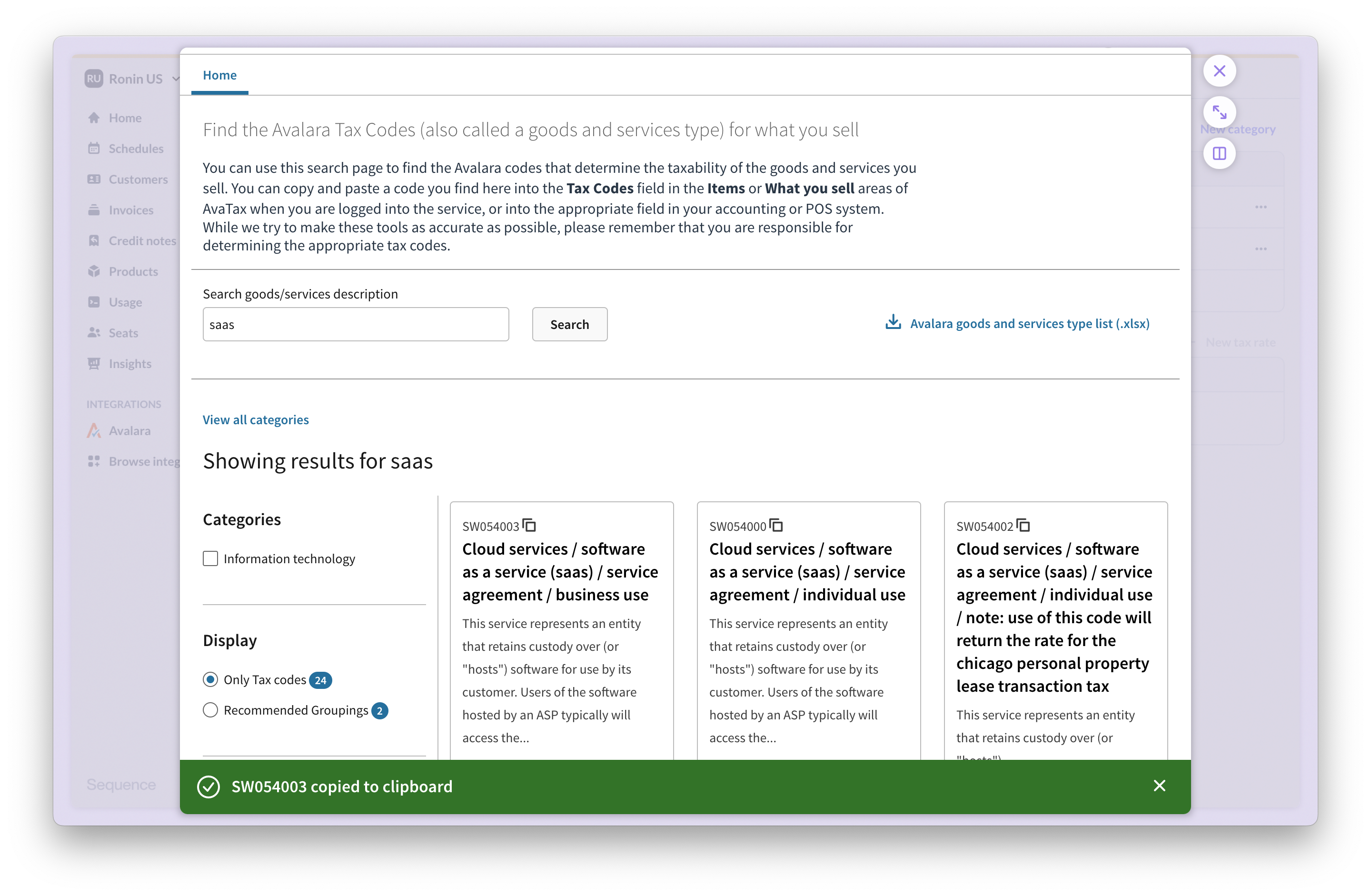
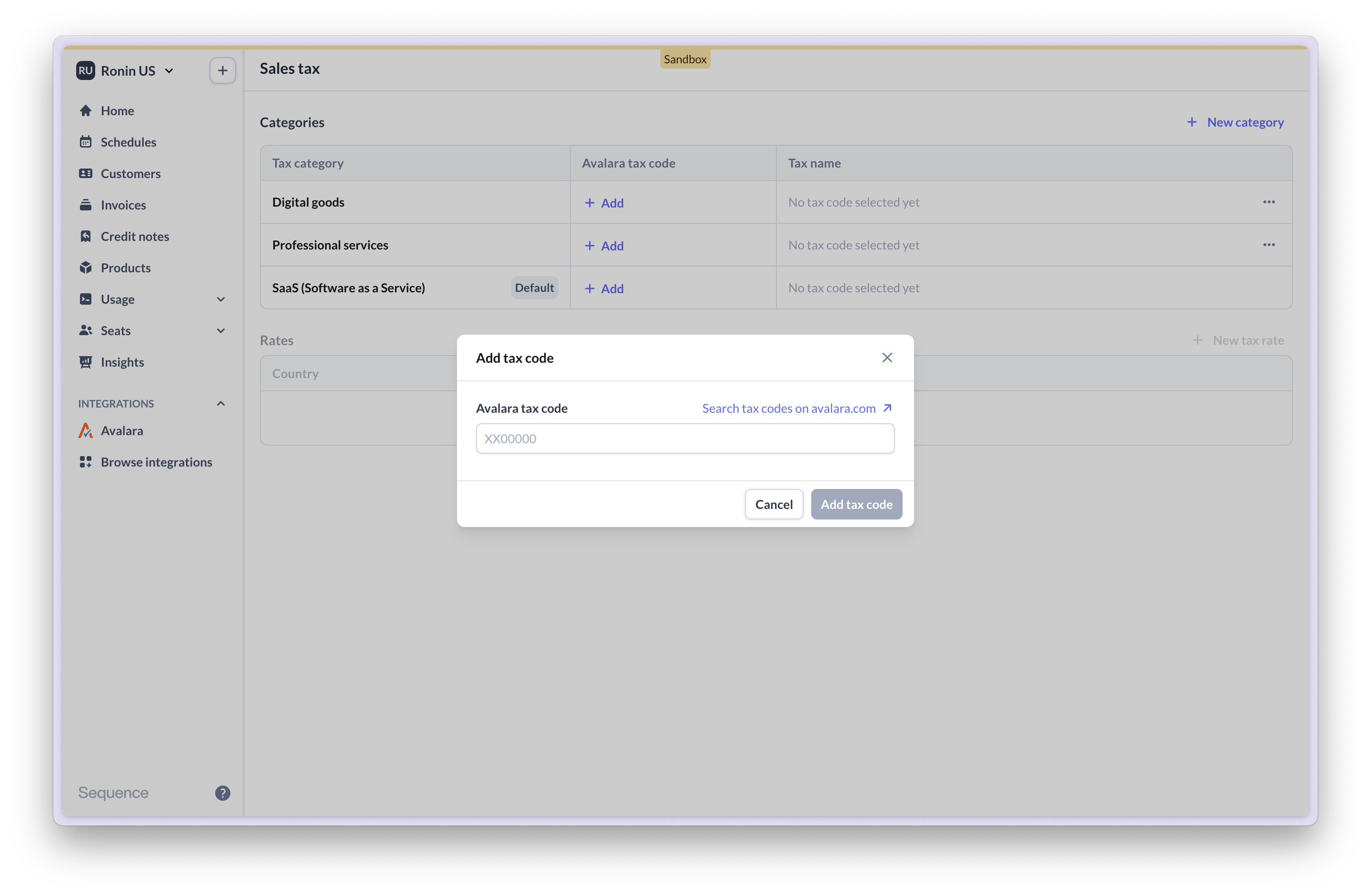 You can search for and directly copy over Avalara tax codes from Avalara's website.
 Once entered, Sequence will look up and validate the tax code.
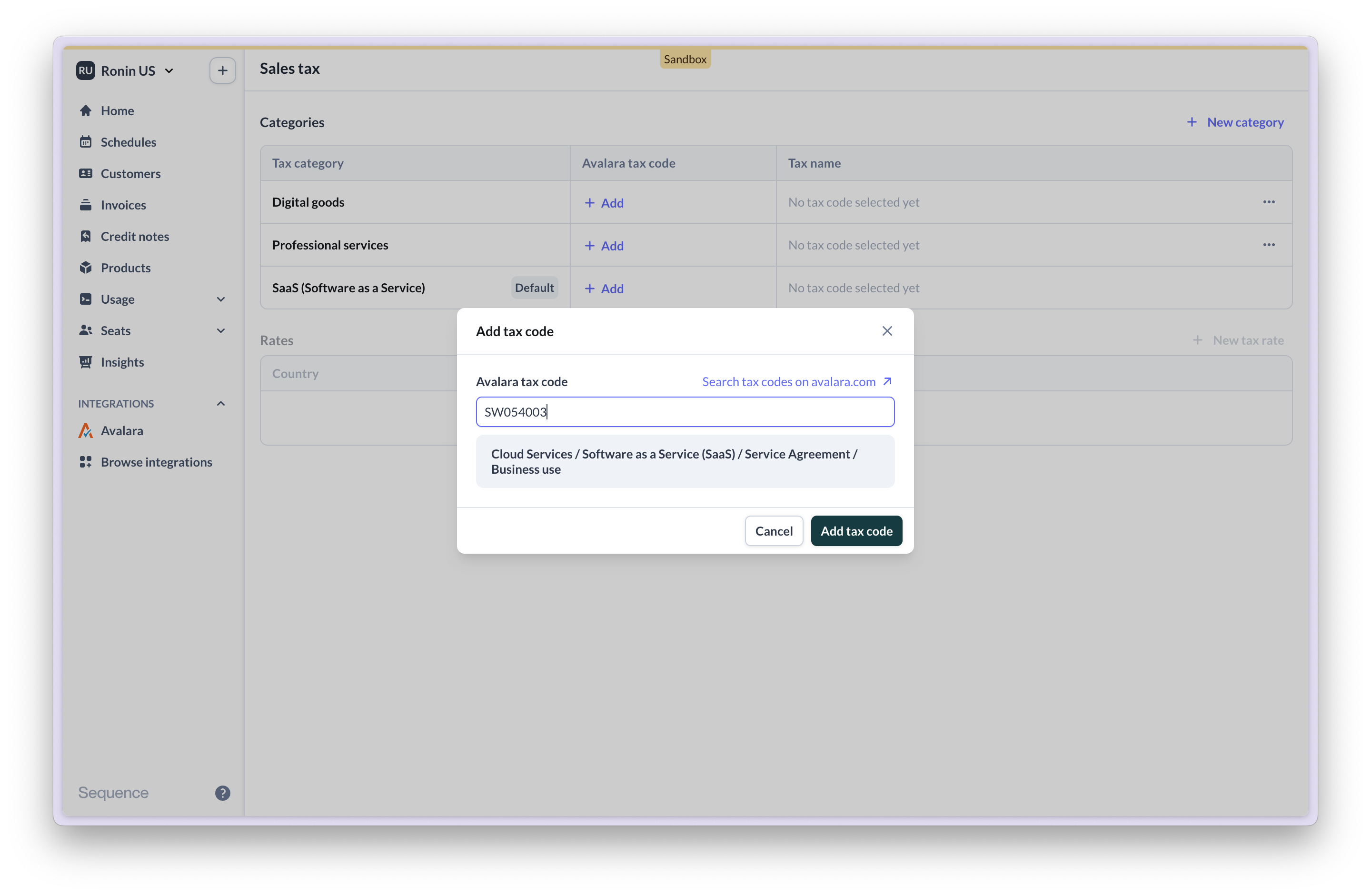 Once assigned, the tax category is managed via an Avalara tax code.
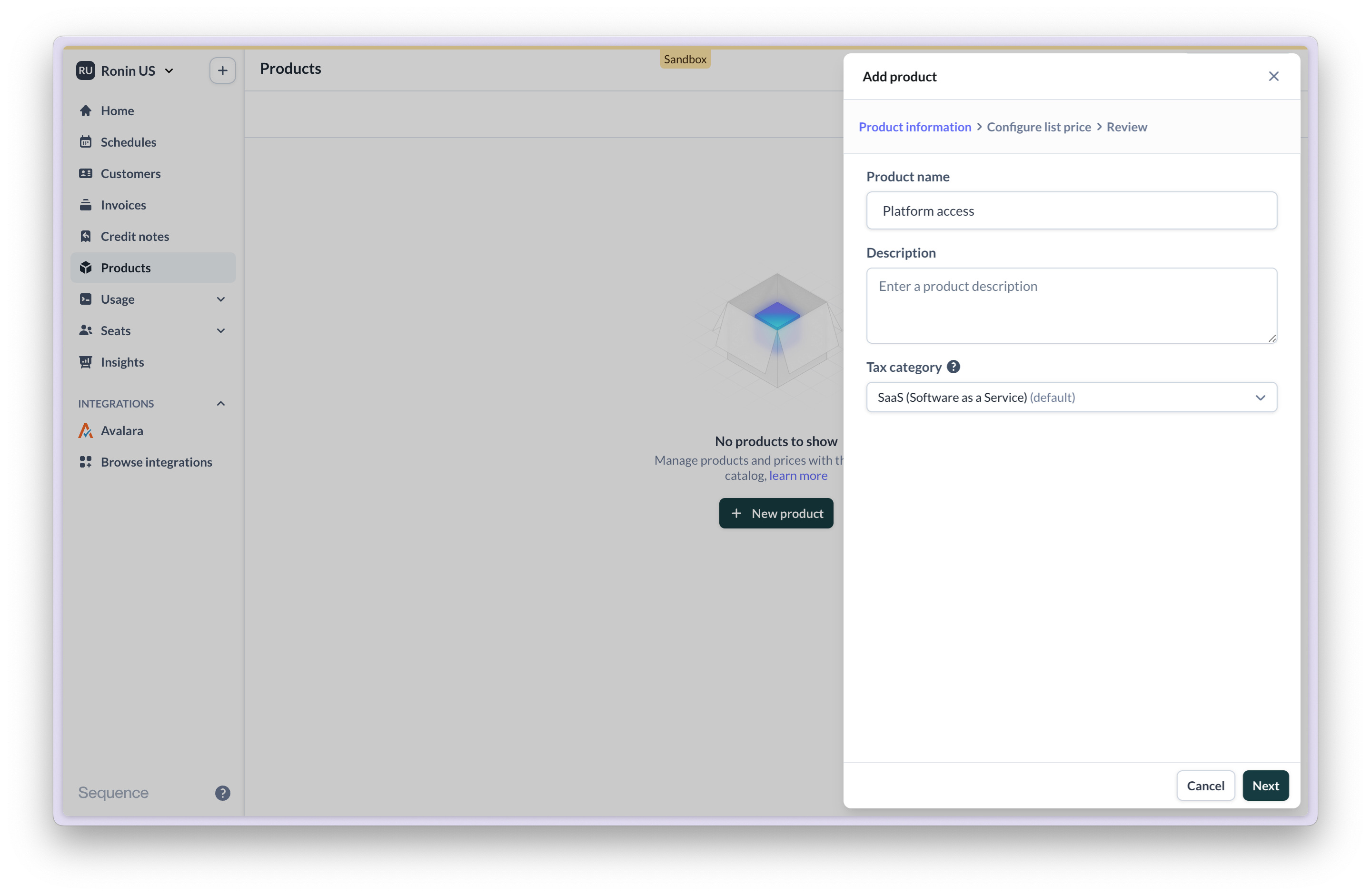
 In your product catalogue, assign product tax categories to products. In order to automatically calculate sales tax for a given product, its tax category must be mapped to an Avalara tax code.
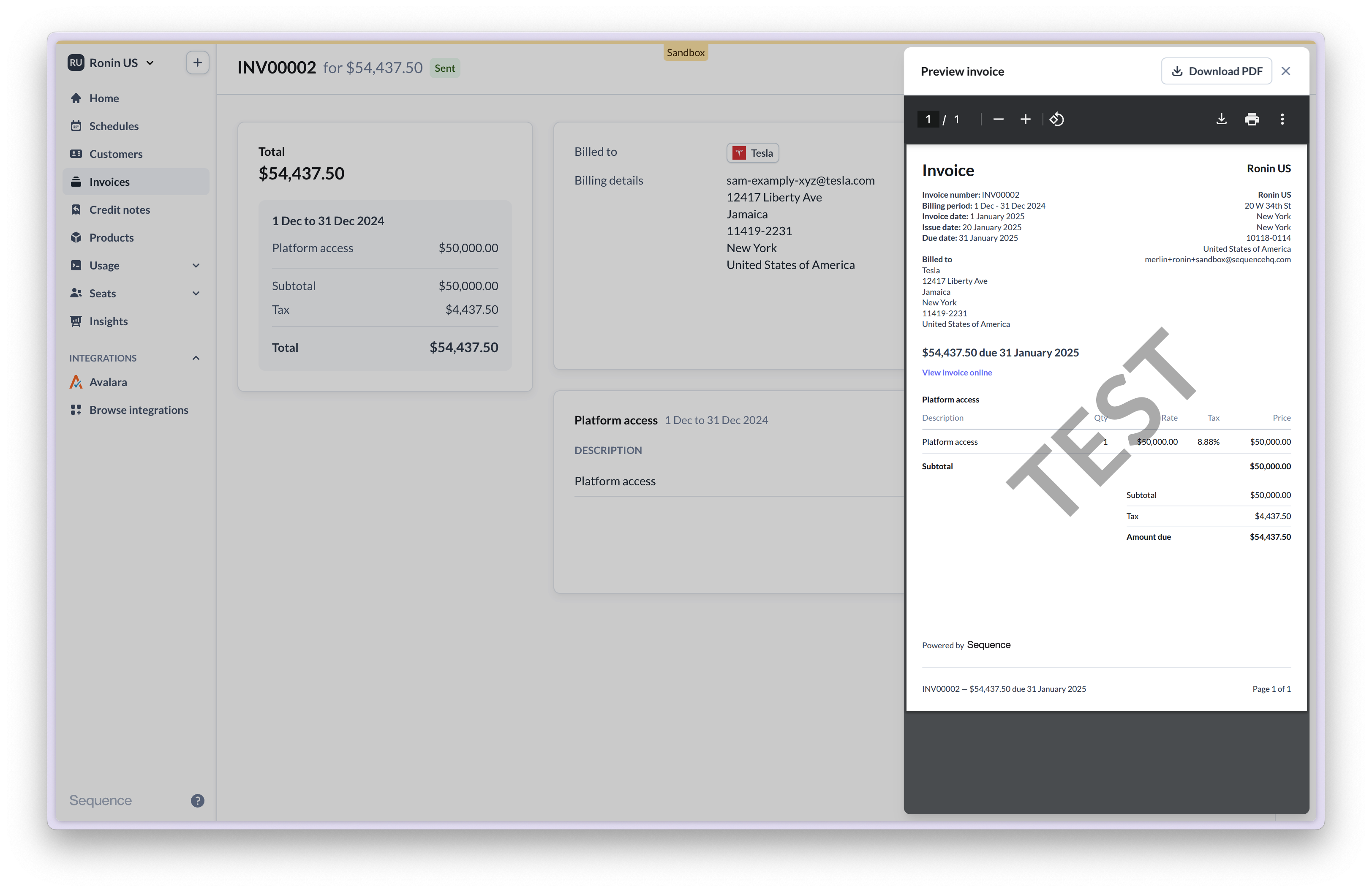
 You're now set up to automatically calculate sales tax on invoices via Avalara.
### Calculating sales tax with Avalara
Once you're connected to Avalara, Sequence will calculate sales tax for every draft invoice via Avalara. Whether and how tax is calculated depends on the following factors:
* Your merchant location in Sequence (Settings > Merchant > Address)
* Your customer's location & tax status
* Your tax configuration and tax exposure as reported to Avalara
* The Avalara tax code assigned to a sold product
Tax is automatically calculated and added to the invoice.

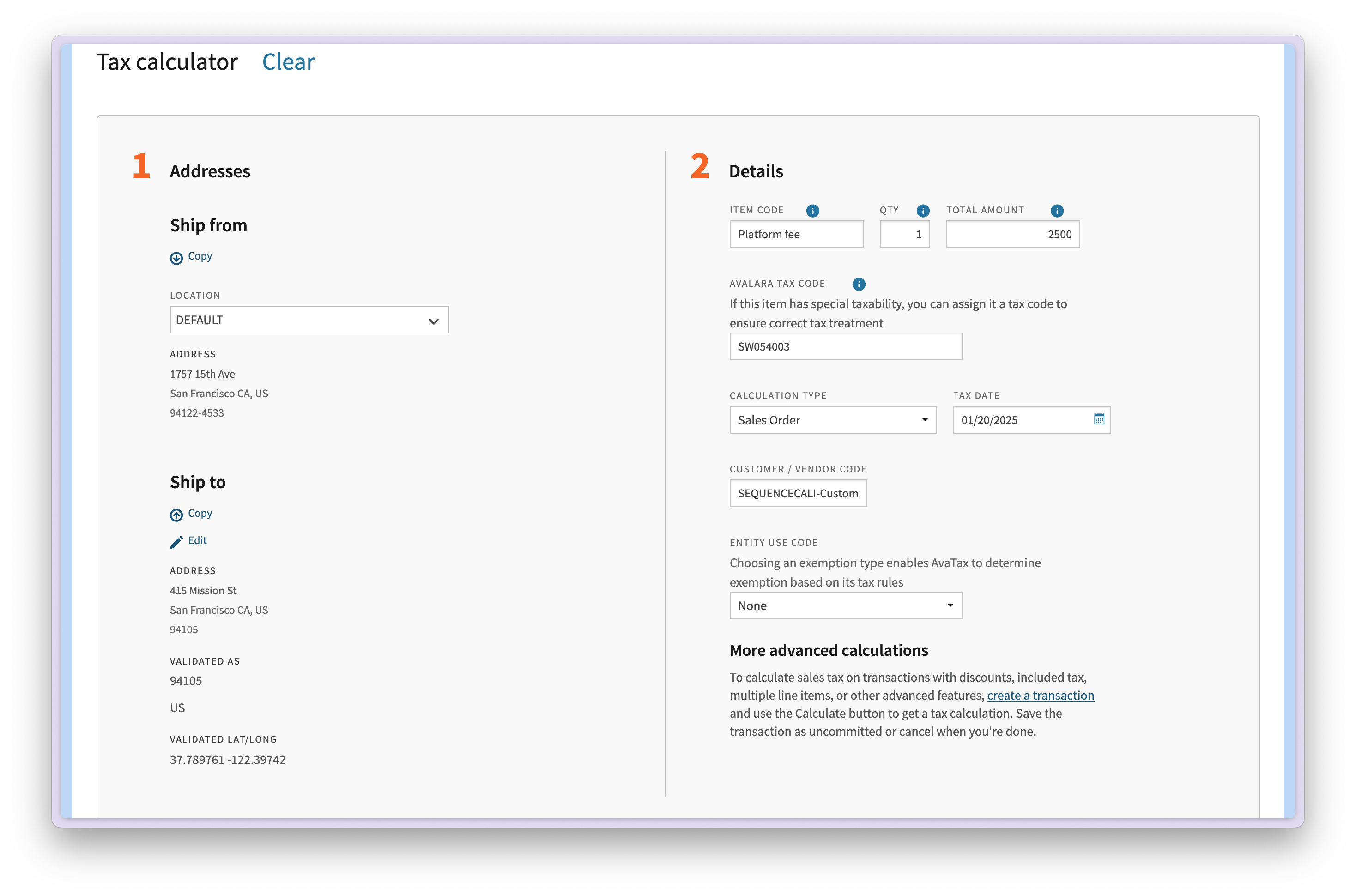
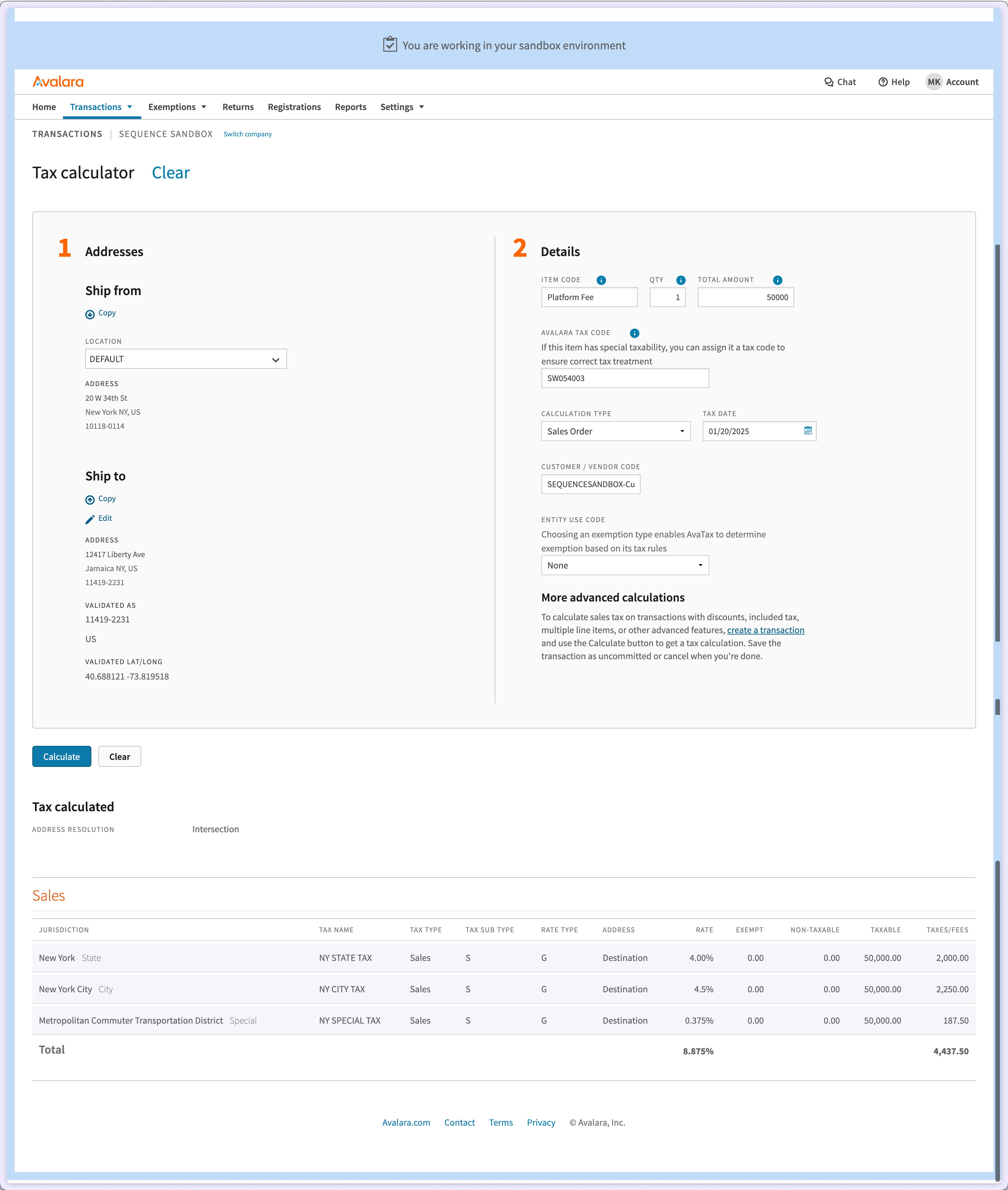
 If you're getting started with Avalara, you can use Avalara's tax calculator from the Avalara app to run through example sales tax calculations.
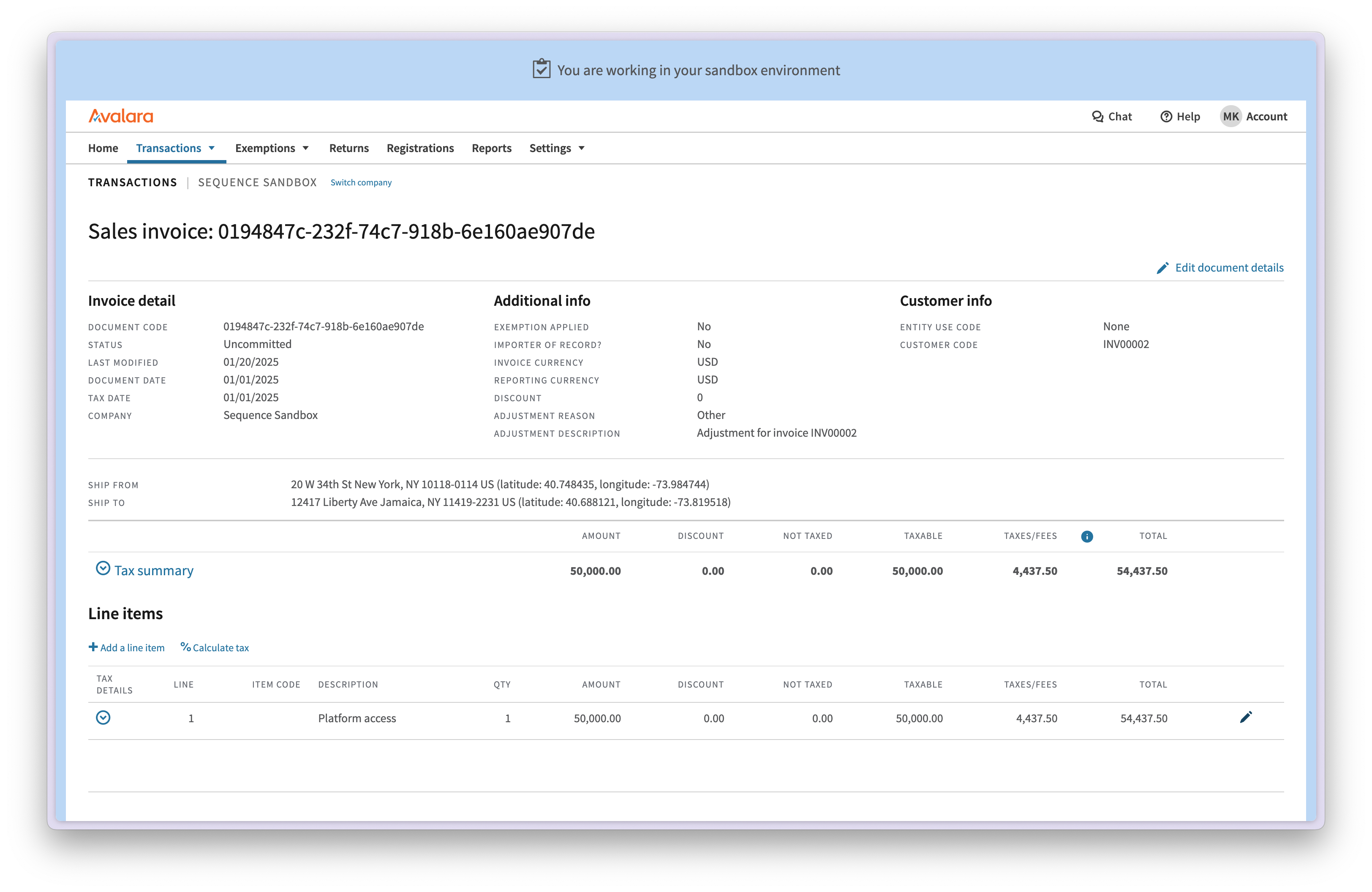
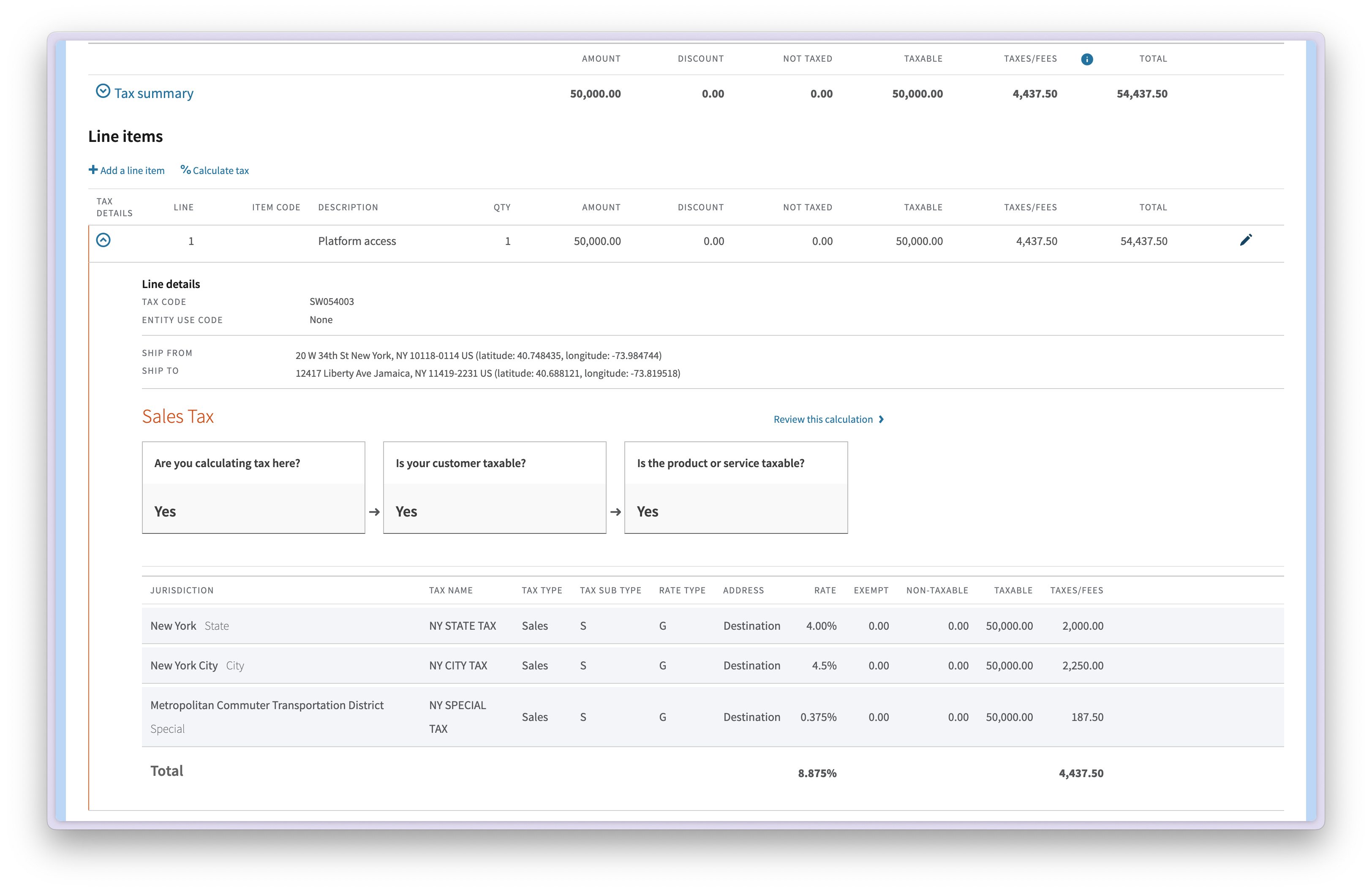
 For each invoice, Sequence creates a transaction in Avalara that includes a detailed breakdown of the tax calculation. If you're using Avalara to file tax, you need to commit these transactions in Avalara.
 ### Customer address validation via Avalara
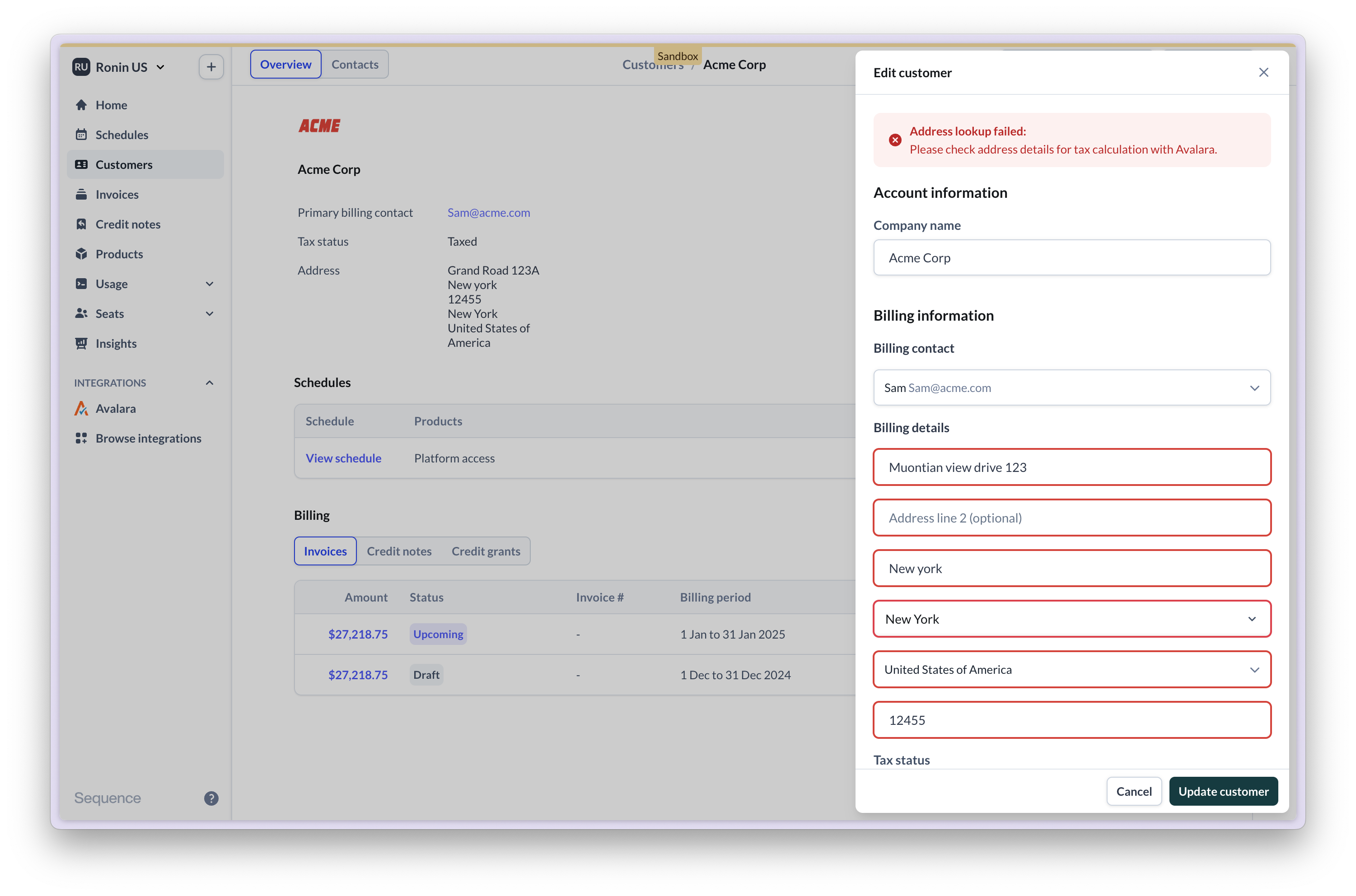
Once you're connected to Avalara, Sequence will validate a customer's billing address via Avalara. This is required to ensure sales tax is accurately calculated based on the customer's locale. For customers located outside of the US, Avalara only checks the country.
### Customer address validation via Avalara
Once you're connected to Avalara, Sequence will validate a customer's billing address via Avalara. This is required to ensure sales tax is accurately calculated based on the customer's locale. For customers located outside of the US, Avalara only checks the country.
 ### Troubleshooting
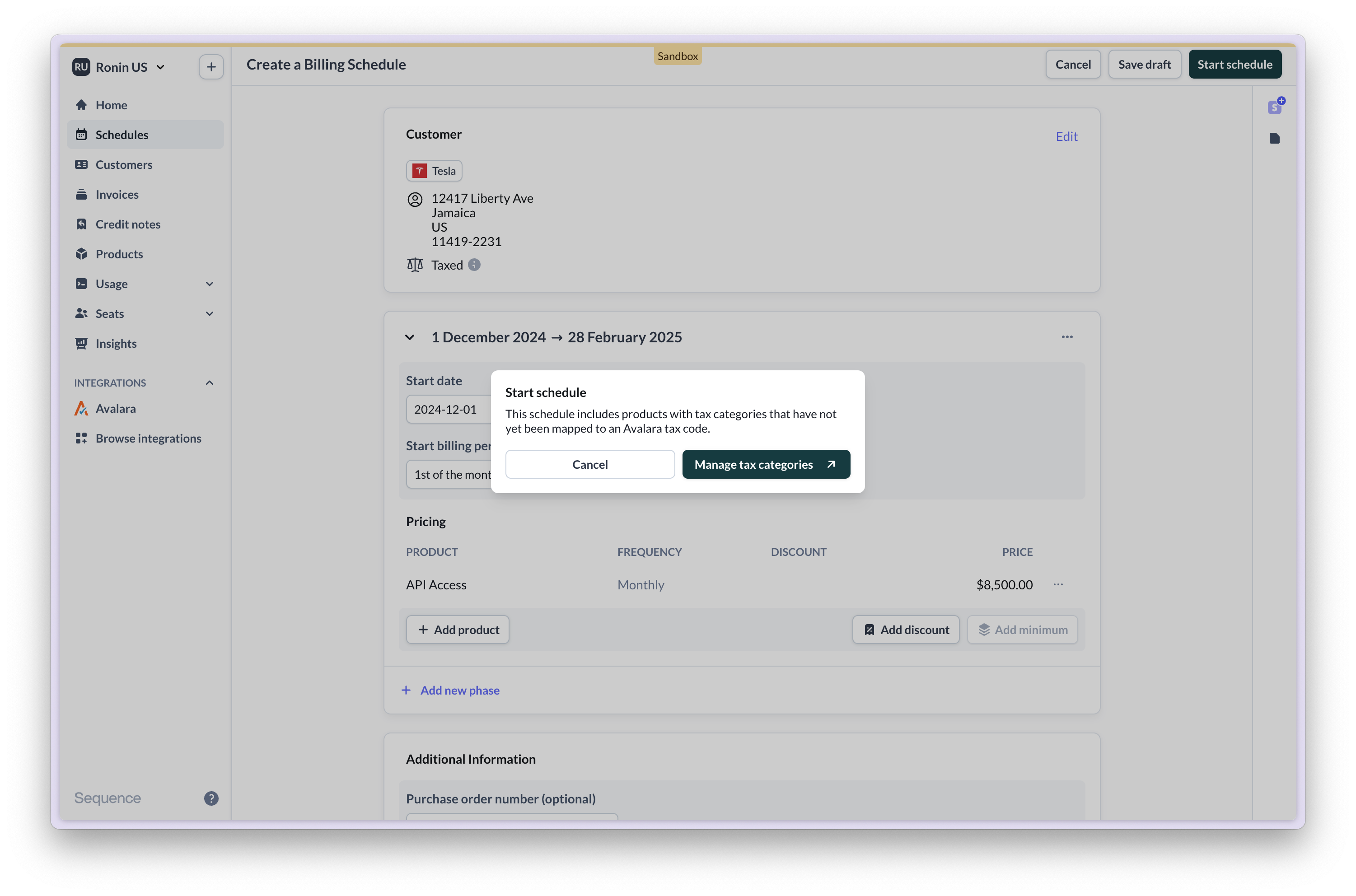
If a billing schedule includes products with tax categories that have not been mapped to an Avalara tax code, you will be prompted to assign a tax code.
### Troubleshooting
If a billing schedule includes products with tax categories that have not been mapped to an Avalara tax code, you will be prompted to assign a tax code.
 When setting up the integration, ensure you are connecting to the right Avalara account:
* a Sequence Sandbox only connects to an Avalara Sandbox
* a Sequence Production account only connects to an Avalara Production account
Ensure that you have correctly configured your merchant address in Sequence. This address needs to match your company's address in Avalara.
When setting up the integration, ensure you are connecting to the right Avalara account:
* a Sequence Sandbox only connects to an Avalara Sandbox
* a Sequence Production account only connects to an Avalara Production account
Ensure that you have correctly configured your merchant address in Sequence. This address needs to match your company's address in Avalara.
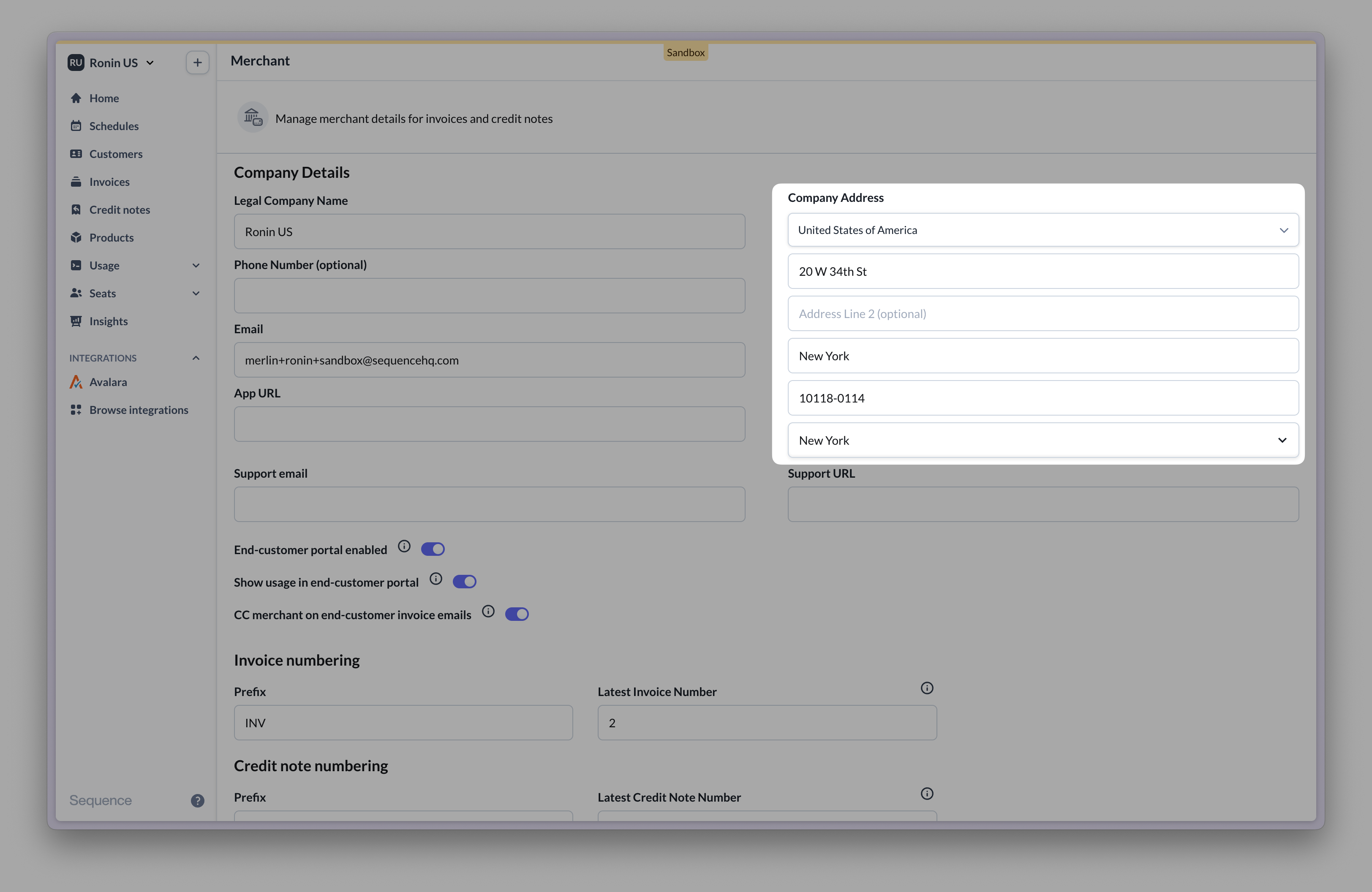 For Avalara to successfully calculate tax, your Sequence account's country must match your Avalara company's country. If in doubt, reach out to our team.
### Frequently asked questions (FAQ)
No. Sequence's Avalara integration maps product tax categories to Avalara tax codes. When Sequence generates an invoice for a product, the assigned tax code is used to calculate tax via Avalara.
Yes.
Go to Transactions and find the relevant transactions to commit. Transactions created by Sequence appear as draft. To commit transactions in bulk consider exporting and importing transactions.
To test sales tax calculations, use the tax calculator tool from your Avalara account.
Enter your company address, customer address and item to sell to view an example calculation.
For Avalara to successfully calculate tax, your Sequence account's country must match your Avalara company's country. If in doubt, reach out to our team.
### Frequently asked questions (FAQ)
No. Sequence's Avalara integration maps product tax categories to Avalara tax codes. When Sequence generates an invoice for a product, the assigned tax code is used to calculate tax via Avalara.
Yes.
Go to Transactions and find the relevant transactions to commit. Transactions created by Sequence appear as draft. To commit transactions in bulk consider exporting and importing transactions.
To test sales tax calculations, use the tax calculator tool from your Avalara account.
Enter your company address, customer address and item to sell to view an example calculation.