> ## Documentation Index
> Fetch the complete documentation index at: https://docs.sequencehq.com/llms.txt
> Use this file to discover all available pages before exploring further.
# Overview
> Leverage comprehensive seat-based billing infrastructure
Sequence provides native support for businesses with seat-based pricing, including seat types, a simple API to submit seat updates and a dashboard to track seat balances and changes.
## Concepts
### Seat metrics
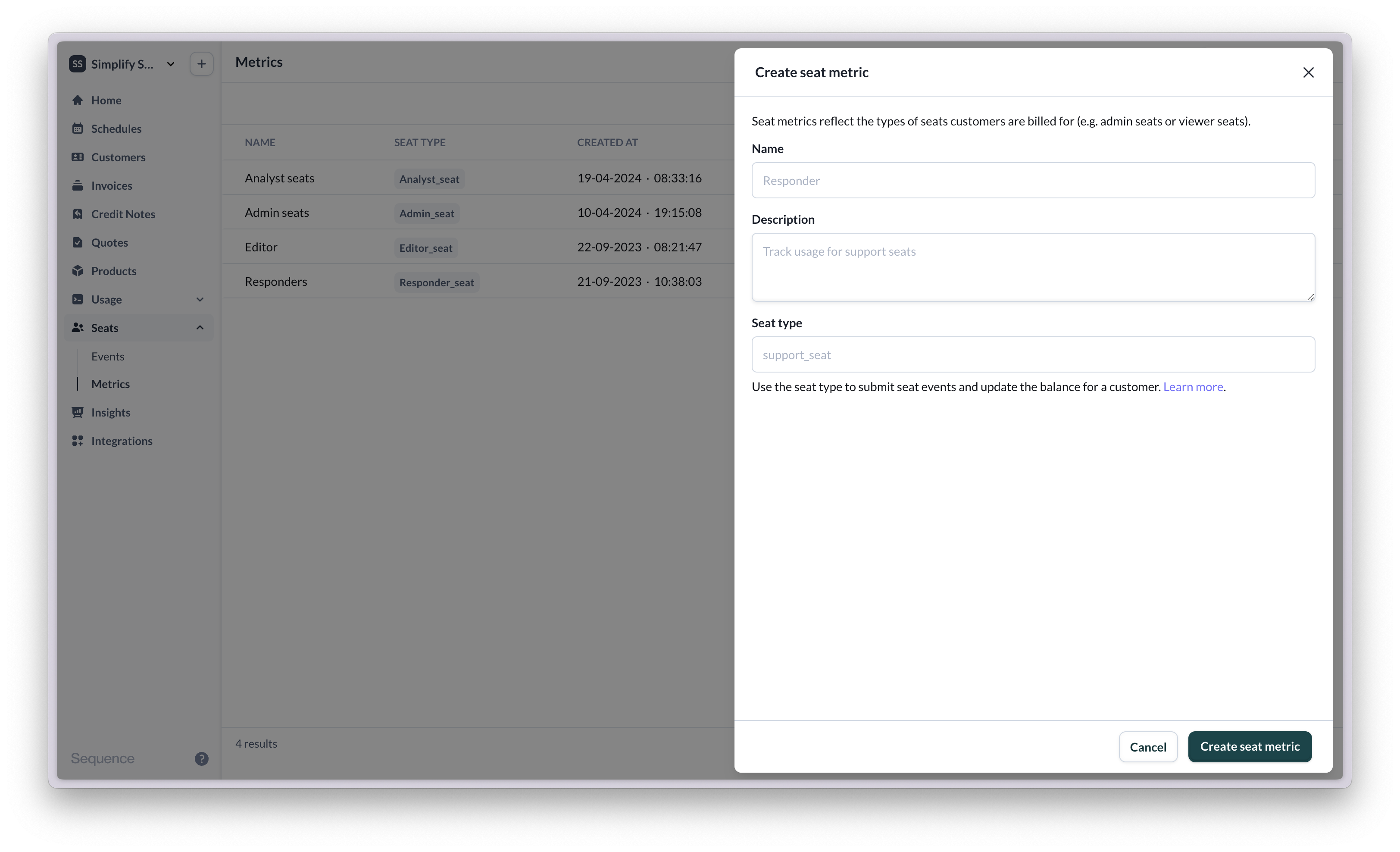
Seat metrics represent the types of seats that exist in your product, such as Admin seats, Viewer seats, Editor seats, etc.
 ### Seat balances
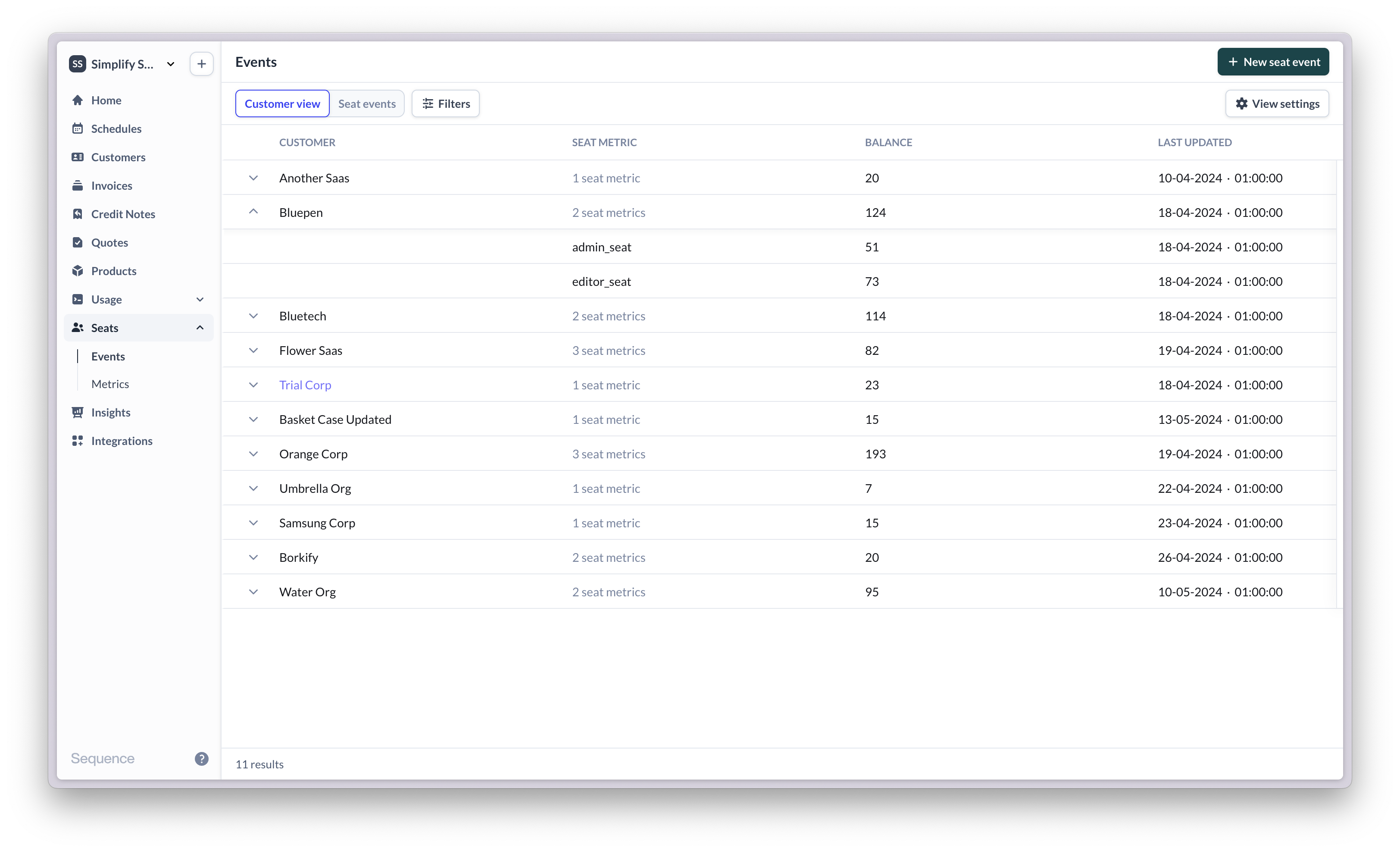
The seat balance reflects the latest number of seats in use for a customer, per seat metric. For example, a customer may have a seat balance of 120 Admin seats. The next day 5 new Admin seats are added, 1 is removed. The new seat balance is 124 Admin seats. Learn more about a customer's seat balances [here](/seats/seat-balances).
### Seat balances
The seat balance reflects the latest number of seats in use for a customer, per seat metric. For example, a customer may have a seat balance of 120 Admin seats. The next day 5 new Admin seats are added, 1 is removed. The new seat balance is 124 Admin seats. Learn more about a customer's seat balances [here](/seats/seat-balances).
 ### Seat events
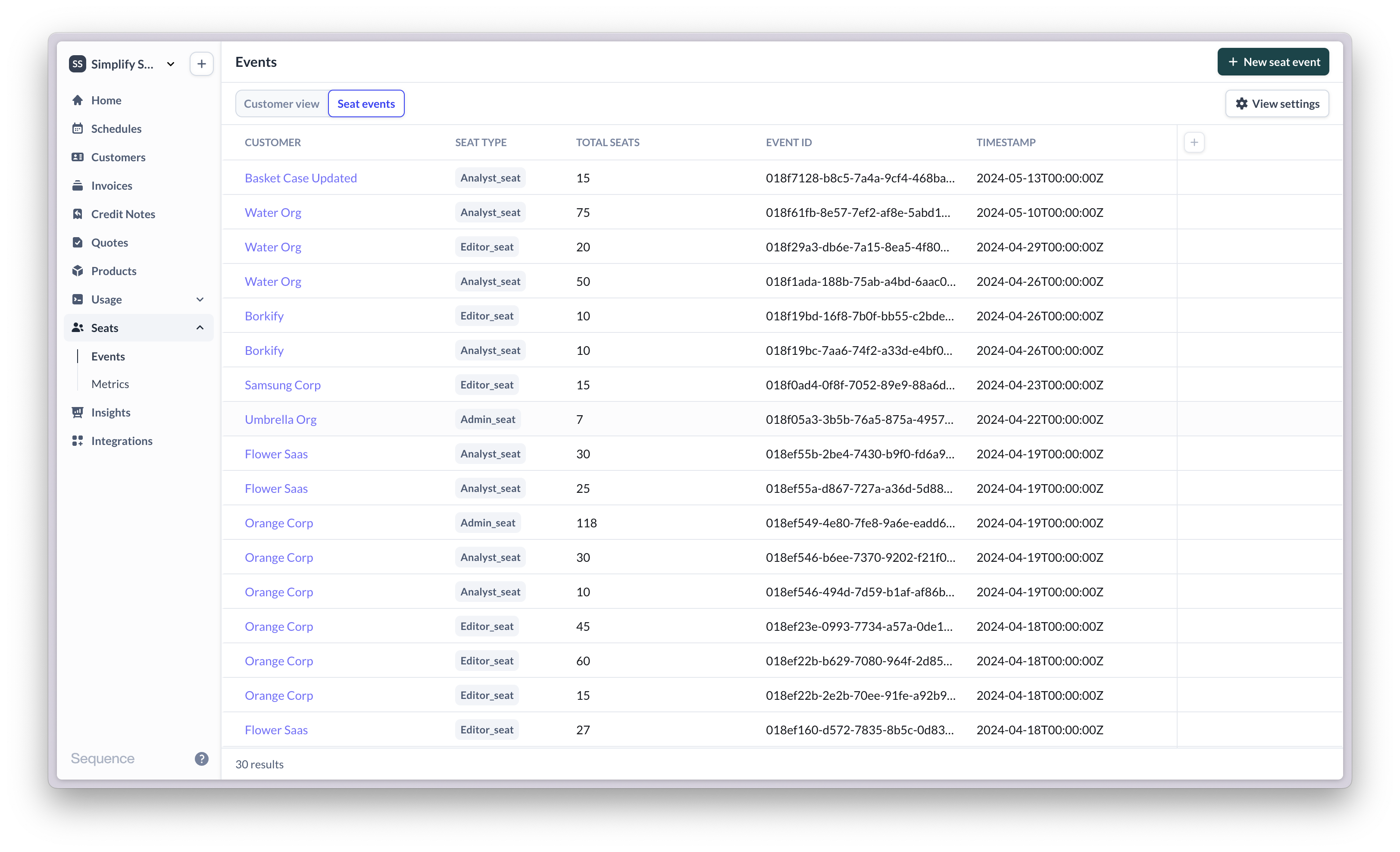
Seat events describe changes in seat balances. The seat events view shows a log of all seat events you have sent to Sequence. Each seat event includes a granular view of the number of seats that were added and removed as well as the balance at the time the seat update was submitted. Learn more about seat events [here](/seats/seat-updates).
### Seat events
Seat events describe changes in seat balances. The seat events view shows a log of all seat events you have sent to Sequence. Each seat event includes a granular view of the number of seats that were added and removed as well as the balance at the time the seat update was submitted. Learn more about seat events [here](/seats/seat-updates).
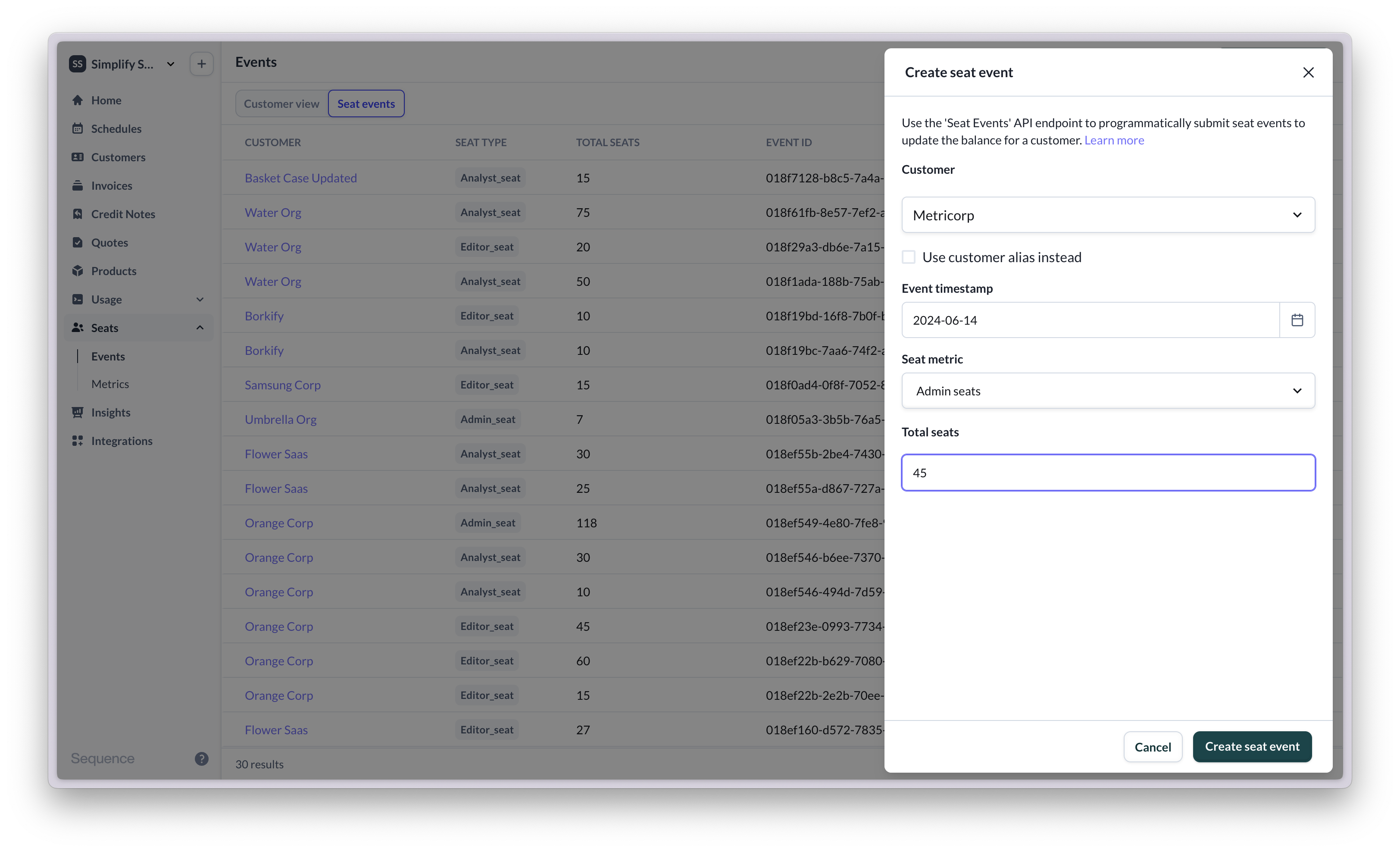
 To submit a seat update via the dashboard (typically for testing), select a customer and seat metric and define how many seats are added and/or removed.
 ## Getting started with seat-based billing
For a detailed setup guide, view our [seat-based billing guide](/seats/api-guide)
Start by configuring your seat metrics in Sequence. Seat metrics reflect the different types of seats available via your app that your customers are billed for. You can optionally also include free seats (e.g. Viewer seats).
You can submit a seat event to update a customer's seat balance via the Sequence dashboard for testing. Actual seat updates are submitted via API.
On the balances view, you can now see the new balance for the customer.
Create a billing schedule for the customer and configure a seat-based price, using the seat metric you've configured.
Once you start the billing schedule, you should see an in-progress invoice including any seat-based charges for the customer.
Submit seat events to Sequence whenever a user adds or removes seats.
You can now create and add seat-based prices to your billing schedules. Sequence will automatically calculate seat balances and calculate billing based on your seat-based pricing configuration.
***
## Seat-based pricing: Industry examples
* [Miro](https://help.miro.com/hc/en-us/articles/360017571714-How-Miro-billing-works-) and [Figma](https://www.figma.com/pricing-faq/) have per-seat pricing with self-serve flows to add/remove users. Charges are prorated in both cases. Figma does not refund downgrades for annual seats.
* [Loom](https://support.loom.com/hc/en-us/articles/7310782877469-Loom-s-Billing-Policy-Business-Plans-) and [Asana](https://asana.com/guide/help/premium/billing) have per-seat pricing, but only prorate upgrades – downgrades are effective from the next billing cycle.
* [Grafana](https://grafana.com/pricing/#faqActiveUser) and [Kadence](https://kadence.co/pricing/) charge a fixed amount per “active user”: there is no set limit to how many users a customer can have, and they will get charged based on how many seats were active in a given billing period, where “active” means having used the product at least once in that period. With this definition, seats are either fully active or fully inactive each period, so there is no proration.
* [Slack](https://slack.com/help/articles/218915077-Slacks-Fair-Billing-Policy) price based on “active seats” and seats can be partially active in a billing period, in which case proration applies.
* With [Github](https://docs.github.com/en/billing/managing-the-plan-for-your-github-account/about-per-user-pricing), customers are charged in-advance based on the latest number of seats. If a customer adds seats mid-month, they are immediately charged a prorated amount. Downgrades are still charged for in the current billing period (no refund/credit).
* [HubSpot](https://www.hubspot.com/company-news/announcing-upcoming-changes-to-hubspots-pricing) bills monthly in-arrears based on number of seats. If customer adds a user, the next bill will include a prorated charge based on when the user was added. Removing a user does not remove the paid seat.
(Examples: Last updated in early 2024)
## Getting started with seat-based billing
For a detailed setup guide, view our [seat-based billing guide](/seats/api-guide)
Start by configuring your seat metrics in Sequence. Seat metrics reflect the different types of seats available via your app that your customers are billed for. You can optionally also include free seats (e.g. Viewer seats).
You can submit a seat event to update a customer's seat balance via the Sequence dashboard for testing. Actual seat updates are submitted via API.
On the balances view, you can now see the new balance for the customer.
Create a billing schedule for the customer and configure a seat-based price, using the seat metric you've configured.
Once you start the billing schedule, you should see an in-progress invoice including any seat-based charges for the customer.
Submit seat events to Sequence whenever a user adds or removes seats.
You can now create and add seat-based prices to your billing schedules. Sequence will automatically calculate seat balances and calculate billing based on your seat-based pricing configuration.
***
## Seat-based pricing: Industry examples
* [Miro](https://help.miro.com/hc/en-us/articles/360017571714-How-Miro-billing-works-) and [Figma](https://www.figma.com/pricing-faq/) have per-seat pricing with self-serve flows to add/remove users. Charges are prorated in both cases. Figma does not refund downgrades for annual seats.
* [Loom](https://support.loom.com/hc/en-us/articles/7310782877469-Loom-s-Billing-Policy-Business-Plans-) and [Asana](https://asana.com/guide/help/premium/billing) have per-seat pricing, but only prorate upgrades – downgrades are effective from the next billing cycle.
* [Grafana](https://grafana.com/pricing/#faqActiveUser) and [Kadence](https://kadence.co/pricing/) charge a fixed amount per “active user”: there is no set limit to how many users a customer can have, and they will get charged based on how many seats were active in a given billing period, where “active” means having used the product at least once in that period. With this definition, seats are either fully active or fully inactive each period, so there is no proration.
* [Slack](https://slack.com/help/articles/218915077-Slacks-Fair-Billing-Policy) price based on “active seats” and seats can be partially active in a billing period, in which case proration applies.
* With [Github](https://docs.github.com/en/billing/managing-the-plan-for-your-github-account/about-per-user-pricing), customers are charged in-advance based on the latest number of seats. If a customer adds seats mid-month, they are immediately charged a prorated amount. Downgrades are still charged for in the current billing period (no refund/credit).
* [HubSpot](https://www.hubspot.com/company-news/announcing-upcoming-changes-to-hubspots-pricing) bills monthly in-arrears based on number of seats. If customer adds a user, the next bill will include a prorated charge based on when the user was added. Removing a user does not remove the paid seat.
(Examples: Last updated in early 2024)