> ## Documentation Index
> Fetch the complete documentation index at: https://docs.sequencehq.com/llms.txt
> Use this file to discover all available pages before exploring further.
# Seat balances
> Seat balances reflect the latest number of seats in use for a customer
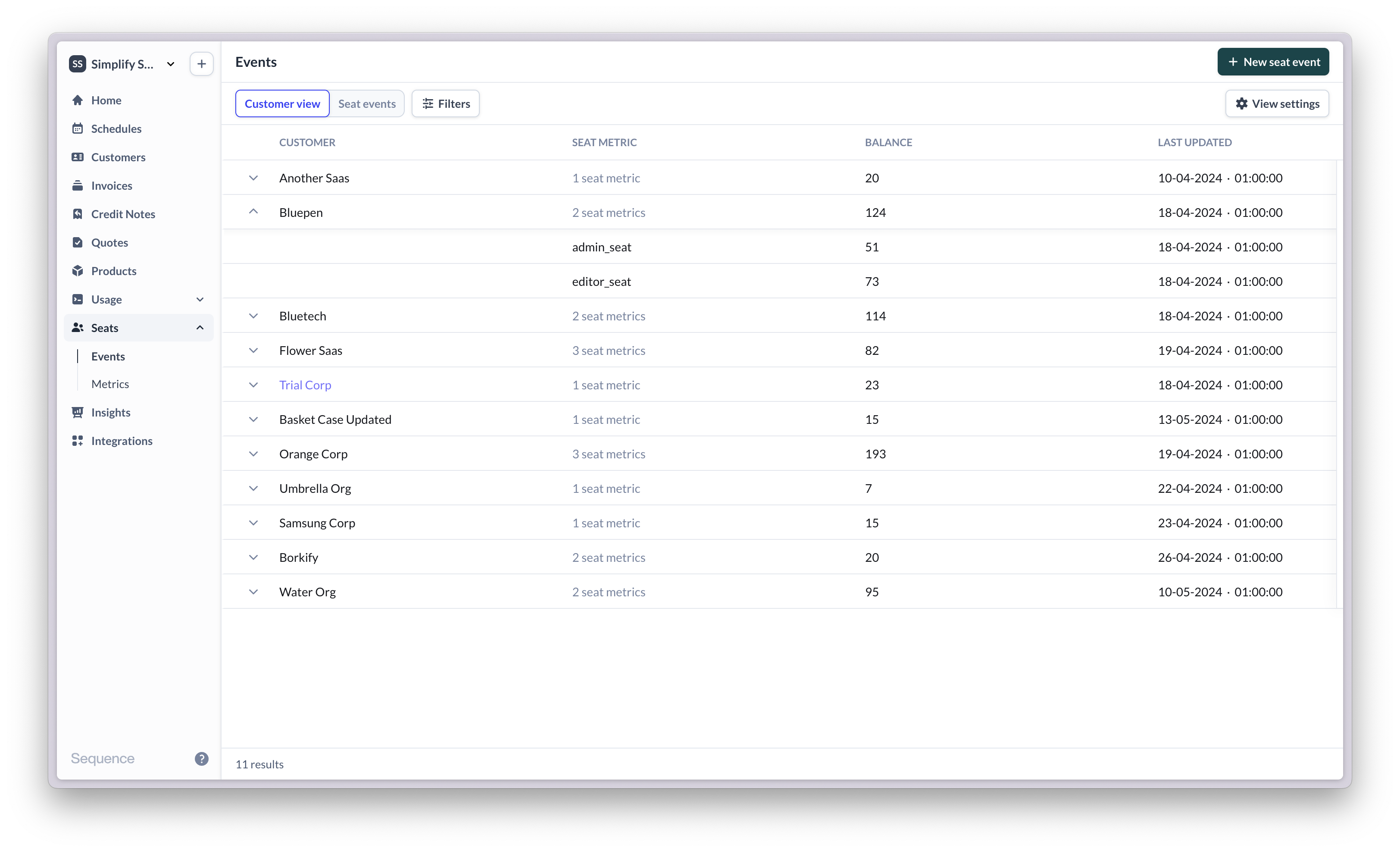
The seat balance reflects the latest number of seats in use for a customer, per seat metric. For example, a customer may have a seat balance of 120 Admin seats. The next day 5 new Admin seats are added, 1 is removed. The new seat balance is 124 Admin seats.\
If multiple seat metrics are defined for a customer, the balance column will show the total across all seat metrics. Expand the customer view to get a breakdown by seat metric.
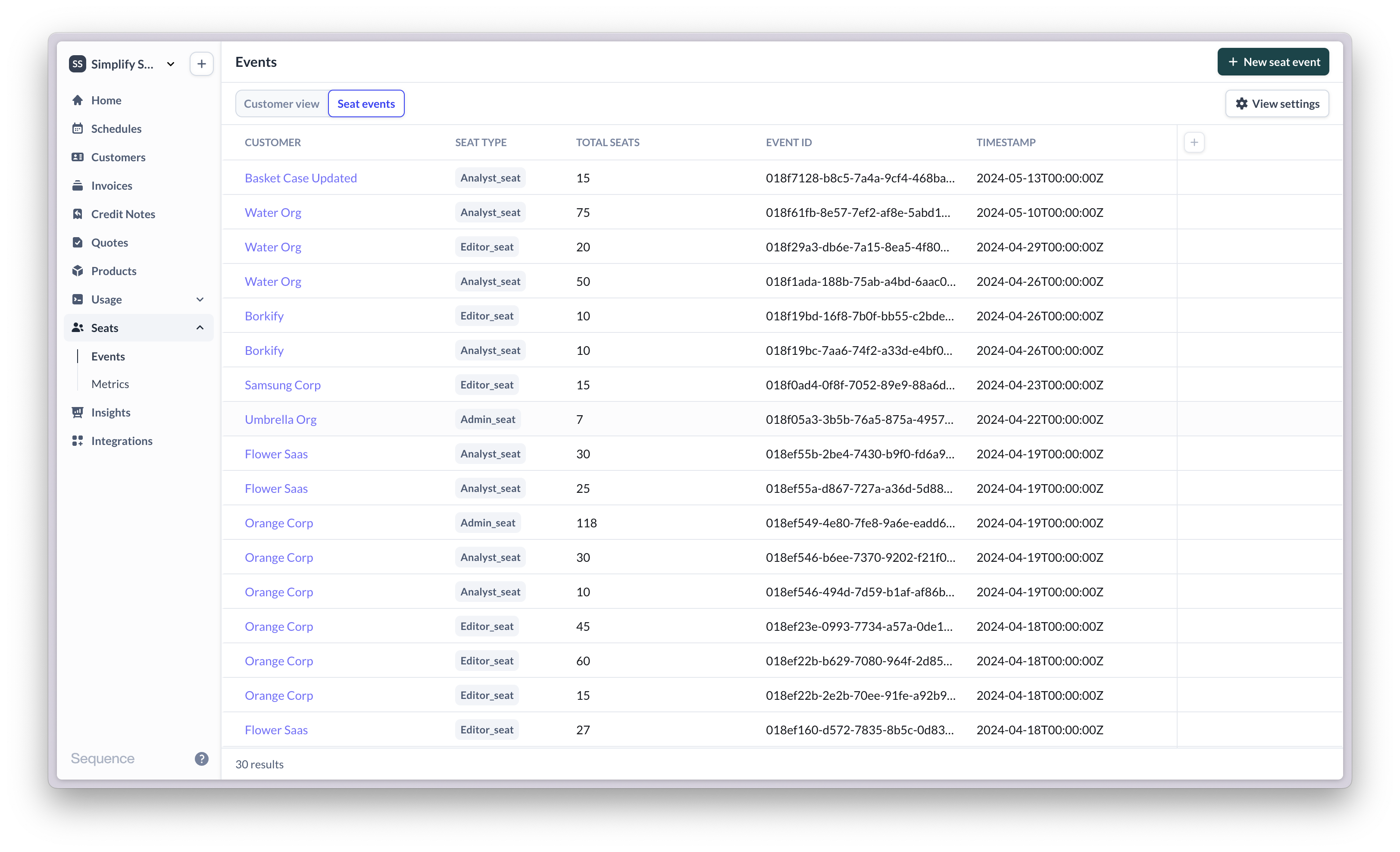
 The seat event view shows a historical log of seat changes made by your customers, over time, per seat metric. Learn more about [seat events](/seats/seat-updates)