> ## Documentation Index
> Fetch the complete documentation index at: https://docs.sequencehq.com/llms.txt
> Use this file to discover all available pages before exploring further.
# Seat events
> View the log of seat update events submitted to Sequence
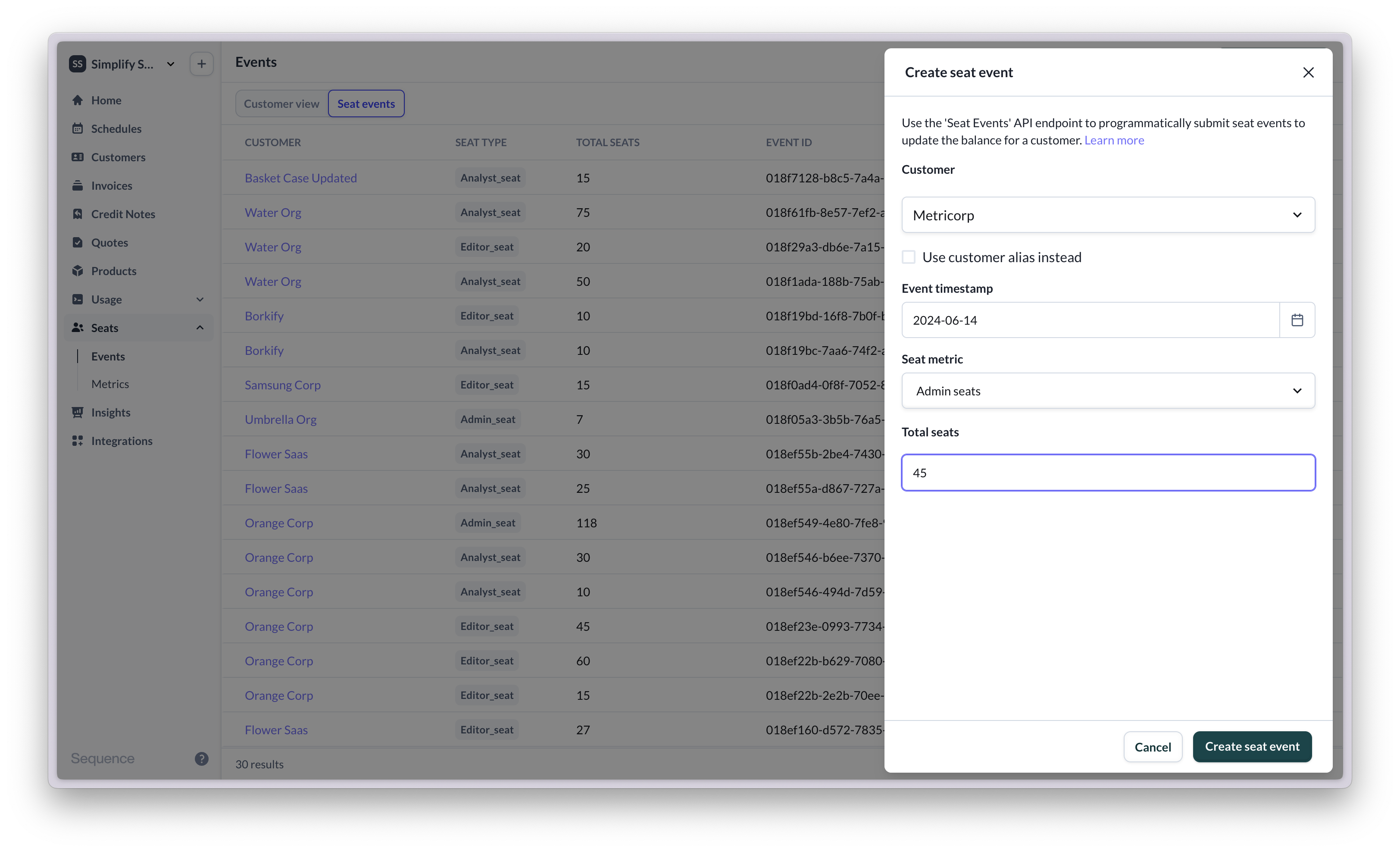
The seat updates view shows a log of all seat events you have sent to Sequence. Each seat event includes a granular view of the number of seats that were added and removed as well as the new balance (at the time).
Submit seat events via the dashboard for testing.
 Use the Seat API to send seat events from your app to Sequence. Below is an example response:
```
{
"id": "018ef546-b6ee-7370-9202-f21f0b6ddf41",
"customerSnapshotId": "018ef546-b6ee-7370-9203-7d76d20756b3",
"customerAlias": "018ef1f0-b892-72ab-bf30-d4db466616c9",
"seatType": "analyst_seat",
"sequenceAccountId": "0187338e-c6c4-77be-94ae-387031824db6",
"snapshotTimestamp": "2024-04-19T00:00:00Z",
"total": 30,
"seatChanges": [
{
"id": "018ef546-b6fe-7635-a3f8-8c52596d6876",
"seatSnapshotId": "018ef546-b6ee-7370-9202-f21f0b6ddf41",
"timestamp": "2024-04-19T00:00:00Z",
"changeType": "SEAT_ADDED"
}
```
Use the Seat API to send seat events from your app to Sequence. Below is an example response:
```
{
"id": "018ef546-b6ee-7370-9202-f21f0b6ddf41",
"customerSnapshotId": "018ef546-b6ee-7370-9203-7d76d20756b3",
"customerAlias": "018ef1f0-b892-72ab-bf30-d4db466616c9",
"seatType": "analyst_seat",
"sequenceAccountId": "0187338e-c6c4-77be-94ae-387031824db6",
"snapshotTimestamp": "2024-04-19T00:00:00Z",
"total": 30,
"seatChanges": [
{
"id": "018ef546-b6fe-7635-a3f8-8c52596d6876",
"seatSnapshotId": "018ef546-b6ee-7370-9202-f21f0b6ddf41",
"timestamp": "2024-04-19T00:00:00Z",
"changeType": "SEAT_ADDED"
}
```