> ## Documentation Index
> Fetch the complete documentation index at: https://docs.sequencehq.com/llms.txt
> Use this file to discover all available pages before exploring further.
# Managing sales tax
> Create sales tax categories and manage your customer's tax status
With Sequence, you can flexibly manage sales tax for your business. Create tax categories for different products, add tax rates per region and configure tax status at customer level (taxable, reverse charged or exempt).
If your business is based in the United States or has additional sales tax calculation requirements, consider using our [tax engine integration](/integrations/avalara). To learn more about how to manage tax status per customer, including tax registration IDs, go to [tax status](/tax/tax-status).
### Create and manage tax categories
Go to Settings > Sales tax to manage tax categories and tax rates.
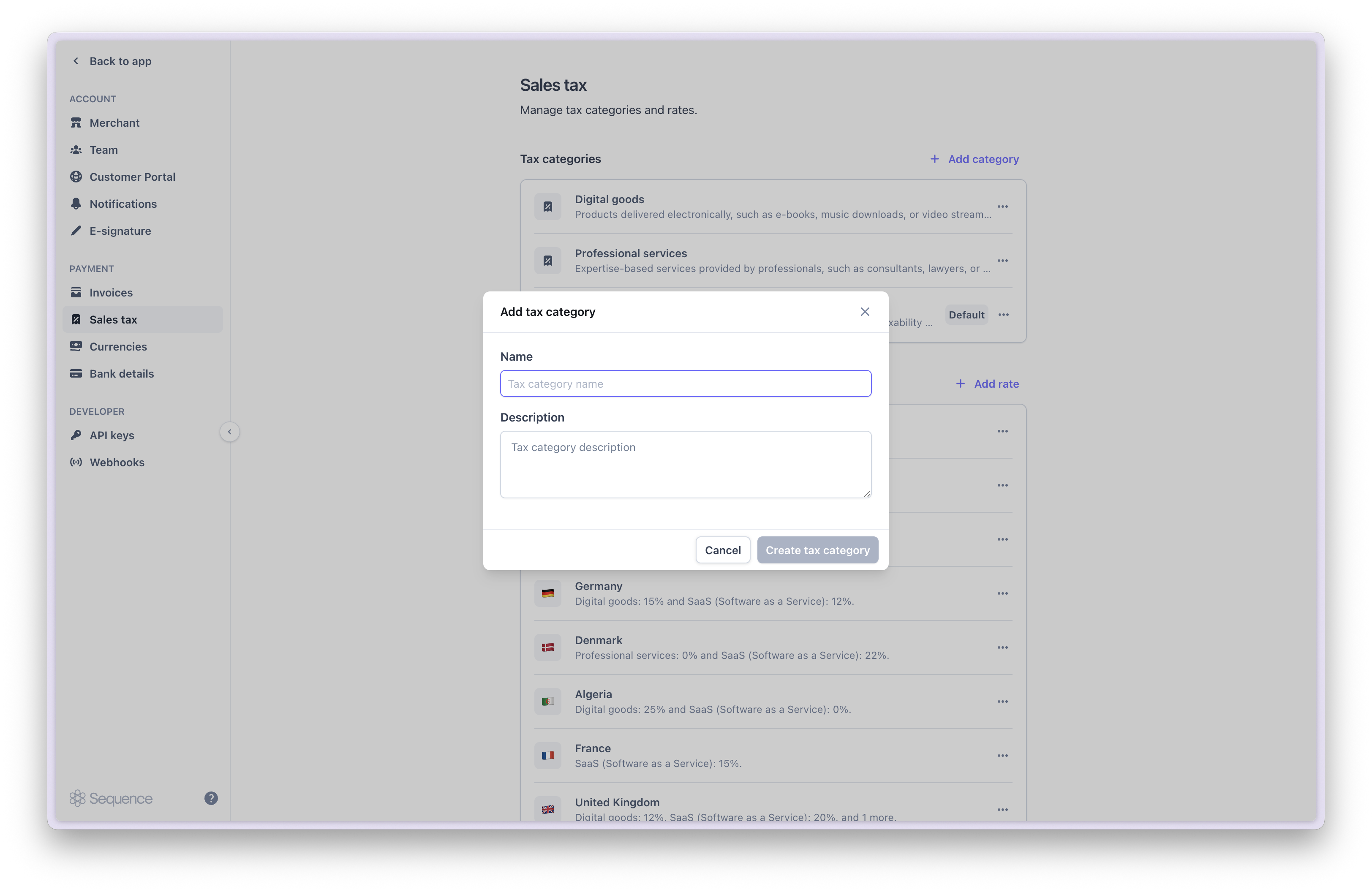
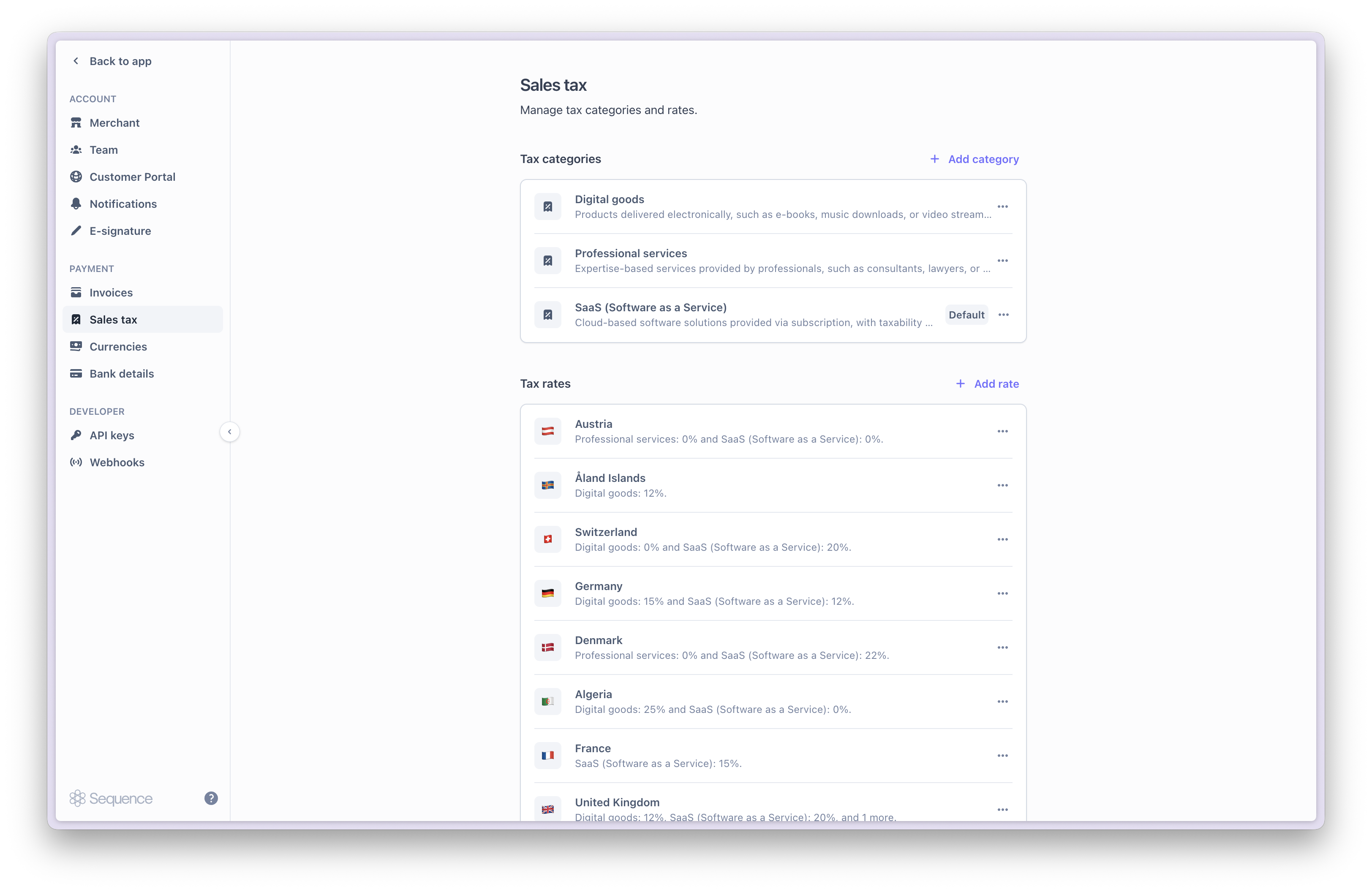 Tax categories are assigned to products and allow you to charge different tax rates depending on the type of good sold. For example, you may charge customers a different tax rate for your subscription fee than your implementation service.
When you create a new tax category, you can optionally provide tax rates for previously configured tax regions.
Tax categories are assigned to products and allow you to charge different tax rates depending on the type of good sold. For example, you may charge customers a different tax rate for your subscription fee than your implementation service.
When you create a new tax category, you can optionally provide tax rates for previously configured tax regions.
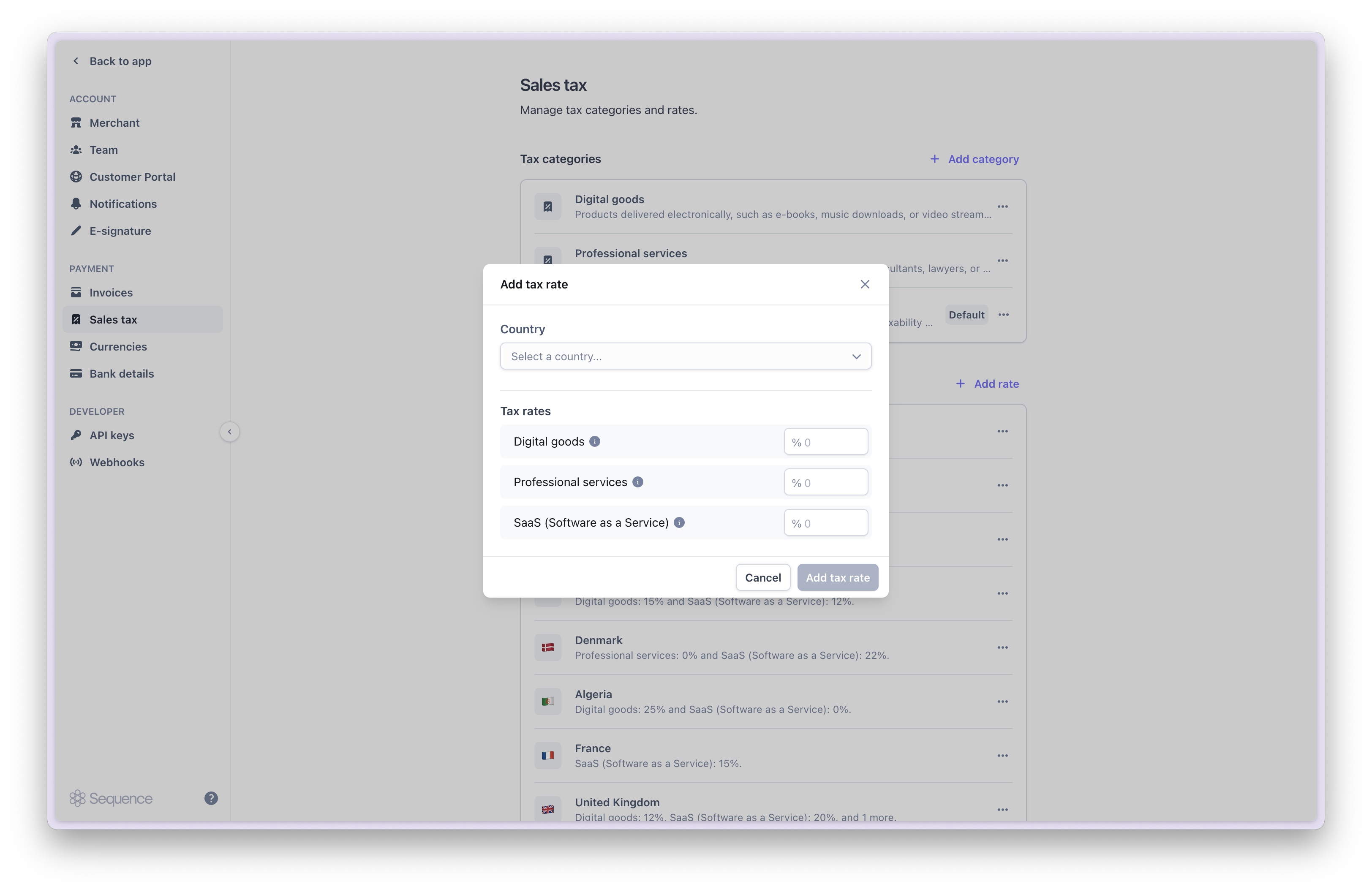
 When you add a new tax rate for a region, you can optionally provide rates for each category.
 ### Assigning or updating product tax categories
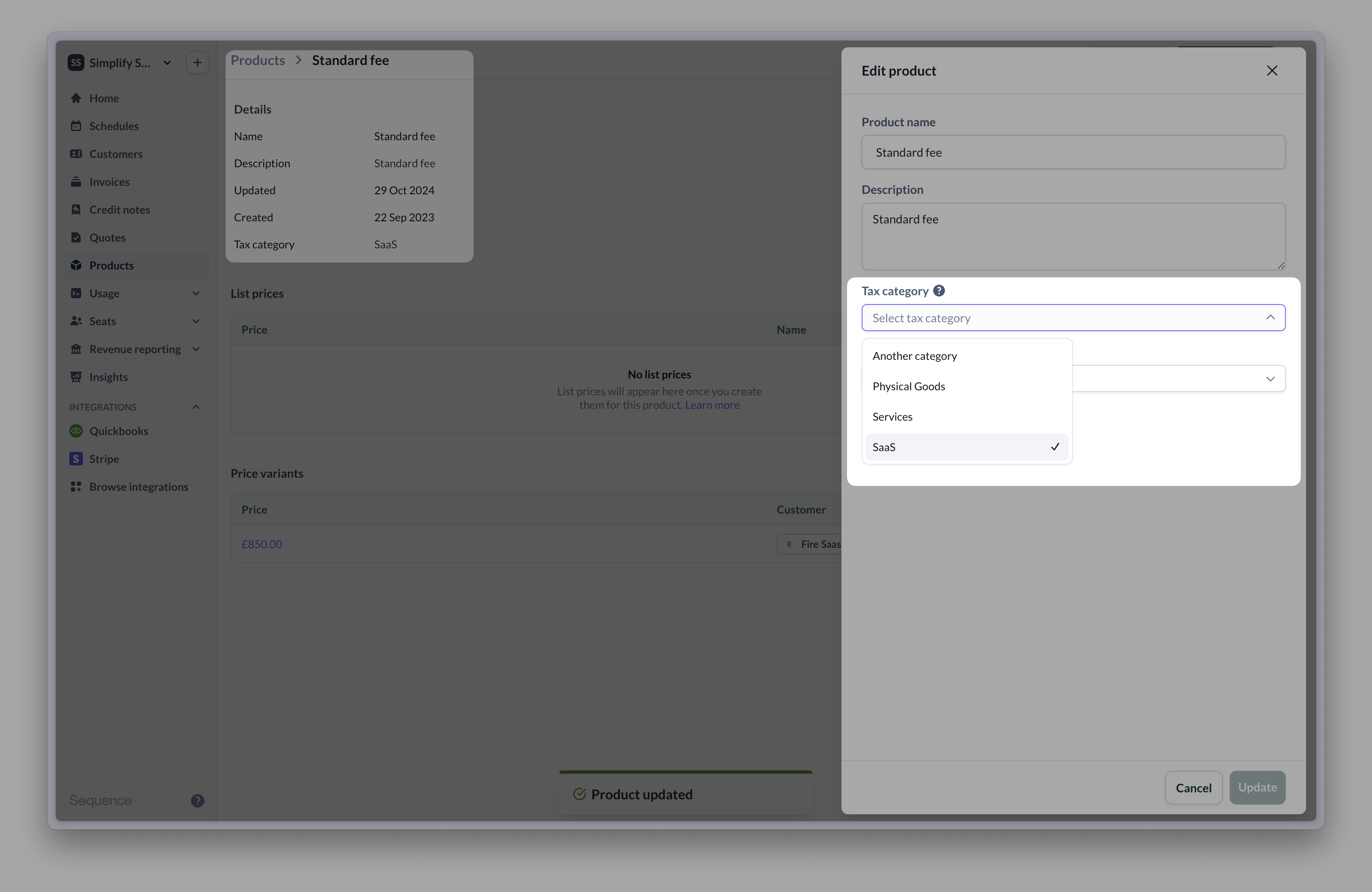
Go to the product catalog and a select a product to update its tax category. You need to recalculate draft invoices for product tax category updates to take effect.
### Assigning or updating product tax categories
Go to the product catalog and a select a product to update its tax category. You need to recalculate draft invoices for product tax category updates to take effect.
 ### Charging sales tax
When you create a billing schedule for a taxed customer, Sequence will look up whether you have provided tax rates for the customer's region.
### Charging sales tax
When you create a billing schedule for a taxed customer, Sequence will look up whether you have provided tax rates for the customer's region.
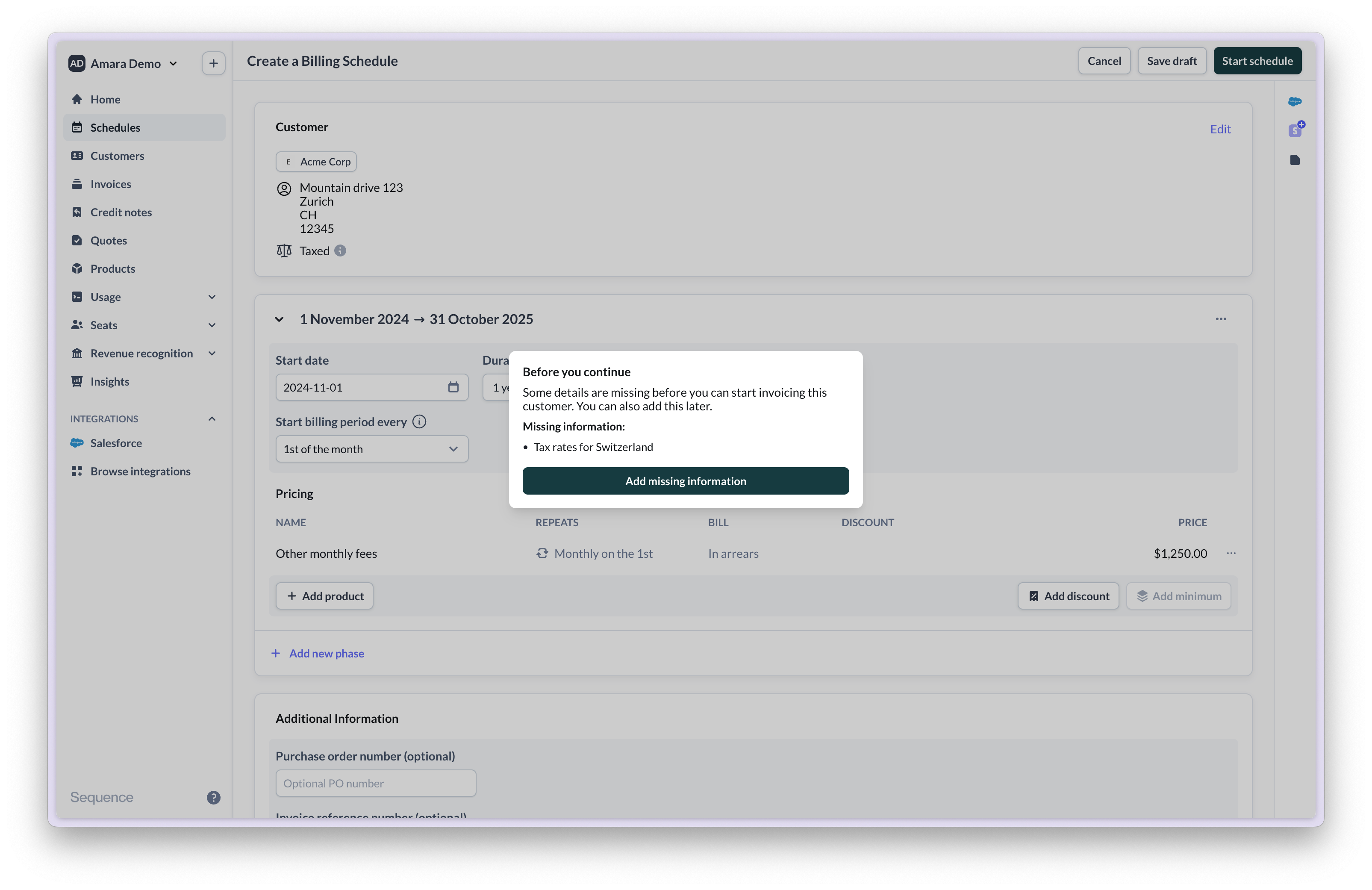
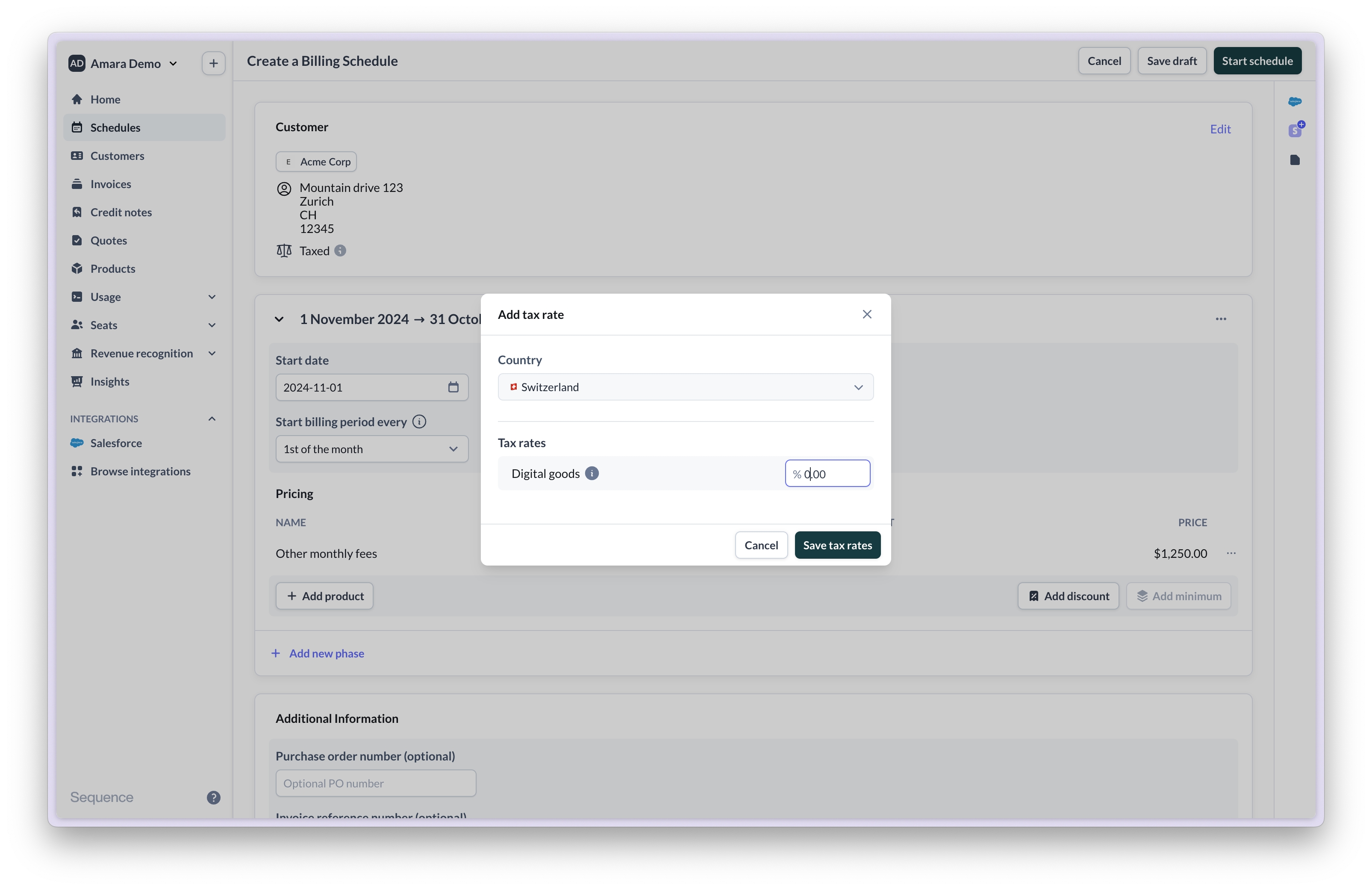
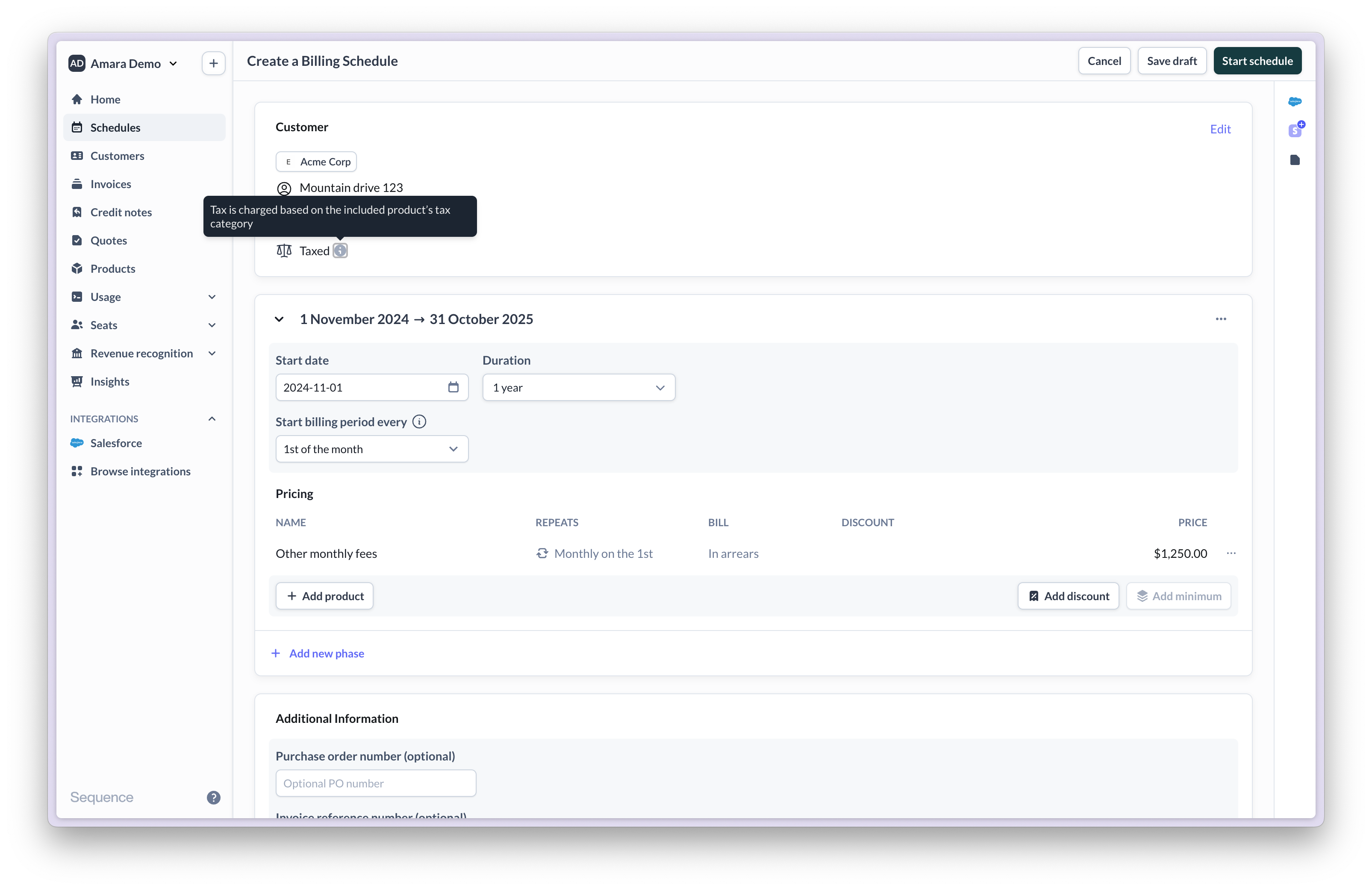 If no tax rate has been configured for the customer's region, Sequence will prompt you to add the rate. If you skip this step, you can still update the tax rate later.
 Once you update the tax rates, invoices will contain the correct tax rate automatically going forward.
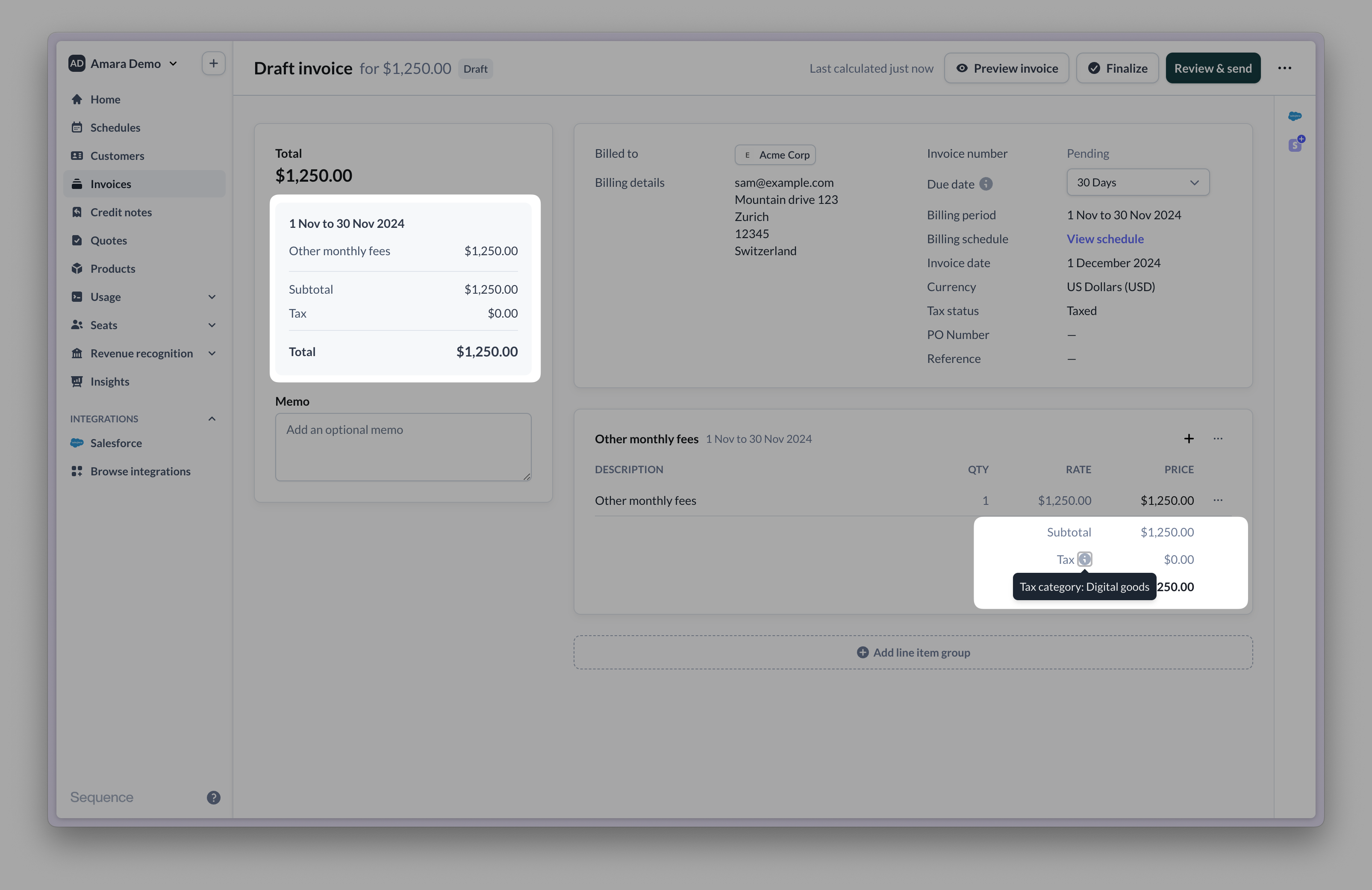
 The below invoice includes tax based on the product's tax category, customer's region and tax status.
 ### Frequently asked questions (FAQ)
You can either mark the customer as tax exempt, or set up a 0% tax rate for the customer's country in the product's tax category.
Please get in touch with a member of the team.
Go to the customer's page in Sequence and select `Edit`, then add a tax ID. You will need to recalculate any draft or upcoming invoices for changes to reflect.
Go to Settings > Sales tax. Select the tax rate or category you want to update. You will need to recalculate any draft or upcoming invoices for changes to reflect.
Go to the customer's page in Sequence and select `Edit`, then update the customer's tax status. You will need to recalculate any draft or upcoming invoices for changes to reflect.
To automatically calculates sales tax, use the [Avalara sales tax integration](/integrations/avalara).
When you create a credit note for an invoice, each credit line inherits the tax rate present on the original invoice. If you create a credit note from scratch, you need to provide a tax rate for each credit line.
### Frequently asked questions (FAQ)
You can either mark the customer as tax exempt, or set up a 0% tax rate for the customer's country in the product's tax category.
Please get in touch with a member of the team.
Go to the customer's page in Sequence and select `Edit`, then add a tax ID. You will need to recalculate any draft or upcoming invoices for changes to reflect.
Go to Settings > Sales tax. Select the tax rate or category you want to update. You will need to recalculate any draft or upcoming invoices for changes to reflect.
Go to the customer's page in Sequence and select `Edit`, then update the customer's tax status. You will need to recalculate any draft or upcoming invoices for changes to reflect.
To automatically calculates sales tax, use the [Avalara sales tax integration](/integrations/avalara).
When you create a credit note for an invoice, each credit line inherits the tax rate present on the original invoice. If you create a credit note from scratch, you need to provide a tax rate for each credit line.