


Overview
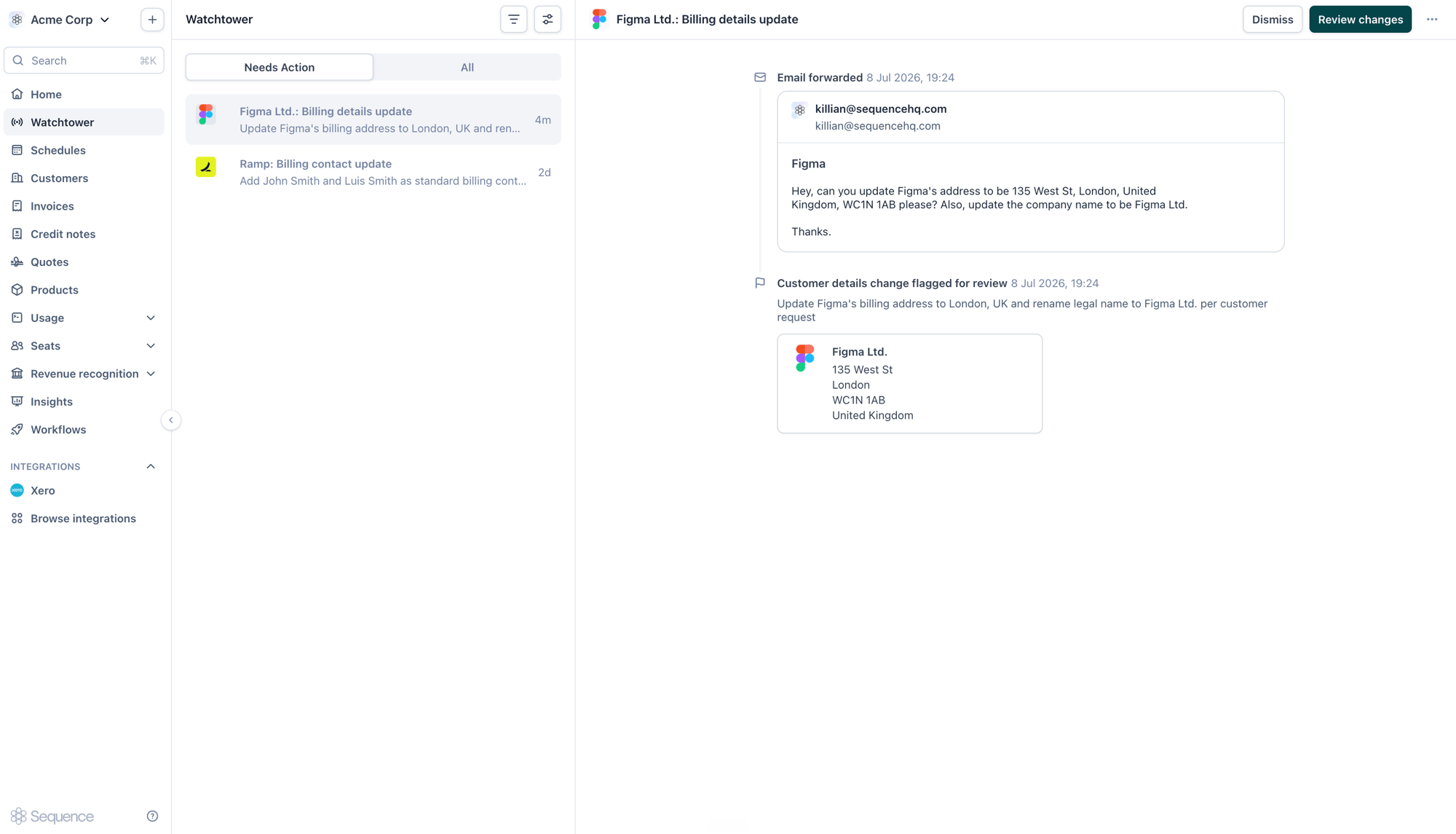
Instead of manually handling every “can you update our billing address?” email, let the agent do the interpretation for you. It reads the request, drafts the corresponding change to the customer record, and surfaces it in Watchtower so nothing is applied until a person reviews and approves it. Today the agent can action two kinds of request. Customer detail changes:- Company name: update a customer’s legal or trading name
- Billing address: update the billing address, including reformatting unstructured addresses
- Billing contacts: add or update contacts who receive invoices
- Purchase order number: add or correct the PO number on the invoice
- Billing address: update the address shown on the invoice
- Reference: change the invoice reference
- Memo: update the memo or notes on the invoice
The AR agent is an early-access feature in Sequence Labs. Before it can act on any request, an admin needs to enable both Sequence Labs and the AR agent in Settings > Labs. See Enabling the agent below. Behavior and scope will expand over time.
Enabling the agent
The AR agent is turned on per workspace and can only be enabled by an admin.1
Open Labs
Go to Settings > Labs and toggle on Enable Sequence Labs to opt in to early-access features.
2
Enable the AR agent
Under AR agent, toggle on Enable AR agent to allow the Sequence agent to act on customer queries on your behalf.
3
Copy your agent email
Each workspace gets a unique agent email address, derived from your account name (for example,
acme-corp@agents.seqhq.io). Copy this address to start forwarding requests.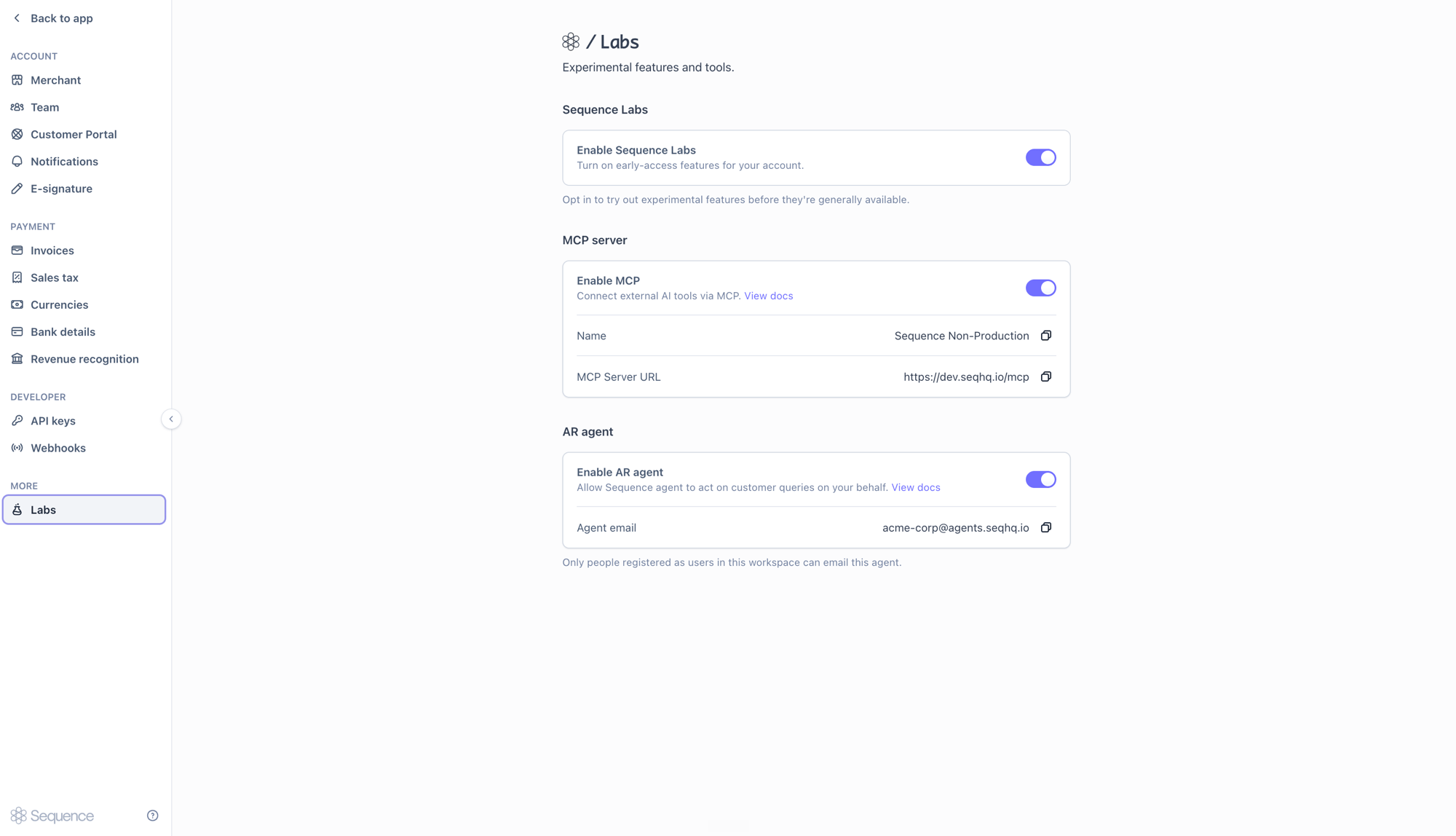
Emailing the agent
Send or forward a customer request to your workspace’s agent address. A plain-language description of the change is enough. The agent parses the request, identifies the customer, and works out which fields to update. There’s no required subject line or format.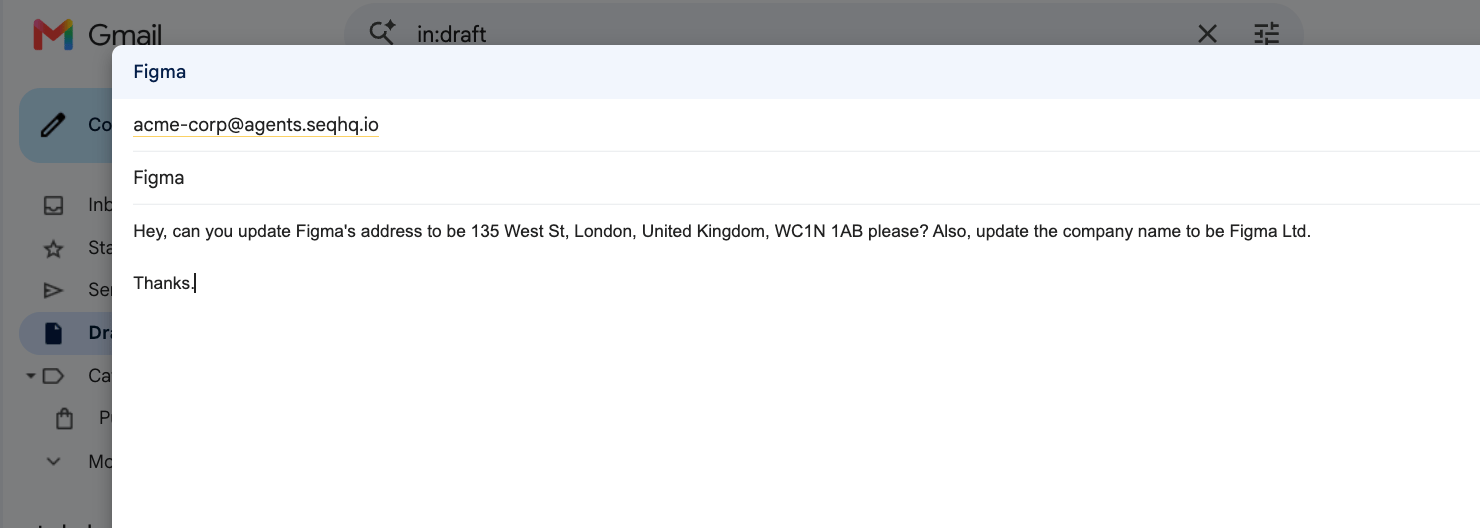
Review and approval
Once the agent has processed a request, the proposed change appears in Watchtower under Needs Action. Each item shows the original email as its source alongside the change the agent has prepared.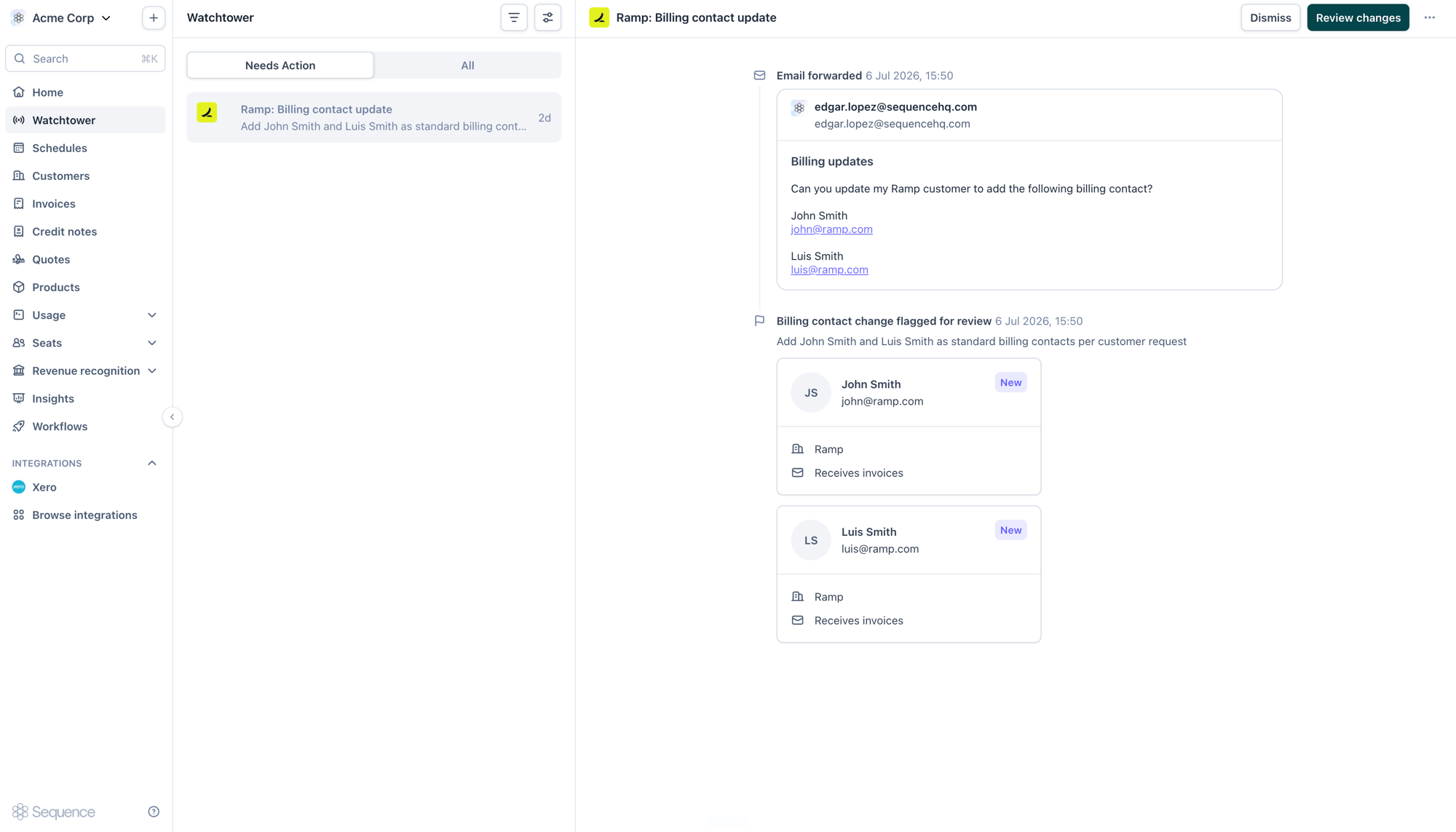
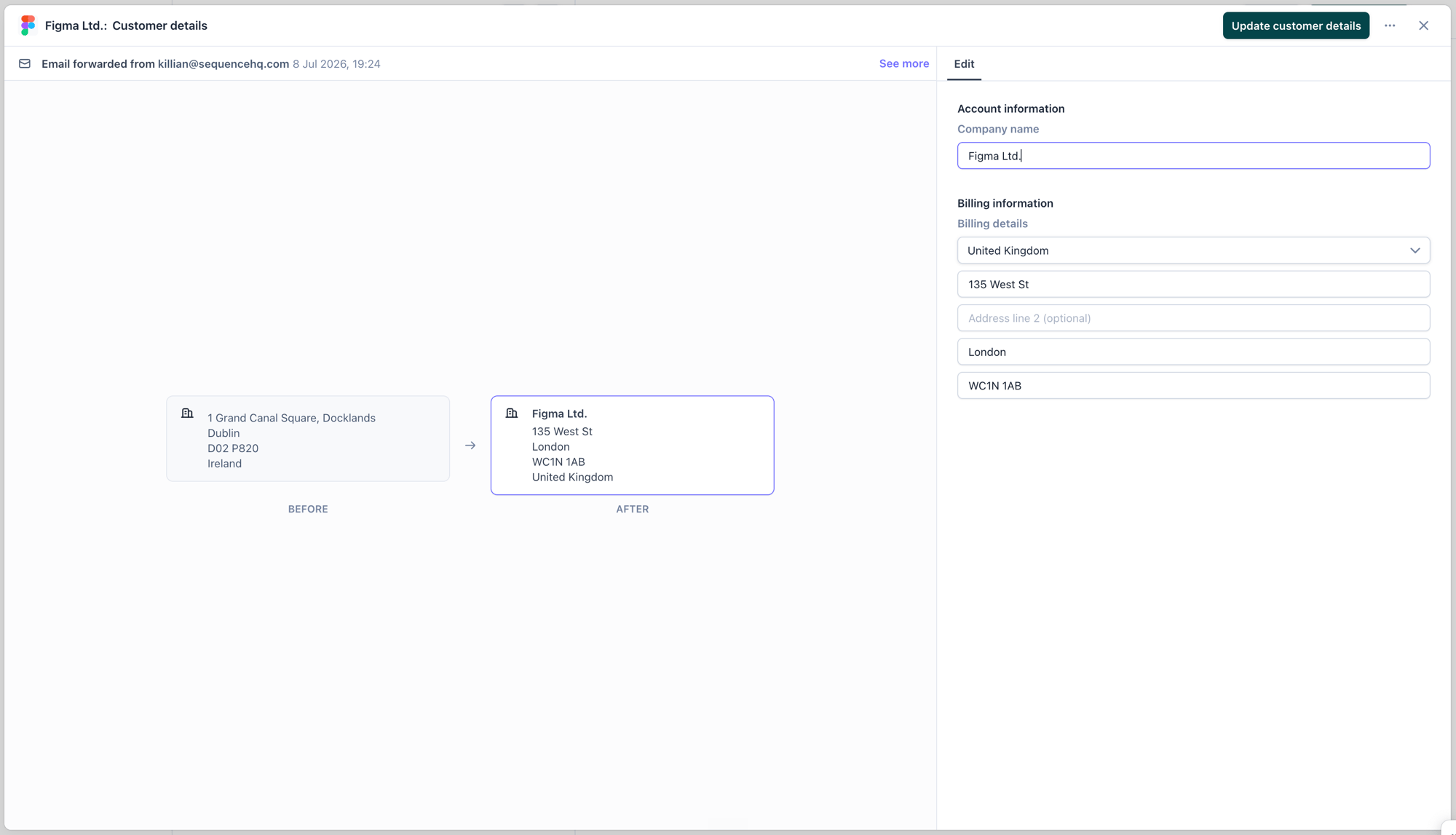
- Review changes: apply the update to the customer record
- Edit: adjust any field before applying
- Dismiss: discard the proposed change
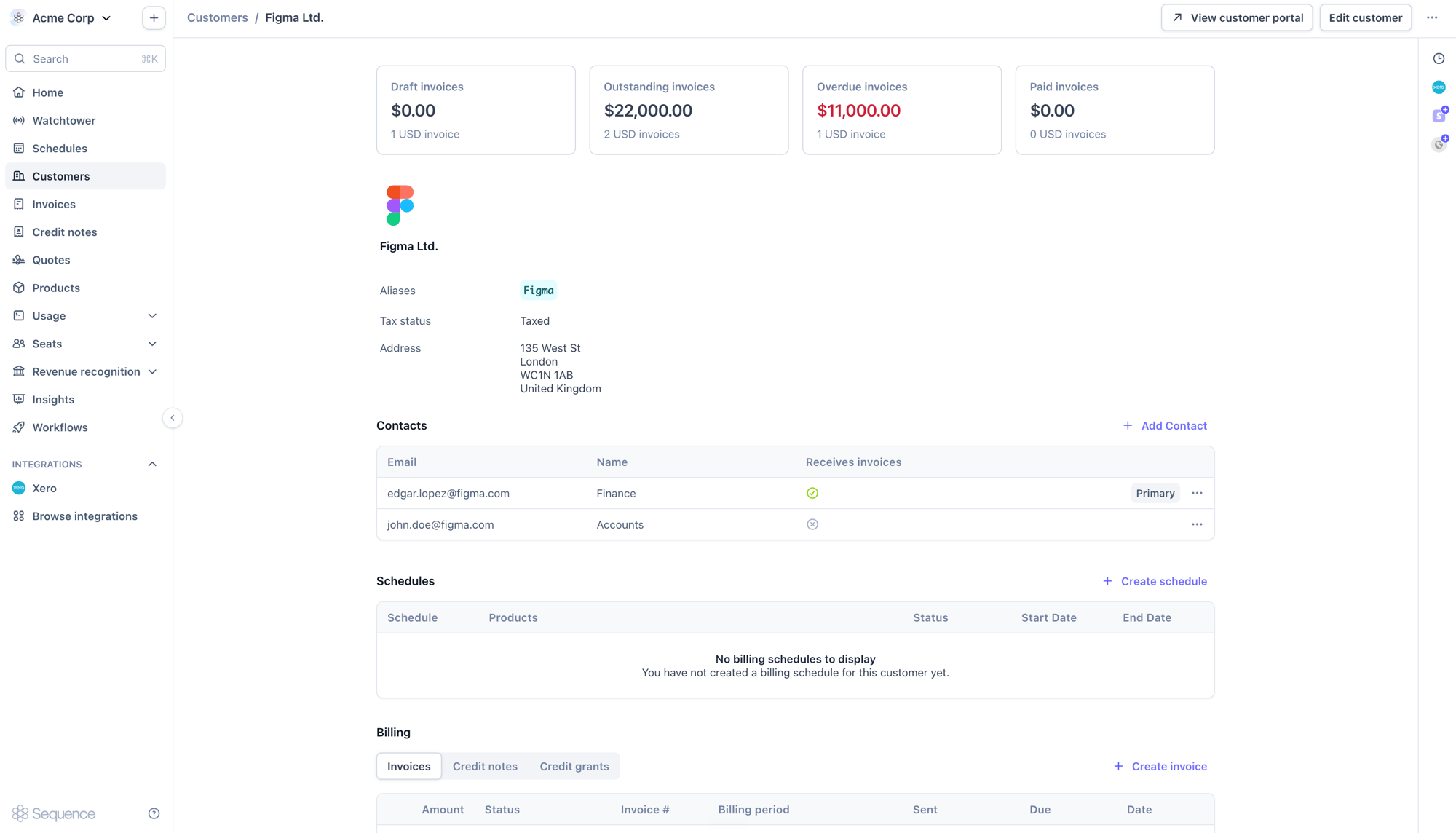
All agent activity and approvals are logged in Watchtower’s audit trail, so you keep a complete record of who approved what and when.
Best practices
Writing requests
Writing requests
- Name the customer clearly so the agent can match the right record
- Include the full set of details for the change (for example, the complete new address)
- One request per email keeps changes easy to review
Reviewing changes
Reviewing changes
- Always check the before-and-after comparison before approving
- Verify billing addresses, which affect tax calculation
- Confirm the agent matched the correct customer
If something looks off
If something looks off
- Edit any field directly in the review view before applying
- Dismiss a proposal if it isn’t correct and re-send a clearer request
- Check Watchtower for a notification if a request didn’t produce a change
Next steps
After approving a change:- The customer record is updated with the new details
- The change is reflected everywhere the customer is used, including future invoices
- The full history stays available in Watchtower’s audit trail