Overview
Sequence connects your HubSpot pipeline directly to billing. Companies and contacts flow into Sequence as customers, quotes get created and signed without leaving HubSpot, and every signed quote’s pricing and contract value sync straight back onto the deal record. Use the HubSpot connector to:- Automatically import HubSpot companies into Sequence as customers when a deal reaches a stage you choose, or run a one-off bulk import
- Keep imported customers and their contacts in sync as company and contact records change in HubSpot
- Create a Sequence quote straight from a HubSpot deal, and reopen it from the same place every time
- Push a published quote’s pricing, line items, and contract value onto the linked deal, and move the deal to your chosen stage the moment the quote is signed
Getting started
Connect your HubSpot account from the Connectors tab in Sequence.1
Open the HubSpot connector
Go to Connectors > HubSpot and click connect.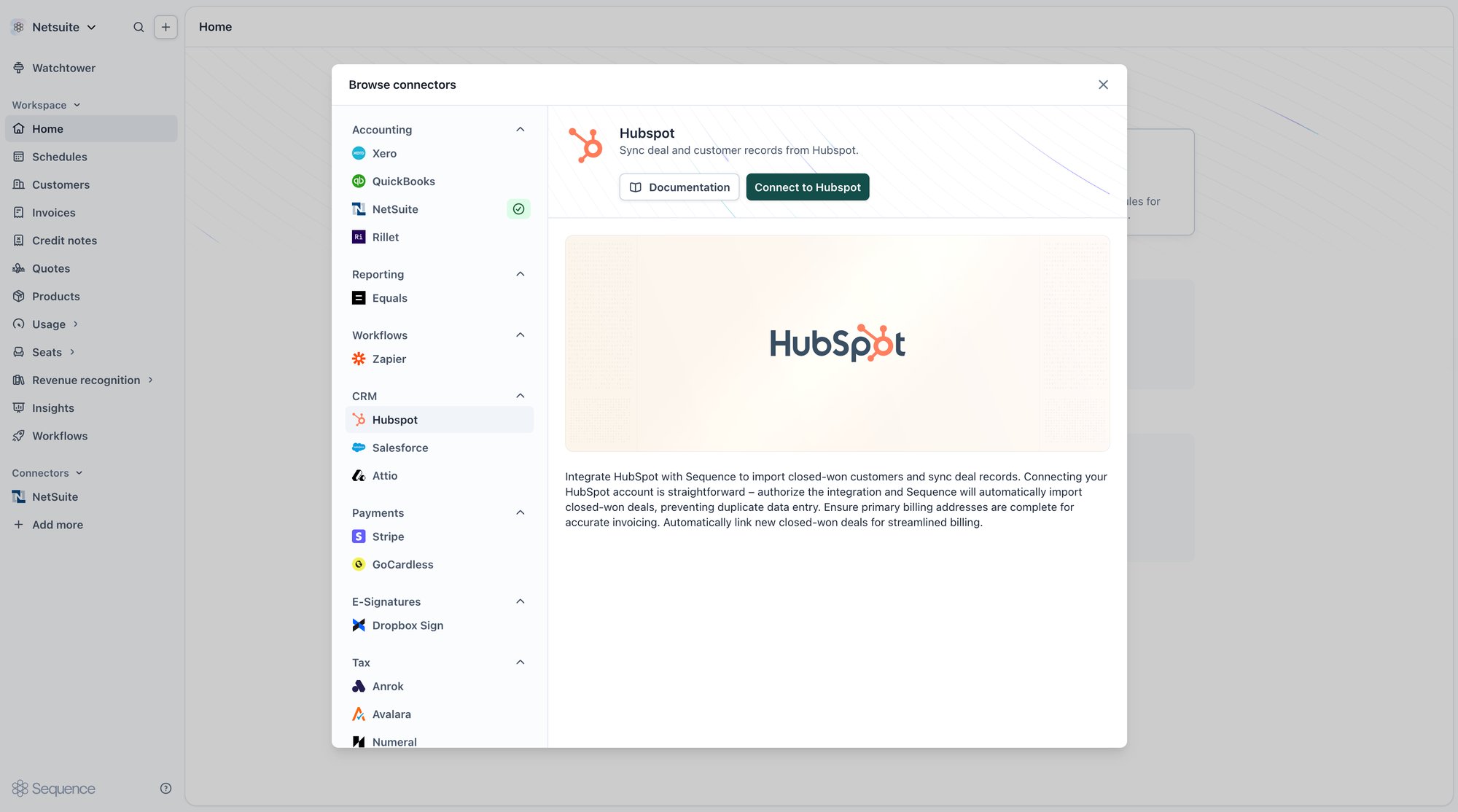
2
Choose your HubSpot account
Select the HubSpot account you want to connect. If you’re setting this up in the Sequence sandbox, connect a HubSpot sandbox account.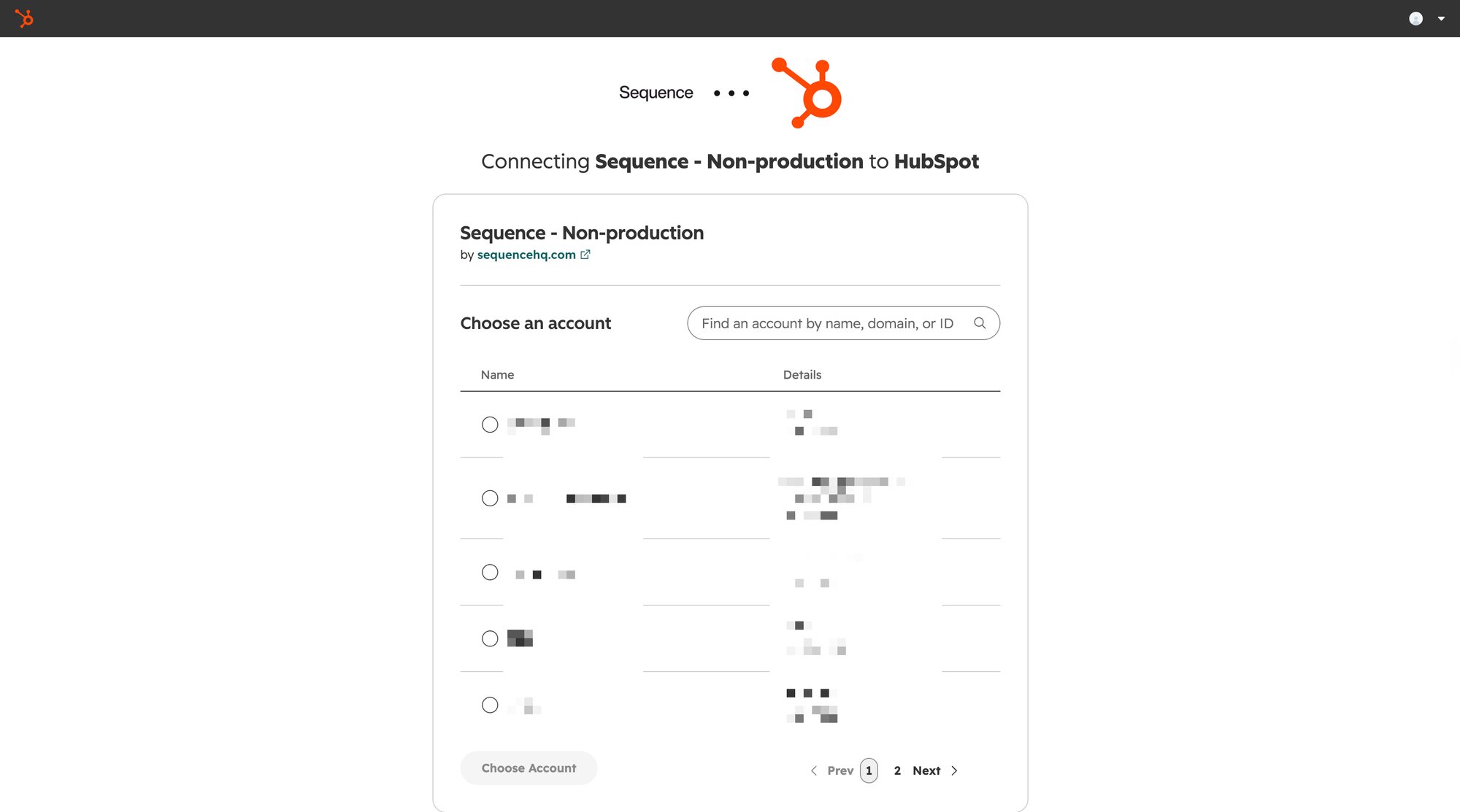
3
Authorize the connection
Confirm the connection in HubSpot. You’ll need to be a HubSpot Super Admin to authorize it.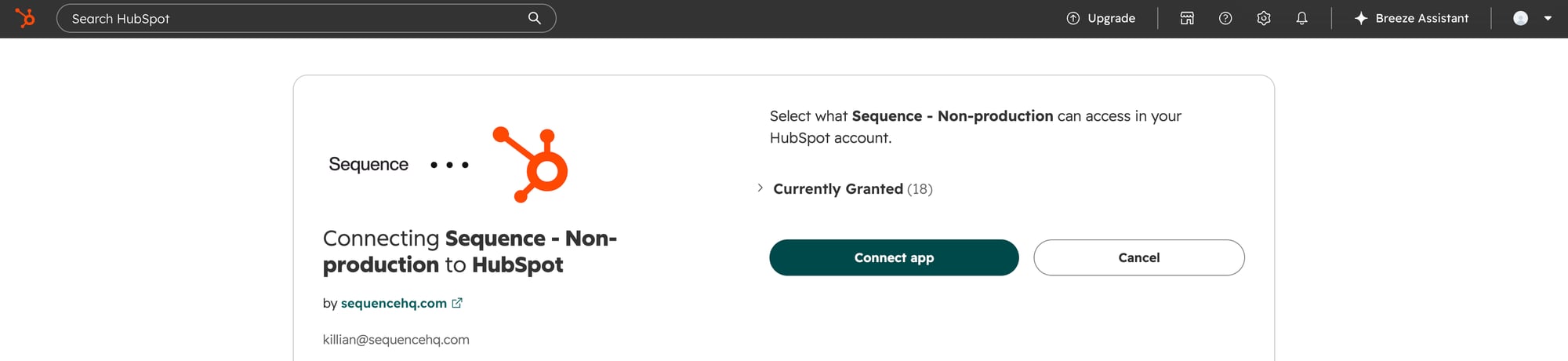
HubSpot settings
Once connected, configure the integration from Connectors > HubSpot. Settings apply immediately to future syncs.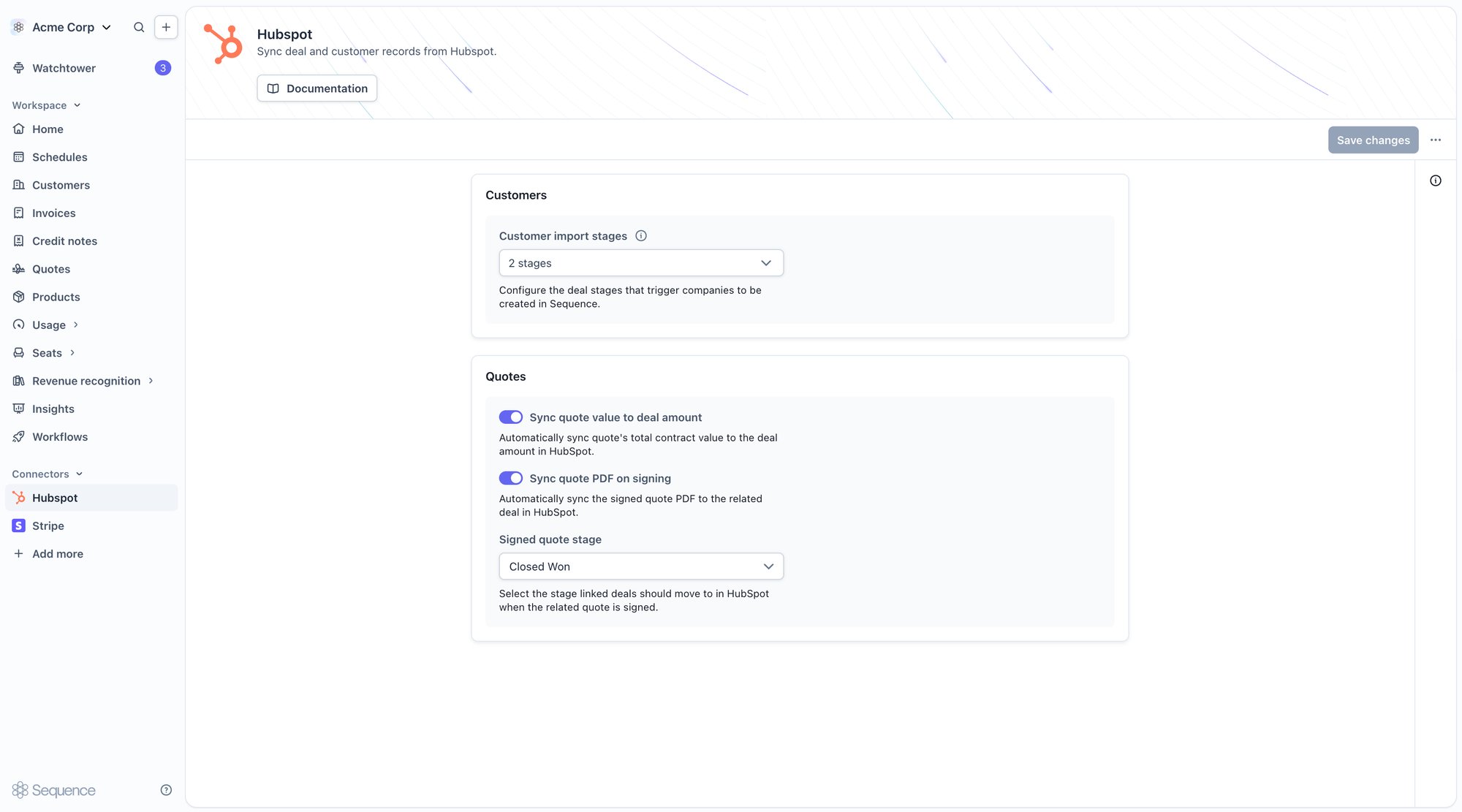
- Customer import stages: the HubSpot pipeline stages that trigger a customer import. Defaults to Closed Won. Choose any stage across any pipeline, and select more than one if several stages should each trigger an import.
- Sync quote value to deal amount: syncs a quote’s total contract value to the deal amount in HubSpot. On by default; turn it off if you don’t want Sequence writing to the deal amount field.
- Signed quote stage: the deal stage Sequence moves a linked deal to once its quote is signed. Defaults to Closed Won.
- Sync quote PDF on signing: attaches the signed quote PDF to the linked deal as a note when a quote is signed.
Syncing customers
Automatic import from deal stages
Sequence imports a customer whenever a deal reaches one of your configured Customer import stages. This happens when:- a deal moves into a configured stage
- a deal is created directly in a configured stage
- a deal already in a configured stage gains a company association
- Street address
- Town or city
- Postal or zip code
- A recognized country, for example
GBorUnited Kingdom(a country’s ISO alpha-2 or alpha-3 code, or its full English name) - A US state, if the country is the United States
Bulk customer import
Run a one-off import from the customer import tool on the Customers page. Sequence lists every HubSpot company on a deal in one of your configured import stages, and hides companies already linked to a Sequence customer. Search by name, or use Filters to narrow the list further. Every eligible company is pre-selected; clear the selection or filter first if you only want to import a subset. Each row shows the company’s name, country, and its contacts’ emails, so you can tell them apart before importing.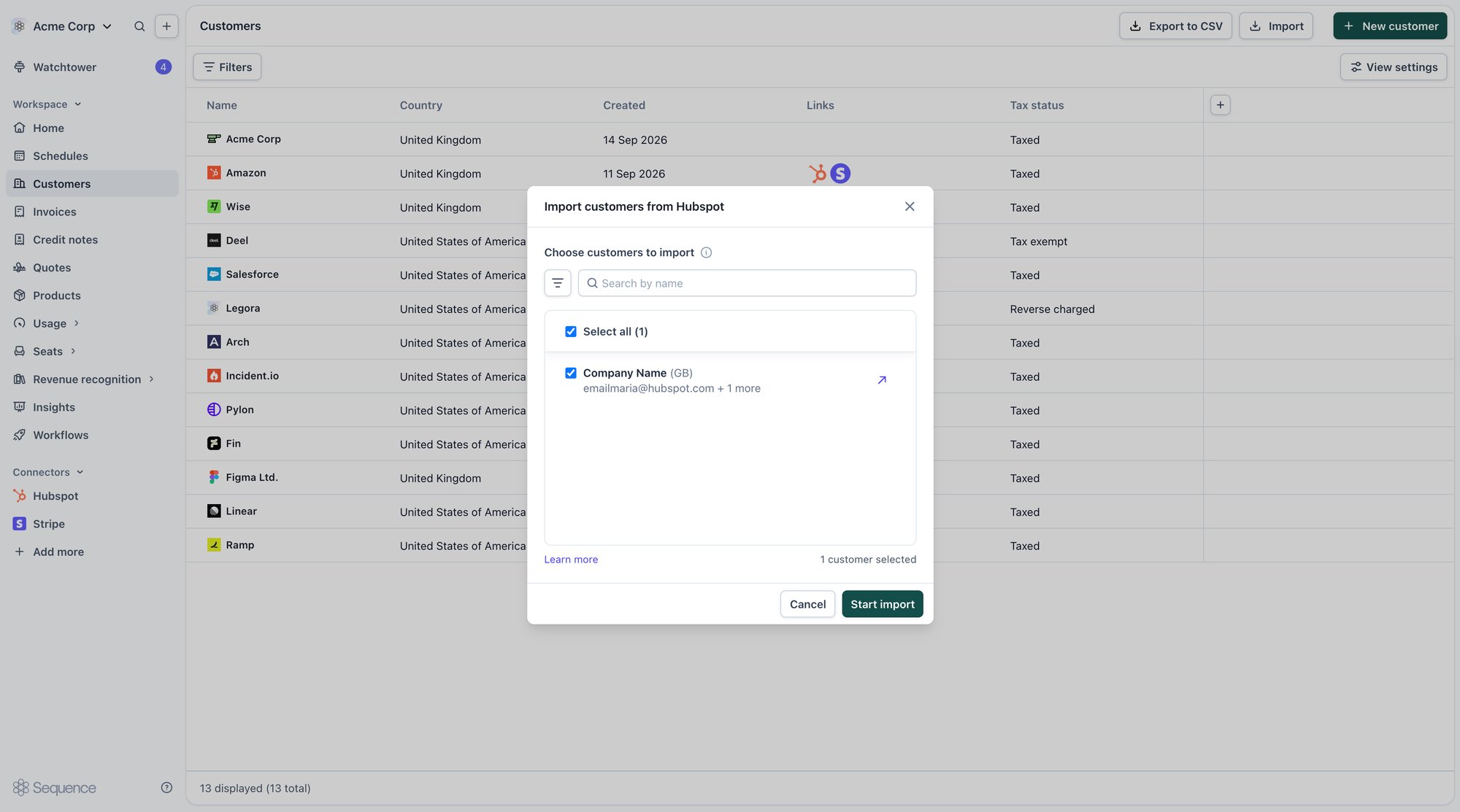
Ongoing sync
Once a customer is imported, Sequence keeps it up to date automatically. This sync runs one way, from HubSpot to Sequence:- Company changes: when a linked company’s details change in HubSpot, Sequence updates the customer’s name and billing address to match.
- Contact changes: when a HubSpot contact updates, Sequence updates the matching contact on the customer. If a contact is removed from the company or deleted, Sequence archives it on the customer, and restores it if it’s added back.
Manually linking a customer
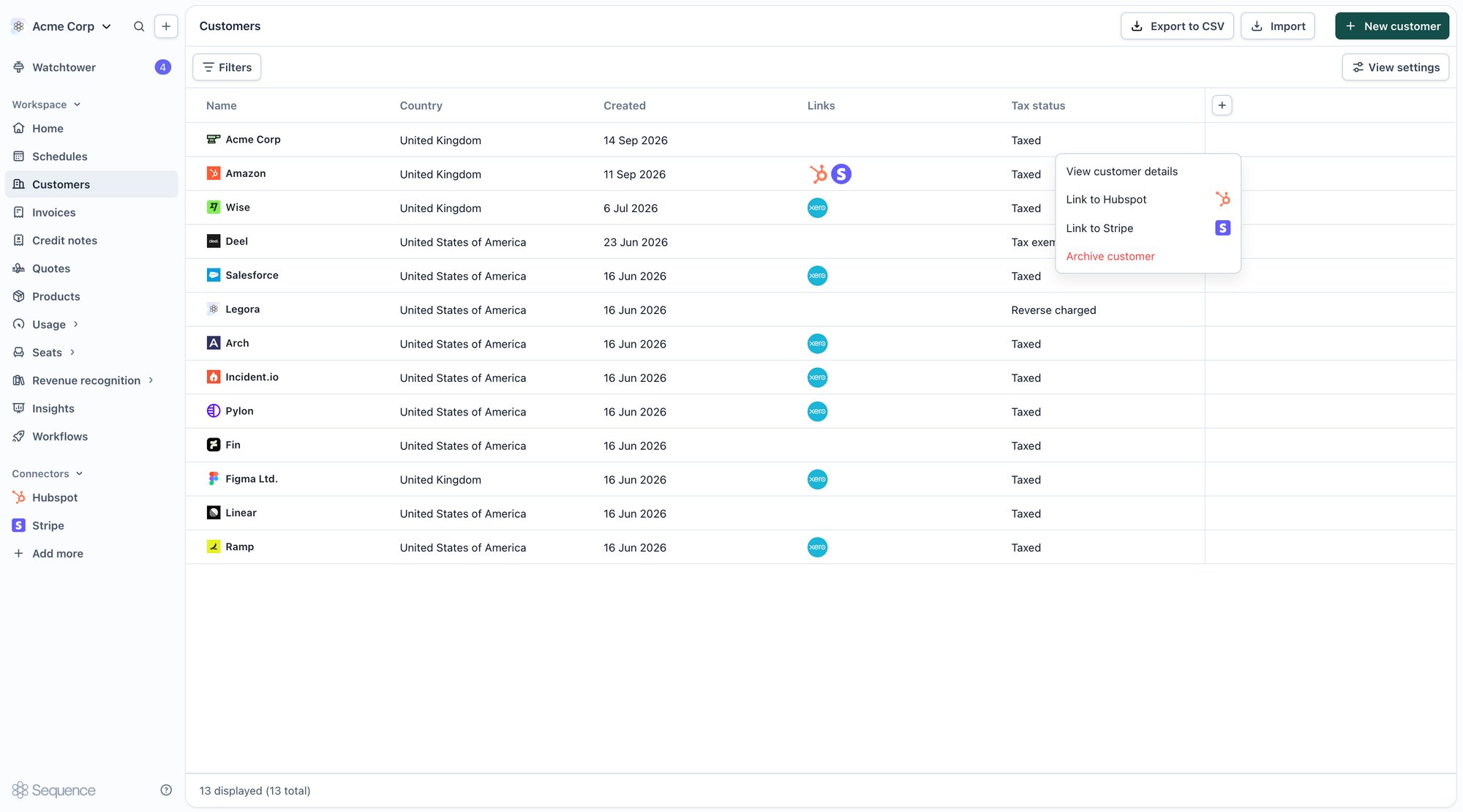
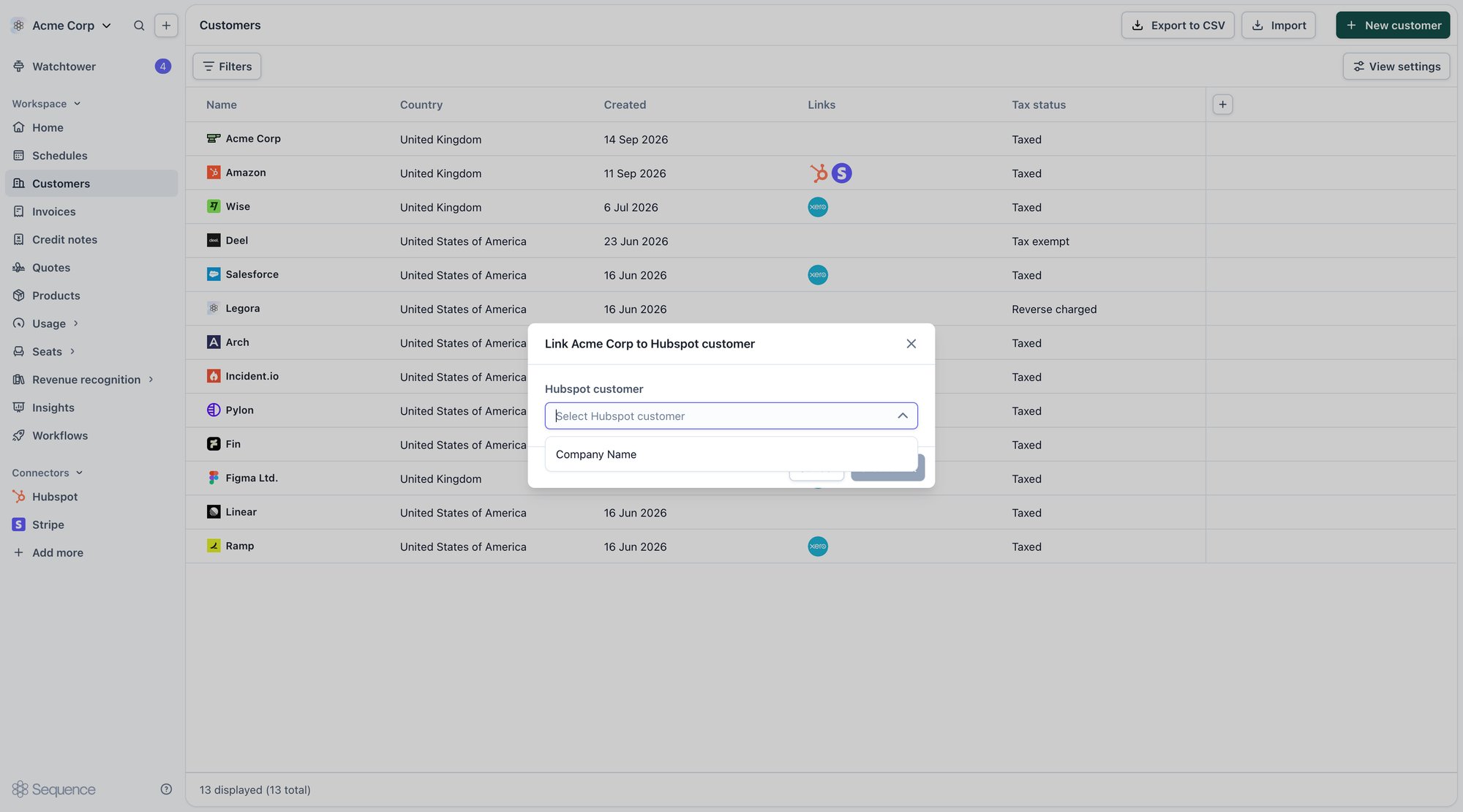
Link a customer to a HubSpot company directly:- From the customer: on the Customers list, open a row’s menu and choose Link to HubSpot, then pick the HubSpot company from the dropdown.
- From a quote: open the quote, expand the HubSpot item in the inspector, and link the quote’s customer to a HubSpot company without leaving the editor.
Quotes and deals
Creating a quote from a HubSpot deal
Add the Sequence Quote card to your HubSpot deal record to create and open quotes without leaving HubSpot. The card deep-links into Sequence: the first click creates a quote for that deal, and every click after reopens the same one.1
Add the card to your deal layout
In HubSpot, go to a deal record and select Customize record. Under Connected apps, add the Sequence app card and save the layout. This is a one-off setup step for each pipeline view, and only a HubSpot Super Admin can do it.
2
Open the card on a deal
The Sequence Quote card appears on the deal record, naming the linked quote and its current status. Click through to create the deal’s quote in Sequence, or reopen it if one already exists.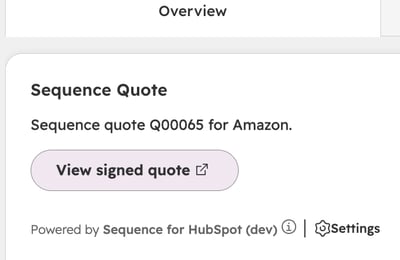
Linking a quote to a deal
A quote syncs to a deal once the two are linked. Linking happens automatically when a quote is created from a deal’s Sequence Quote card, or you can link one manually:- Open the quote and expand the HubSpot item in the inspector.
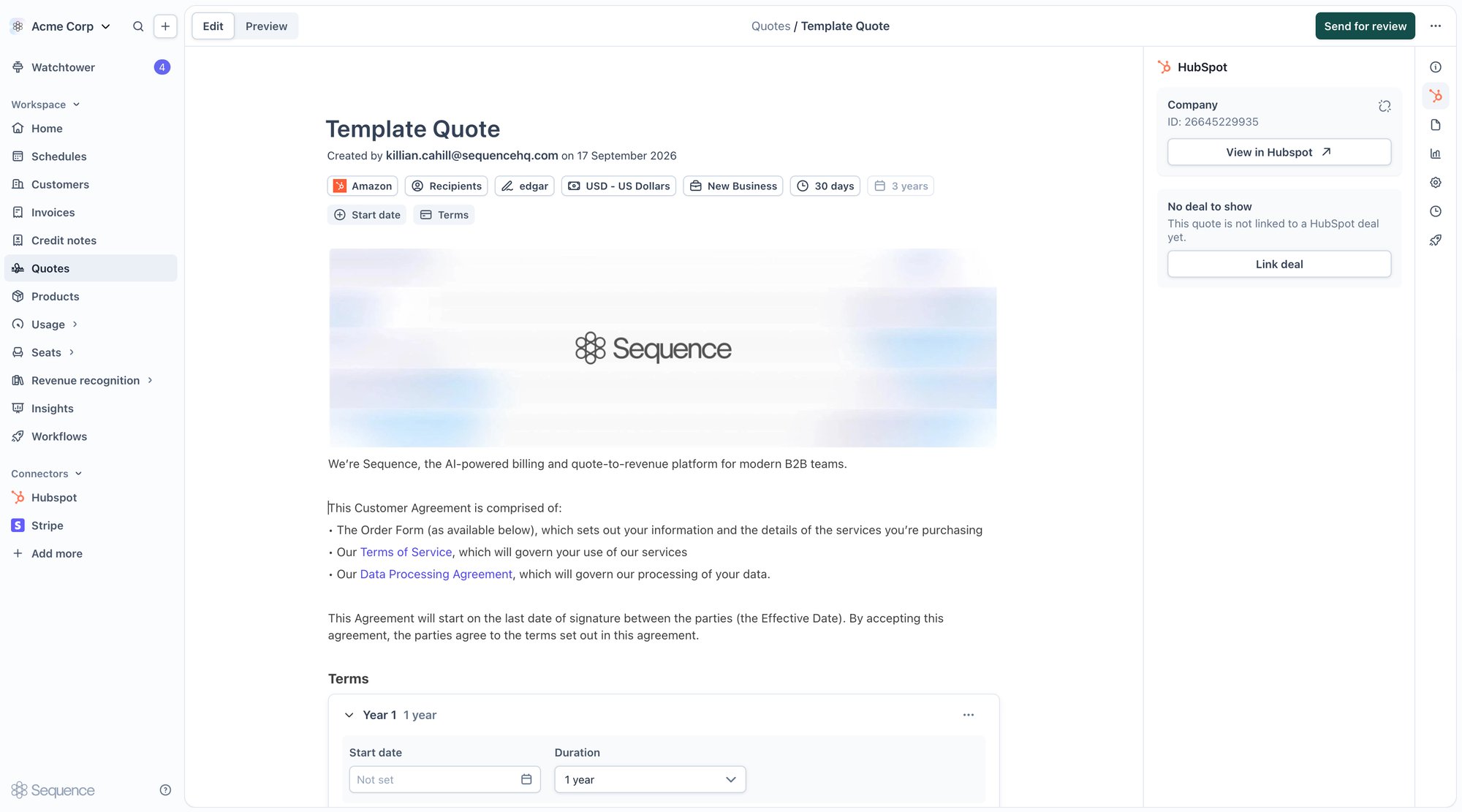
- Choose Link deal and pick a deal from the list. The list is scoped to the deals on the quote’s linked company, filtered to the pipeline stages in your HubSpot settings, and ordered most recently changed first.
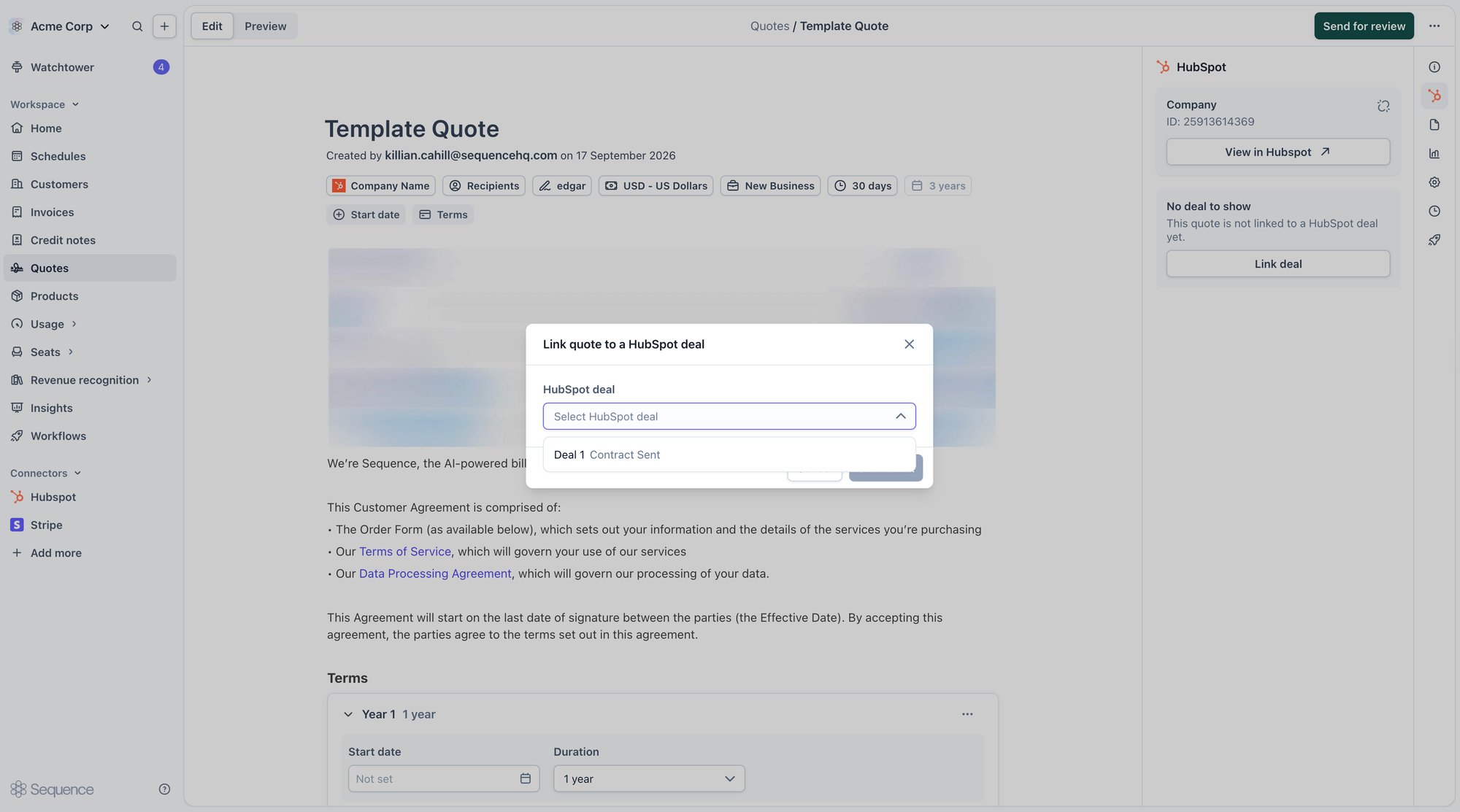
- Confirm the link.
Syncing quotes to the deal
Publishing a quote writes its details to the linked deal: What syncs:- Quote title, number, status, and currency
- Contract start, end, and expiry dates
- A link back to the quote in Sequence
- The quote’s total contract value, always written to a Sequence-owned property, and also to HubSpot’s native deal amount if Sync quote value to deal amount is on
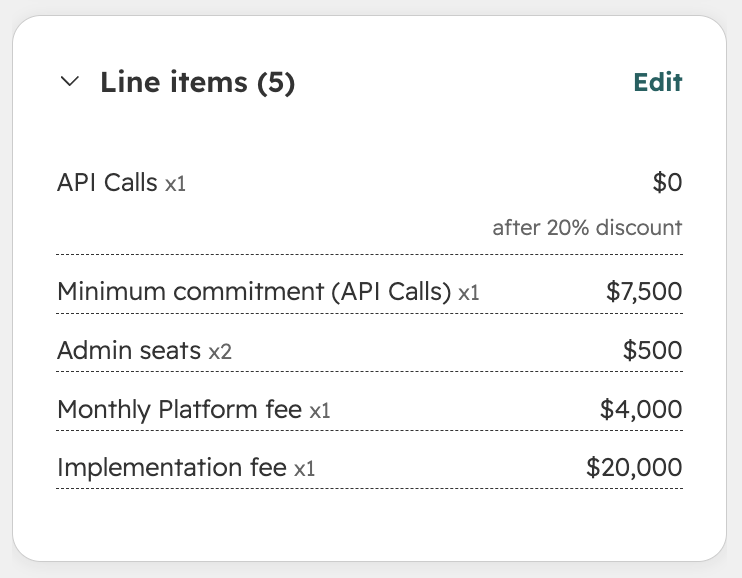
- The quote’s pricing, written as line items on the deal, so HubSpot’s own contract value, ARR, and MRR figures on the deal line up with the quote
- One-time and fixed prices are written at their price, at a quantity of 1.
- Seat prices are written as the price per seat, multiplied by the included seats.
- Usage prices with no minimum are written as a $0 informational line, so the rate is visible without adding to the deal’s value. Usage prices covered by a minimum instead write the minimum as a committed line.
- Discounts land on committed lines as a percentage or a per-unit amount, apportioned by line value if the discount applies across several lines.
Quote sync needs the quote’s customer linked to a HubSpot company, and the quote linked to a deal on that company. See Linking a quote to a deal above.
Signing a quote
When a quote is signed, Sequence moves its linked deal to your Signed quote stage, and, if Sync quote PDF on signing is enabled, attaches the signed PDF to the deal as a note. If the deal’s already on the signed stage, Sequence leaves it as is, so it doesn’t retrigger any stage-change automations you have set up in HubSpot.Deal properties in HubSpot
Connecting HubSpot provisions a set of custom properties on your HubSpot deals and line items, so quote data is available anywhere your sales team already works with deals: reports, views, and workflows. On the deal, grouped under Sequence Quote Information: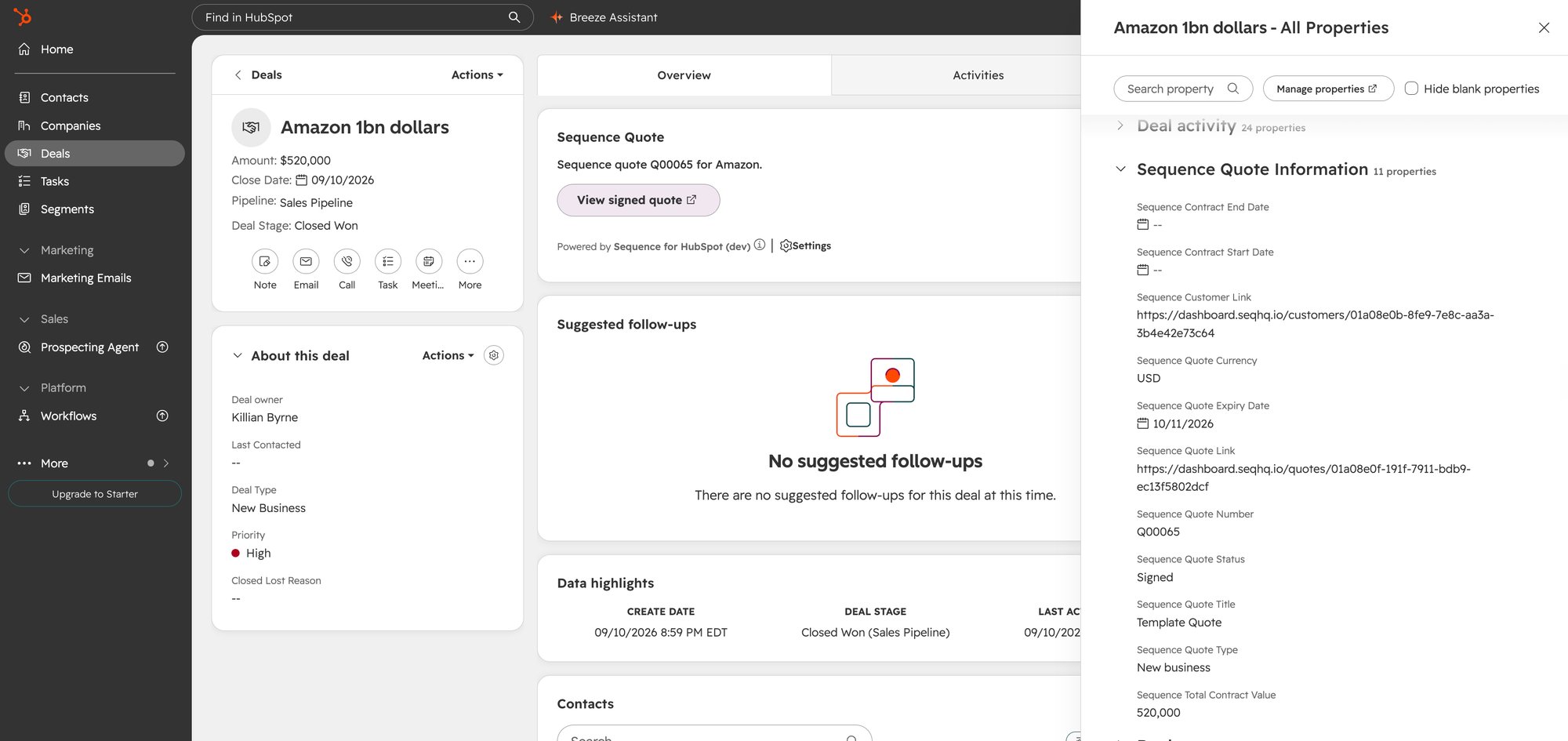
Custom pipelines
Choose any HubSpot pipeline stage as your customer import stage or signed quote stage from the HubSpot settings card. This works the same way whether you’re using a standard pipeline or one you’ve customized.Frequently asked questions (FAQ)
Does data sync in both directions?
Does data sync in both directions?
No. Customers and contacts flow one way, from HubSpot into Sequence: HubSpot is the source of record for both, and changes made in Sequence don’t sync back. Quotes flow the other way, from Sequence into HubSpot, with one exception: creating a quote directly from a HubSpot deal.
What happens if I delete the last contact on a linked company?
What happens if I delete the last contact on a linked company?
The deletion fails to sync. Every customer needs at least one primary contact, so Sequence raises a Watchtower task instead of archiving the contact. Add a replacement contact in HubSpot first.
My deal didn't move to the signed stage after a quote was signed. Why?
My deal didn't move to the signed stage after a quote was signed. Why?
HubSpot’s own custom rules can block a stage move. For example, if your closed-won stage requires a Close date to be set first, Sequence’s automatic move fails until that requirement is met. Sequence raises a Watchtower task naming the reason.
Is there a size limit on the signed PDF attached to the deal?
Is there a size limit on the signed PDF attached to the deal?
Yes, on HubSpot’s free plan: 20MB per file. If a signed quote’s PDF is larger, the attachment fails and Sequence raises a Watchtower task. Paid HubSpot plans don’t have this limit, which covers the large majority of accounts.
How long does it take for the signed PDF to appear on the deal?
How long does it take for the signed PDF to appear on the deal?
A few minutes, depending on PDF generation and upload time. It’s not instant like most other syncs, so give it a short while before checking Watchtower for a failure.
Revoking access
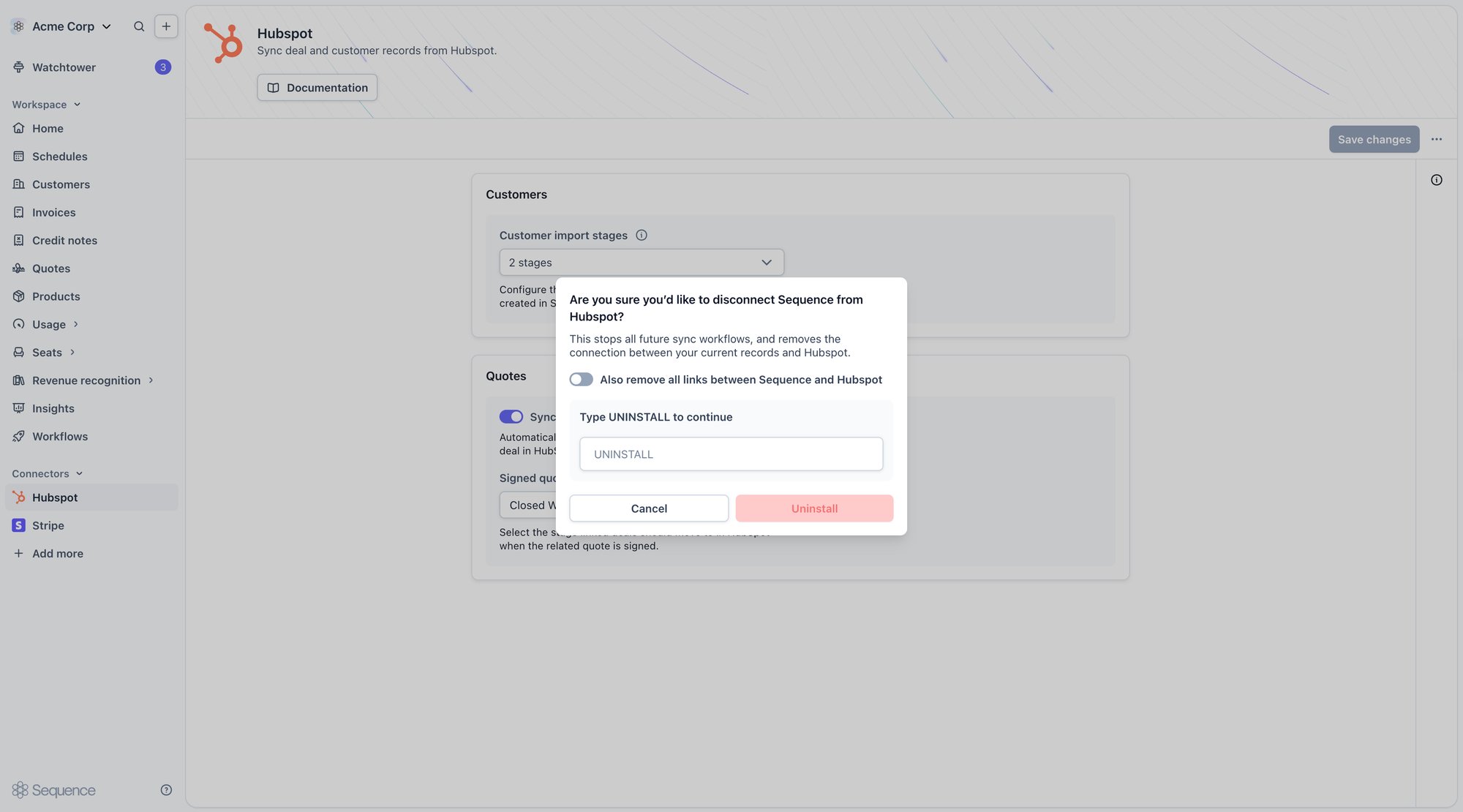
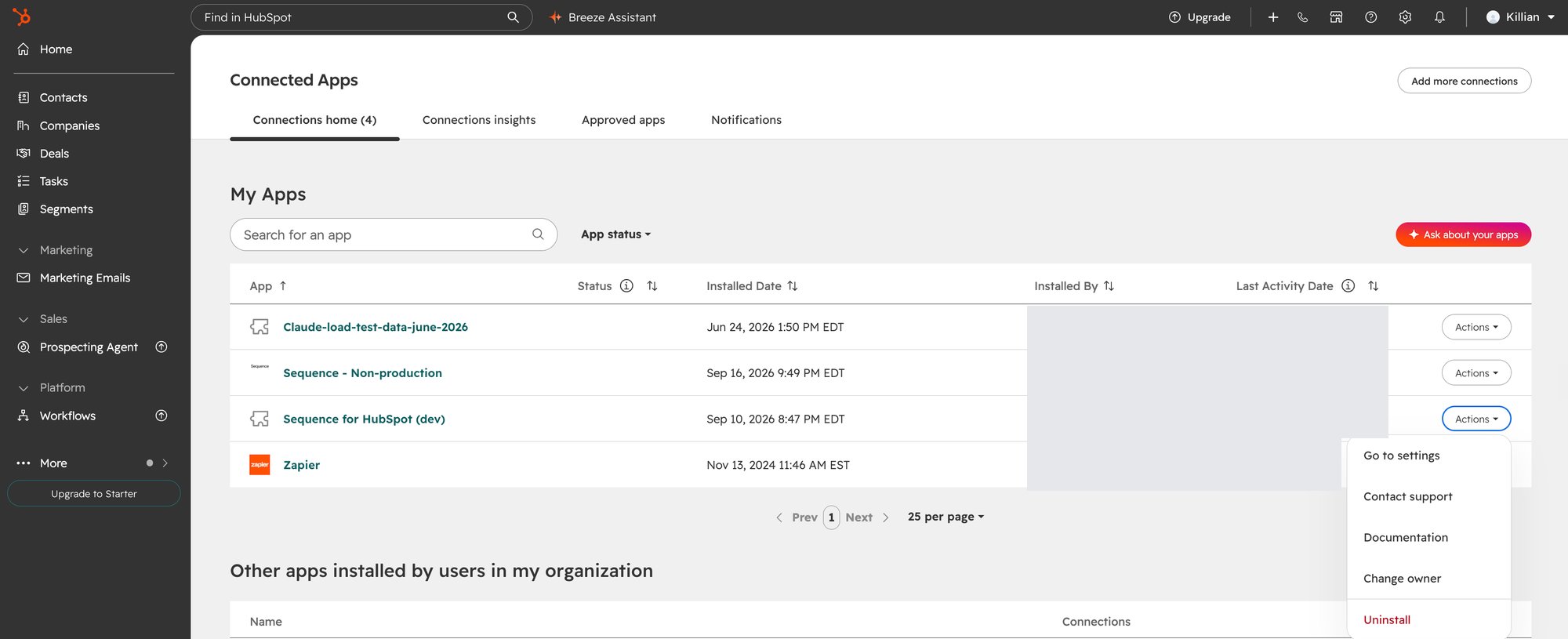
Disconnect from either side. From Sequence: open the HubSpot connector settings and disconnect. TypeUNINSTALL to confirm. This stops all future sync, and disconnects your current records from HubSpot. Turn on Also remove all links between Sequence and HubSpot to clear the existing customer and deal links as well, rather than just stopping future sync.