

Overview
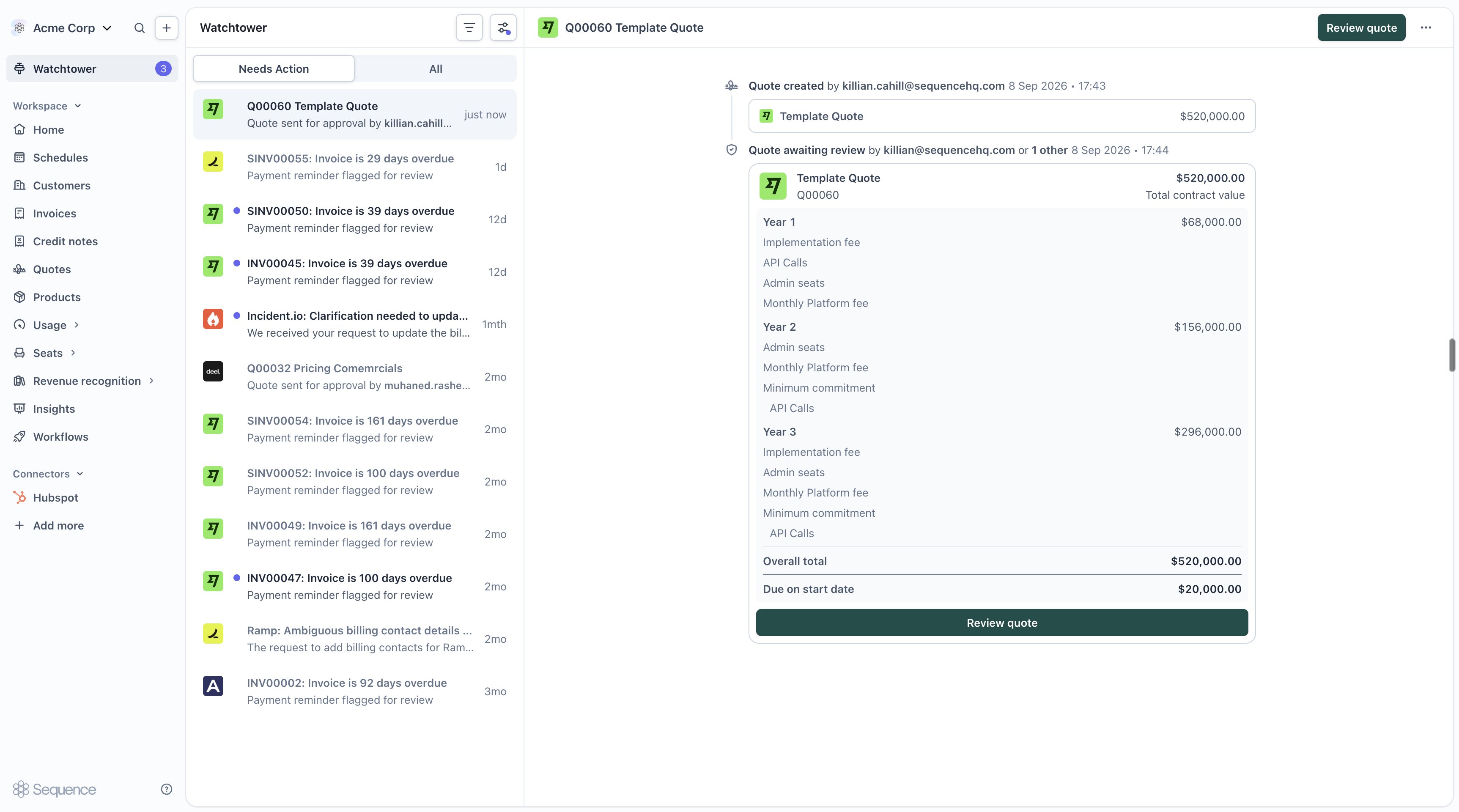
Instead of manually chasing a colleague to sign off on a discount before it goes to a customer, let a workflow route it to the right approver for you. When a quote-approval workflow is active for your workspace, publishing a quote sends it for review instead of straight to the customer.Submitting a quote for approval
1
Build the quote as usual
Create or edit your quote in the quote editor. There’s no separate “submit” step, approval is triggered from the same place you’d normally publish.
2
Select Send for review
When a quote-approval workflow is active, the publish button reads Send for review instead of Publish. Add an optional message for your approver if you want to give them context, then confirm.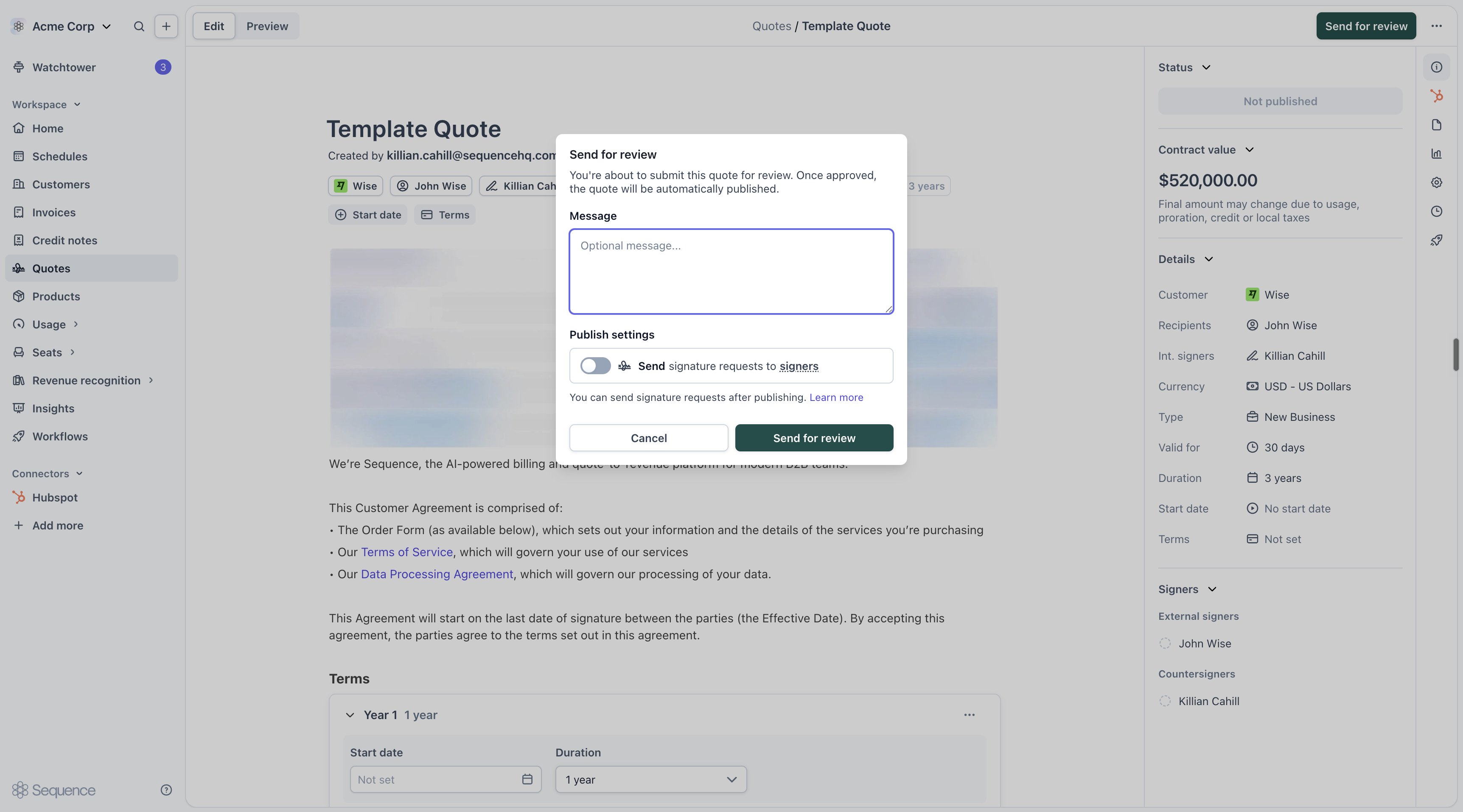
While a review is pending, the quote is locked for editing. It unlocks again as soon as the review resolves, whether approved or rejected.
Reviewing a submitted quote
Approvers see pending requests in Watchtower, under Needs review. Each task shows the quote, who requested it, and their comment.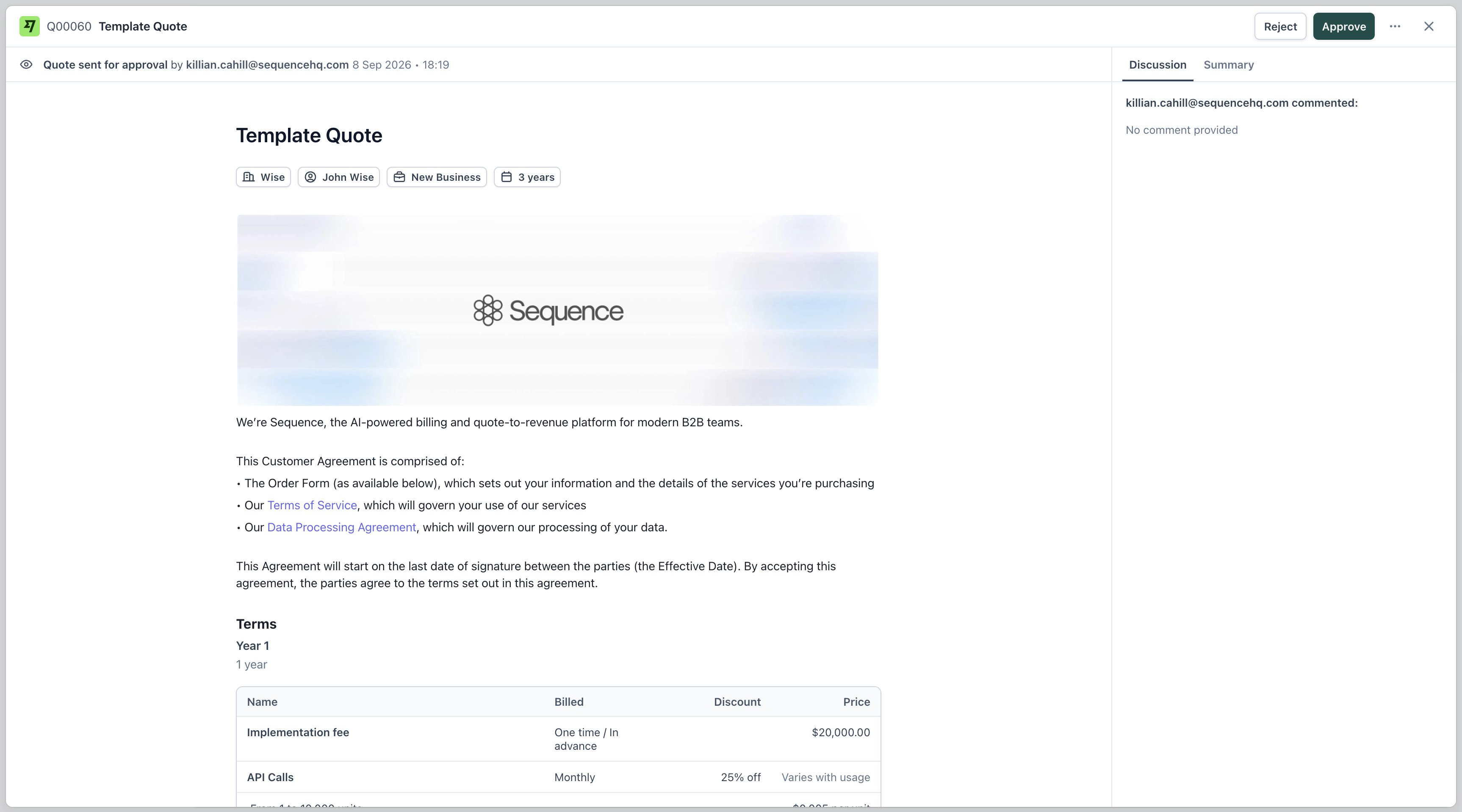
- Approve: publish the quote to the customer
- Reject: leave the quote unpublished; the requestor is notified and can edit it before resubmitting
After a decision
- Approved: the quote is published and reaches the customer through the usual sharing flow.
- Rejected: the quote stays unpublished. Edit it and send it for review again.
Next steps
- Configure who approves what and under which conditions in Workflows
- Review past decisions and monitor in-progress requests in Watchtower
- See Re-approvals for how edits to an already-approved quote are handled