

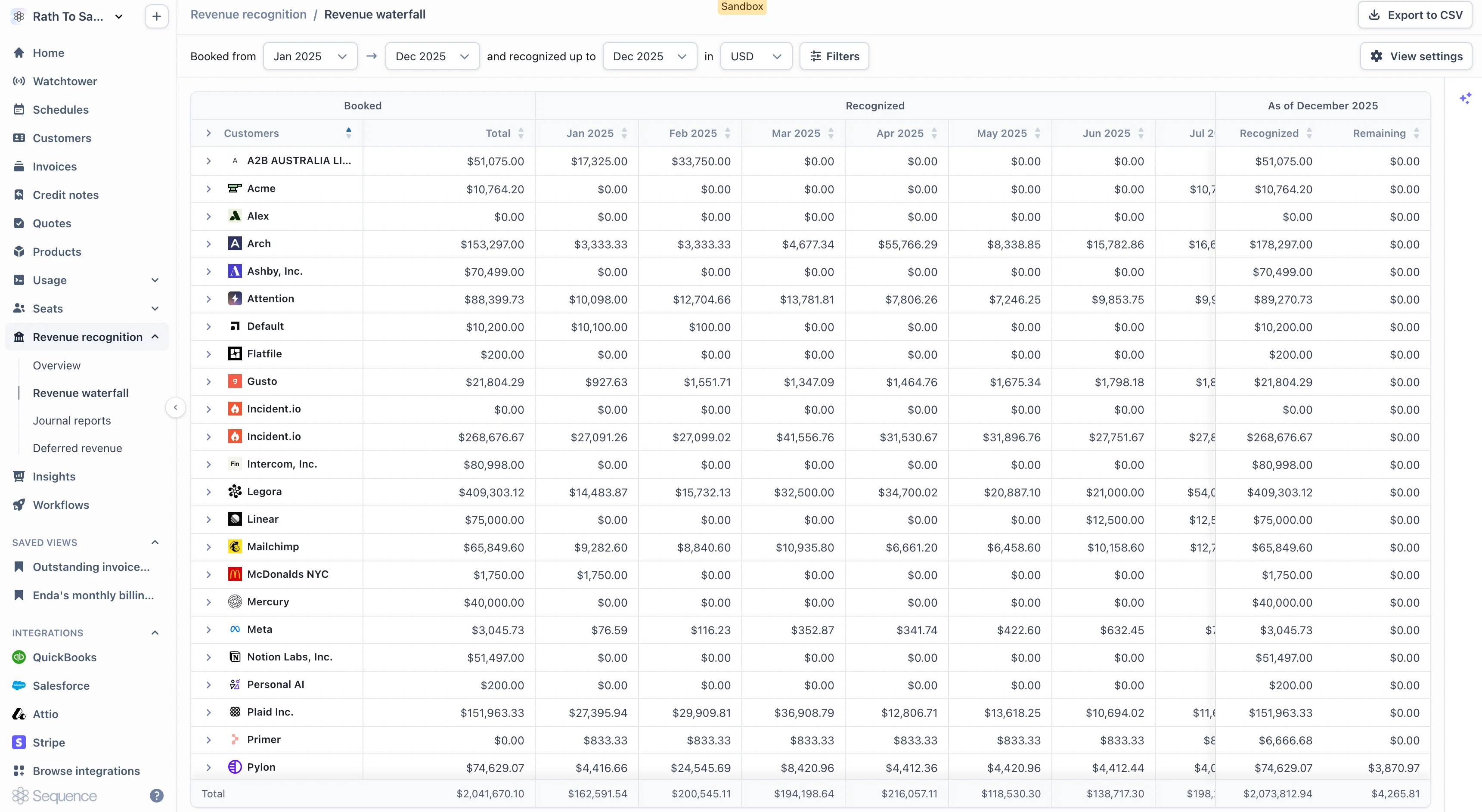
What each row shows
Each row corresponds to a grouping, typically customer with product as a child row:- Booked total: the total invoiced amount tied to that row.
- Recognized: the amount recognized as of today.
- Remaining: the amount still to be recognized in future periods.
- Monthly columns: one column per future month, showing the recognition expected in that month.
Grouping
The waterfall is grouped hierarchically:- Customer level: total booked, recognized, and remaining for that customer. The monthly columns sum across all of the customer’s products.
- Product level (child rows): the same metrics scoped to one product for one customer.
Exporting
The waterfall is exportable to CSV for offline analysis. For accounts whose volume permits it, the export runs synchronously and the file downloads directly. Very large accounts may push the synchronous endpoint to its limit. If a timeout occurs, narrow the date range and re-export, or contact support about an asynchronous export path.What the CSV contains
The CSV mirrors the in-app waterfall: one row per grouping, with the monthly columns expanded out as date-stamped columns. The format is well-suited to spreadsheet pivots and BI tools.Reconciling to the deferred revenue report
The waterfall and the deferred revenue report describe the same book of business from two angles. They reconcile when scoped consistently. To make the figures tie:- Use the same as-of date on both reports.
- Read the deferred report’s Remaining column (not Balance). Remaining is the column that ties to the waterfall, because both are measured against the deferred ledger.
- For accounts with historical data, set both reports to start at the same earliest date (for example, the first month your business started recognizing revenue in Sequence).