

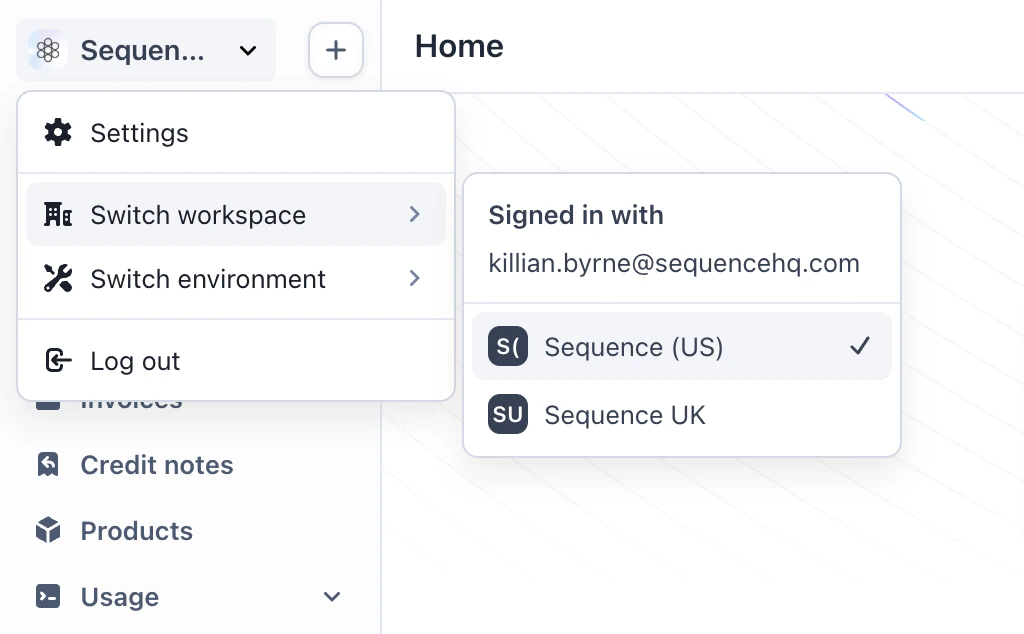
Switch workspace
Open the workspace menu in the top-left of the dashboard and select Switch workspace to move between legal entities. Customers, quotes, billing schedules, invoices, and user access stay scoped to the entity you are working in. Use this when you operate more than one legal entity or business unit that should not share billing data.Additional entities are available at an additional cost. Reach out to the Sequence team to add more entities to your account.
Quoting by entity
Quotes are created and managed within the active entity. Product catalog, pricing, and deal terms apply to that entity only, so sales teams issue proposals under the correct legal entity. For quote creation and lifecycle, see Create quotes.Billing and invoices by entity
Billing schedules, draft invoices, and sent invoices belong to the active entity. Merchant details, tax registrations, payment collection, and invoice branding apply to invoices issued from that entity. For invoice workflows, see Invoicing customers.Approval workflows by entity
Workflows run within the active entity. Quote approvals, contract intake, and other review steps route to the right team for that entity. Tasks in Watchtower only include work for the entity you are signed into.ERP and accounting sync
Connect each entity to the accounting or ERP instance it should use. Entities can sync to separate instances, such as different Xero organizations or QuickBooks companies, or share one instance when your finance setup allows. For supported accounting connectors and sync behavior, see Accounting and ERP overview.Switch environment
Select Switch environment to move between sandbox and production. Use sandbox to test quoting, billing runs, and connectors. Use production for live customer billing.Sandbox:
Production:
https://dashboard.sandbox.sequencehq.com
Production:
https://dashboard.sequencehq.com